You are here:
Know the Insurance Policy 360° Console
The Insurance Policy 360° Console enables your service agents to manage interactions that streamline common tasks. For example, call service agents can use the Identity Verification feature to search accounts, verify your customers, and improve the overall customer experience.
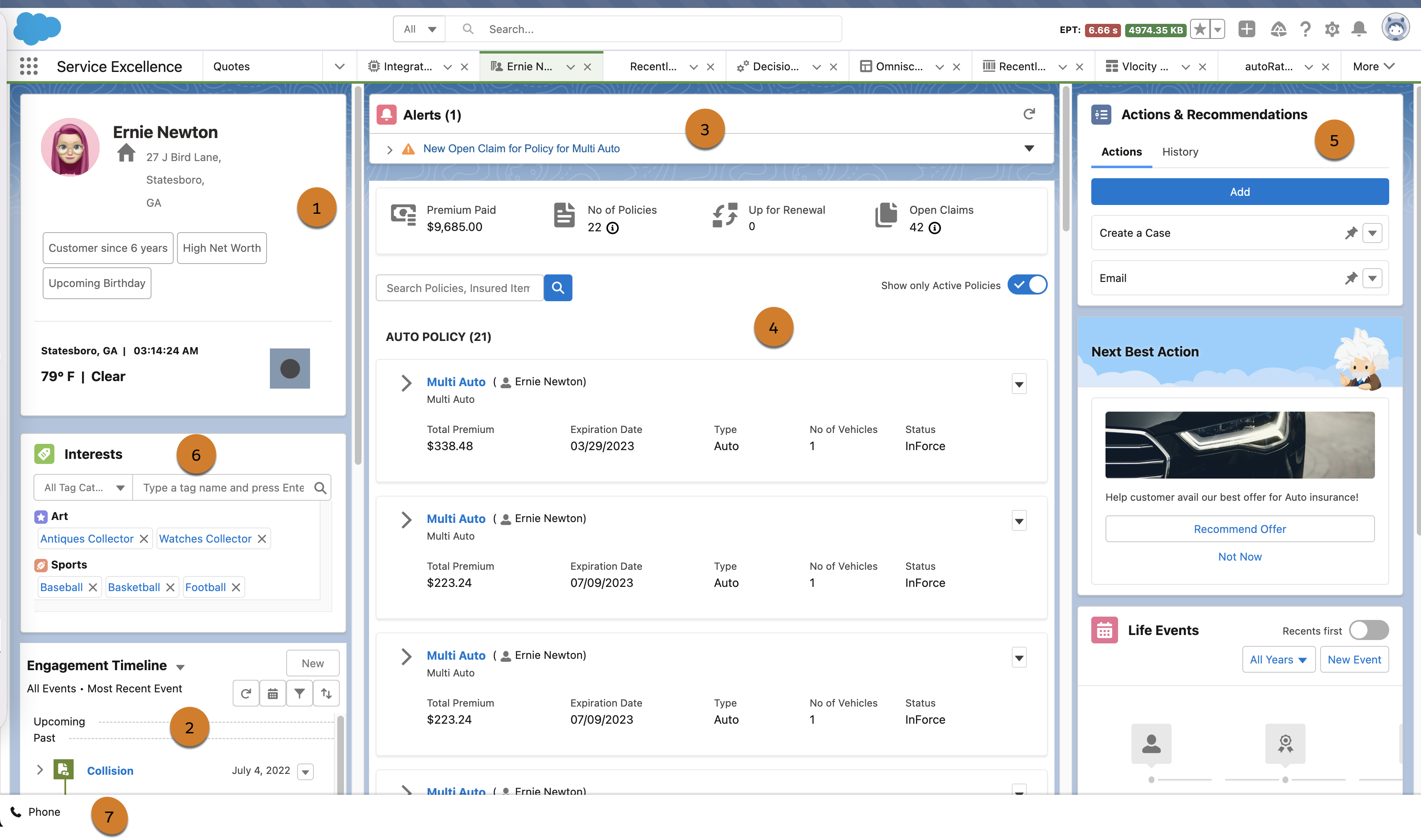
We've created an example that comes with your org. Here's what it looks like:
-
Profile Card
Displays basic account information.
-
Engagement Timeline
Provides a record of previous customer activity and interaction.
-
Record Alerts
Display alerts relevant to relationship managers or contact center agents in the context of an interaction. For more information, see Record Alerts for Insurance Property & Casualty.
-
Policies
Displays the policies issued to individual customers.
-
Actions & Recommendations
Allows easy access to all actions available in the context.
-
Interests
Reflect upon values in every engagement to help personalize customer relationships at scale.
-
Identity Verification
Verifies customers and enhances the overall customer experience. For more information, see Identity Verification for Insurance Property & Casualty.
- Identity Verification for Insurance Property & Casualty
The Identity Verification feature gives you the ability to verify the identity of a caller before you share any sensitive information with them. How you verify the identity of a caller depends on how your admin has configured the process. - Record Alerts for Insurance Property & Casualty
Alert your agents to changes in client records that require action. Using Record Alerts, agents can scan records for notifications that show information from your core banking system or from alerts that are stored in Salesforce.
