You are here:
Manage a Claim's Involved Items
As a claims adjuster, you can see at a glance which of a claim's involved items relate to each claim participant. You can also complete tasks related to involved items. For example, you can associate a claim participant who's a passenger in an auto accident with the vehicle they were riding in.
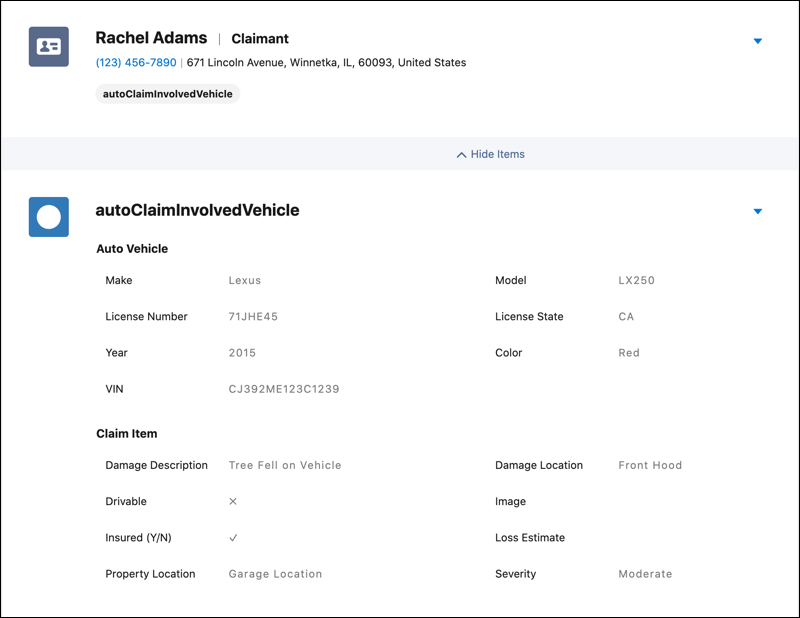

- On a claim, click the Claim Participant tab.
-
Add, edit, or delete an involved item for a claim participant.
-
To add an involved item, click the dropdown menu for the participant and choose Create New Claim Involved Item. Then add information about the involved item and the claim incident, if needed.
-
To edit an involved item, click Show Items for the claim participant if involved item details are hidden. Then click the dropdown menu for the involved item and choose Edit.
-
To delete an involved item, click Show Items for the claim participant if involved item details are hidden. Then click the dropdown menu for the involved item and choose Delete. Then click Delete.
-
