You are here:
Manage Group Census Data in a Quote
Browse through details about group members, dependents, and plan selections. Add, edit, or delete participant data as needed.
-
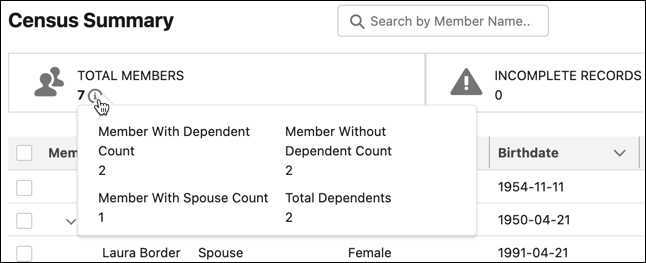
To take a quick look at census stats, click the
information icon under Total Members. A Salesforce admin can customize the
summary information that appears here.
- Scroll through detailed census data. Expand members to view their dependents and review details for each plan participant. An admin can customize the columns of data in the hierarchical tree view.
-
Manage data as needed.
-
Click Add Member to add a new member.
-
Click the Download Template action to download a spreadsheet template to use for census data uploads.
-
Click the action dropdown for an existing member to add a dependent or edit member data.
-
Click
 to delete one or more members from the quote census. Select
at least one member record to enable the delete members icon.
to delete one or more members from the quote census. Select
at least one member record to enable the delete members icon. 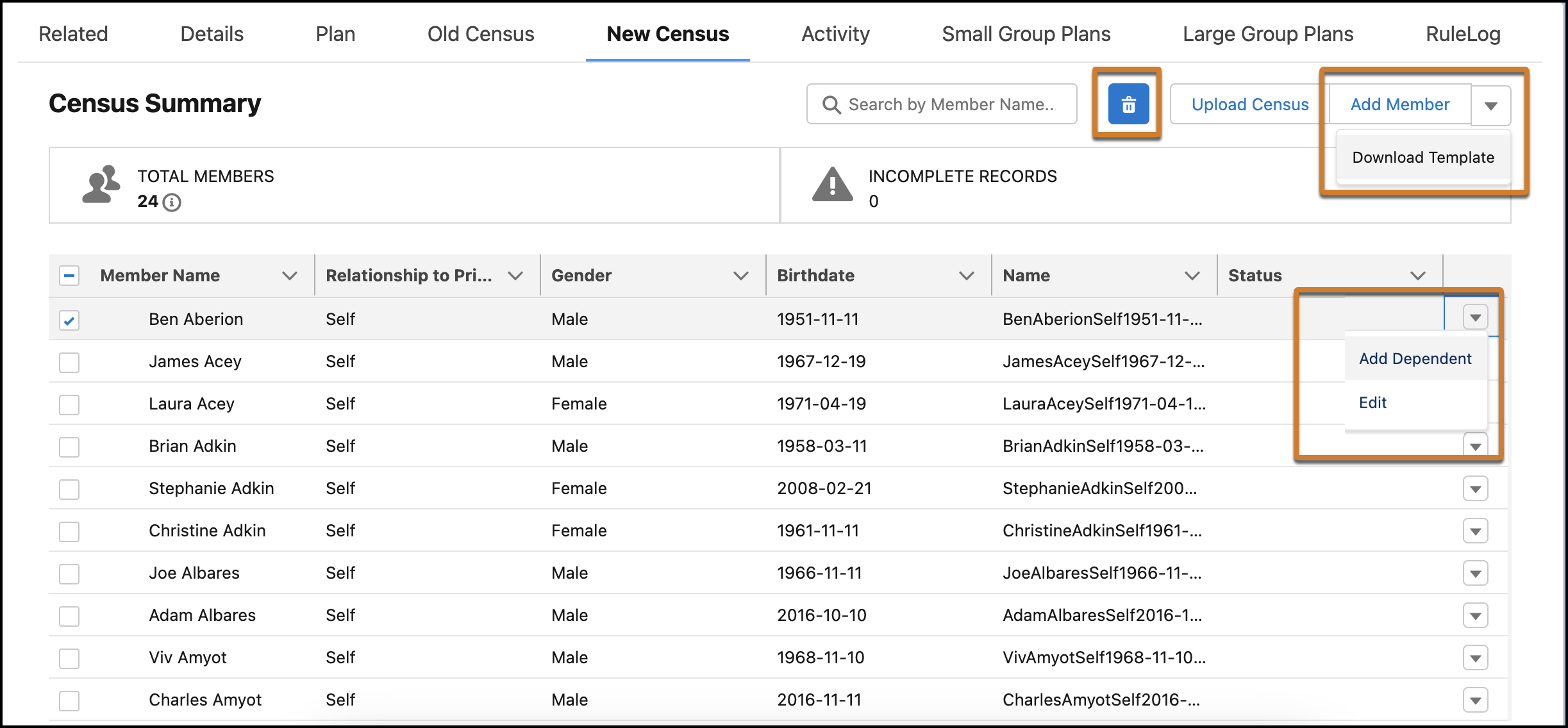
-
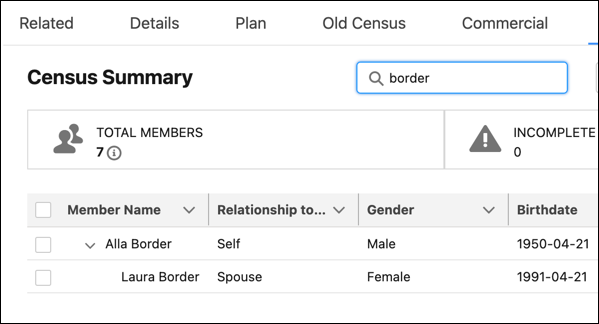
To quickly find specific members, search for them by member name. To learn more about the Search functionality, see Search for Large Group Census Members.
-
