You are here:
Policyholder Digital Experience Site
Give your policyholders access to view and change important information about their account, policies, claims, and billing options with the Policyholder Digital Experience site.
We provide you with a site template and a set of components to get you started with creating your own Policyholder site. These are a combination of standard Salesforce Experience components, a few custom components used elsewhere in Vlocity Insurance, plus a number of custom components we've created especially for the Policyholder site.

To use the Policyholder site template, you must install the Insurance FSC Unmanaged Package.
You can brand the components with your colors, fonts, logo, and other styles. You can also customize the substance of the components by adding or removing data, changing the data source, adding new elements, and more. To learn how, see Digital Experience Site Component Customization Overview.

We recommend that you use the Experience Builder to create and save your own custom template for your Policyholder site. To learn more, see Save Your Experience Site Template.
Keep reading to check out what you can do with the out-of-the-box Policyholder site
What Your User Can See in the Policyholder Site
The Policyholder site template contains top-level pages:
Policyholder Site Template
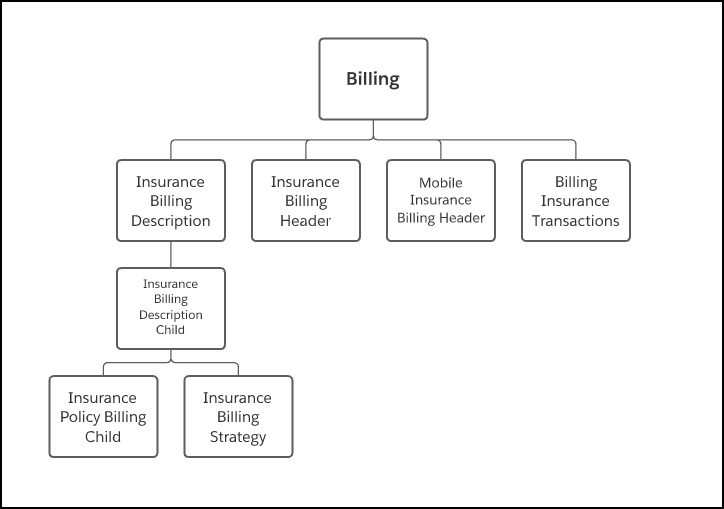
Here's an overview of the components we included in the template, and how they fit together:
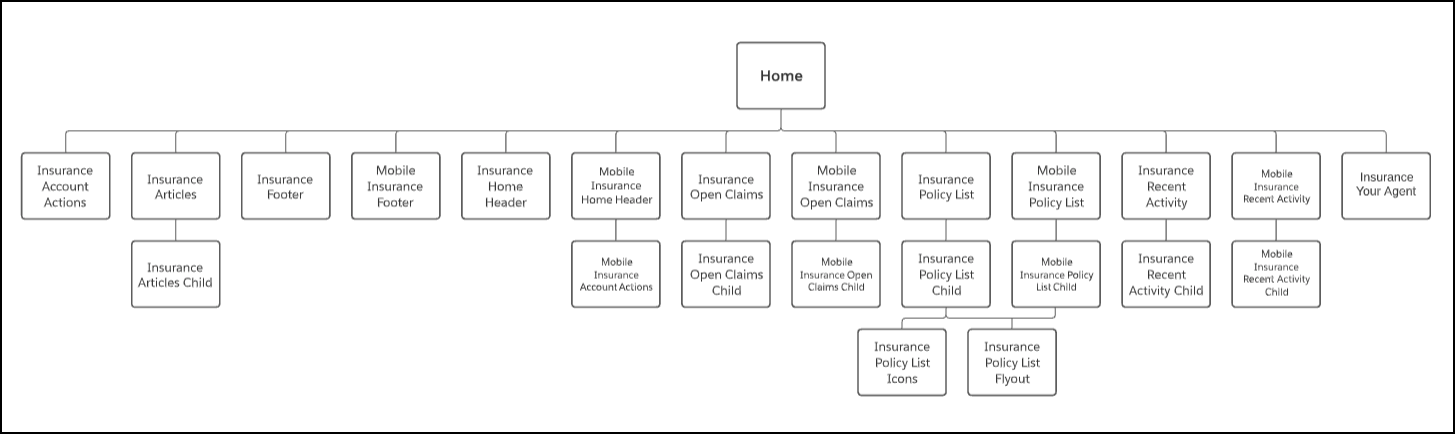
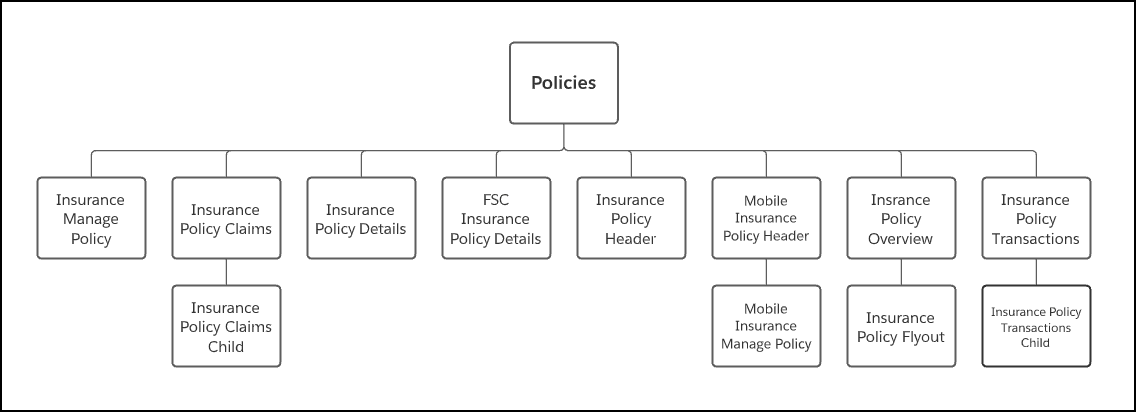
You always use the Policy Details and Policy FSC Details components for specific pages. You use the Policy Details component on the Policies page and the Policy FSC Details component on the Policies FSC page.
- Policyholder Digital Experience Site Home Page
When a policyholder logs into their Policyholder site, they land on the Home page. - Policyholder Digital Experience Site Policies Page
Your Policyholder site users have a policy record page for each of their policies. - Policyholder Digital Experience Site Billing Page
The billing page provides your Policyholder Experience users with lots of information about their billing account. - Policyholder Digital Experience Site Claims Page
The Claims page shows your Policyholder site users a list of claim records associated with their account. Users can click on the record to see more details about the claim. - Policyholder Digital Experience Site Component Catalog
The Policyholder site contains a bunch of components to get you started with providing your policyholders with functionality they can use to self-manage some parts of their policies.
