You are here:
Profile-Based Insurance Rules
Customize your insurance product model internally and across customer channels by using rules tailored to different user profiles.
Profile-based Insurance rule expressions aren’t type-ahead expressions like other existing rules. To use profile-based rules you must manually enter the USER_PROFILE parameter into the expression.
Profile-Based Set Value and Set Default Value Attribute Rules
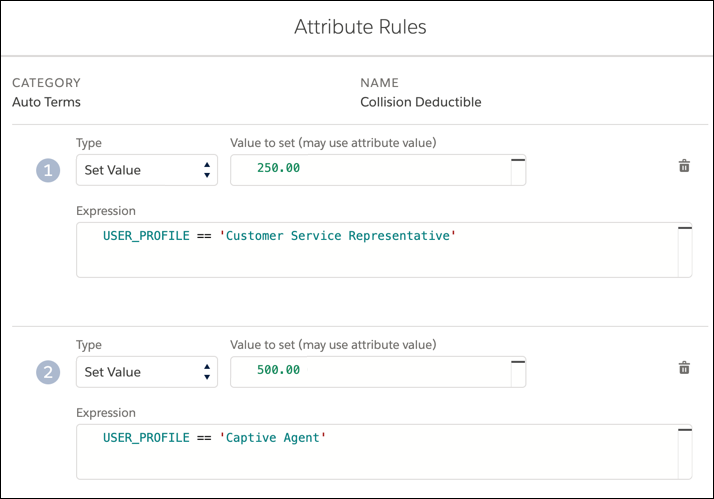
Show users unique product attribute values based on their user profile. For example, when a Customer Service Representative creates a travel insurance quote, set the luggage loss coverage limit to $250. When a Captive Agent creates a quote, set the same coverage limit to $500.
To configure profile-based attribute values, create a Set Value or Set Default Value attribute rule for a root product, coverage, insured item, or insured parties. In the rule expression, add USER_PROFILE == '<profile name>'.
For example:
USER_PROFILE == 'Customer Service Representative'
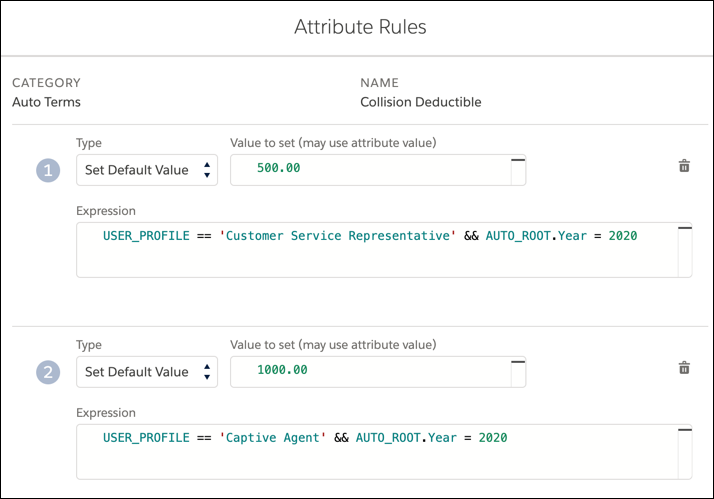
More complex expressions specify additional requirements for the rule. For example, this expression sets a value or default value for the customer service representative only if the root product’s face amount is 99.
USER_PROFILE == 'Customer Service Representative' && TRAVEL_ROOT.FaceAmount = 99
Profile-Based Hide Attribute Rules
Hide product attributes from users based on their user profile. For example, when a Customer Service Representative creates an auto insurance quote, hide the Rental Car Limit attribute by using attribute rules. When a Sales Agent creates a quote, show the Rental Car Limit attribute.
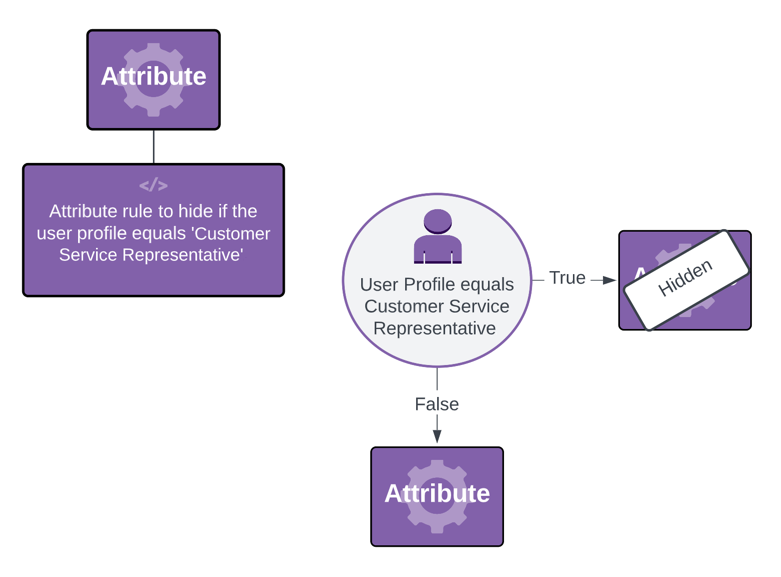
To configure profile-based hidden attributes, create a Hide attribute rule for a root product, coverage, insured item, or insured parties. In the rule expression, add %USER_PROFILE% = '<profile name>'.
For example:
%USER_PROFILE% = 'Customer Service Representative'Profile-Based Hide Attribute Value Rules
Hide product attribute values from users based on their user profile. For example, when a Customer Service Representative creates an auto insurance quote, hide the Rental Car Limit attribute value of $2,000 by using attribute rules. When a Sales Agent creates a quote, show the Rental Car Limit attribute value of $2,000.
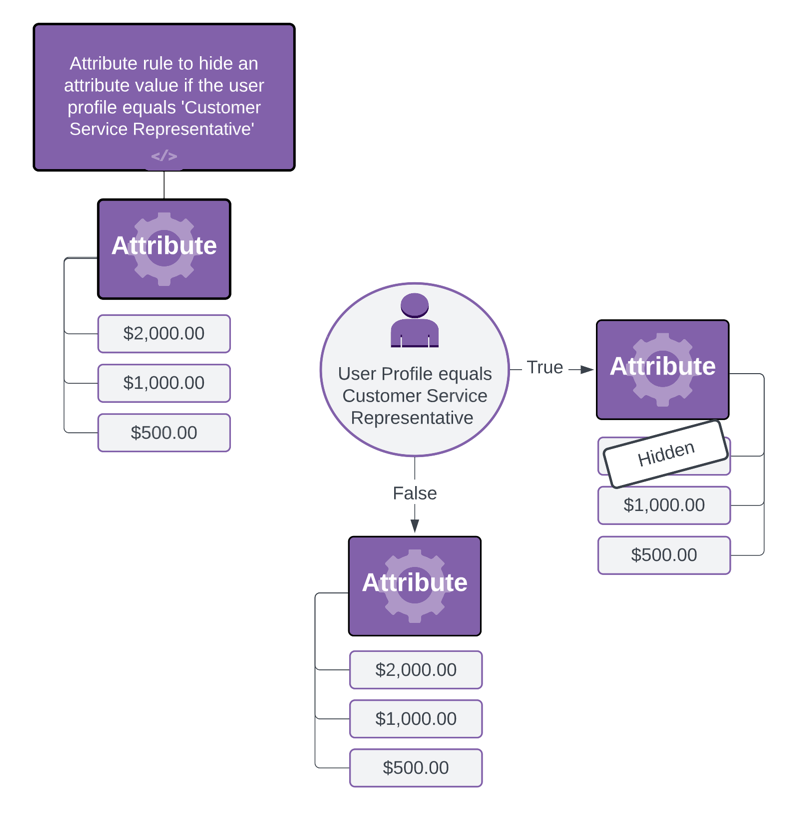
To configure profile-based hidden attribute values, create a Hide attribute rule for a root product, coverage, insured item, or insured party attribute value. In the rule expression, add %USER_PROFILE% = '<profile name>'.
For example:
%USER_PROFILE% = 'System Administrator'Profile-Based Attribute Message Rules
Show users product attribute messages based on their user profile. For example, when a Customer Service Representative creates an auto insurance quote, display a message on the Good Student attribute to let the user know that this attribute is subject to GPA verification. When a Sales Agent creates a quote, this message doesn’t display.
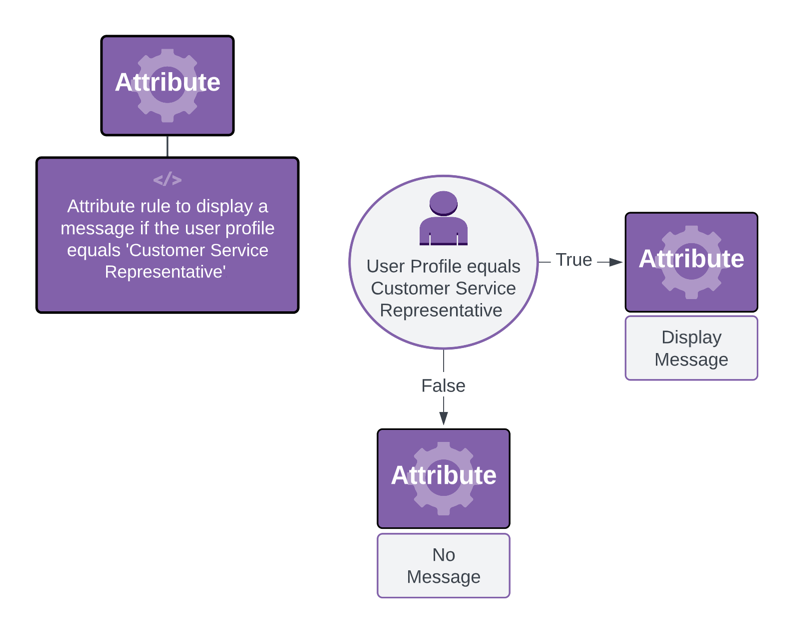
To configure profile-based attribute messages, create a Message attribute rule for a root product, coverage, insured item, or insured party attribute value. In the rule expression, add %USER_PROFILE% = '<profile name>'.
For example:
%USER_PROFILE% = 'Customer Service Representative'Attributes and Locale-Specific Languages
When you update the org language, the Name field for certain standard user profiles is translated to that language. Be sure to use the translated version of the Profile Name in Attribute rules for these profiles:
-
Contract Manager
-
Partner User
-
Marketing User
-
Standard User
-
Solution Manager
-
Standard Platform User
-
System Administrator
-
Customer Portal Manager
For example, if the org language is Spanish and the rule includes System Administrator:
%USER_PROFILE% = 'Administrador del sistema'