You are here:
Profile-Based Optional Coverage Rules
Customize optional coverage rule behaviors for users based on the user profiles.
Profile-based optional coverage rule expressions aren't type-ahead expressions like other existing rules. To use profile-based optional coverage rules you must manually enter the USER_PROFILE parameter into the expression.
Required Coverage Rules
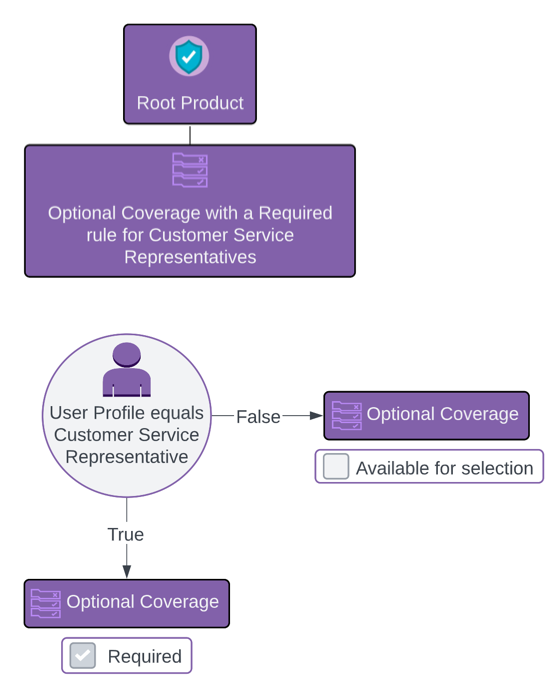
You can use profile-based optional coverage rules to make coverages required for certain types of users. Let's say you want Collision coverage to be required when a quote is created by a Customer Service Representative.
- When a Required coverage rule expression
USER_PROFILE = 'Customer Service Representative'evaluates totrue, the Collision coverage is required and the user can't manually deselect it. - When a Required coverage rule expression
USER_PROFILE = 'Customer Service Representative'evaluates tofalse, the Collision coverage is optional, and the user can manually deselect it.
Default Selected Rules
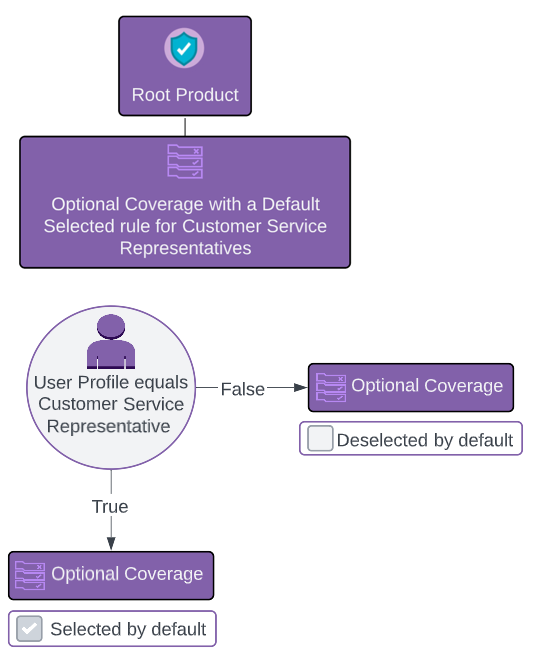
Automatically select coverages by default for certain users based of their user profiles. Let's say you want to have Rental Car coverage selected by default for Customer Service Representatives.
- When a Default Selected coverage rule expression
USER_PROFILE = 'Customer Service Representative'evaluates totrue, the Rental Car coverage is selected by default, but the user can deselect it. - When a Default Selected coverage rule expression
USER_PROFILE = 'Customer Service Representative'evaluates tofalse, the Rental Car coverage is not selected by default. The user can manually select or deselect the coverage.
Validation Rules
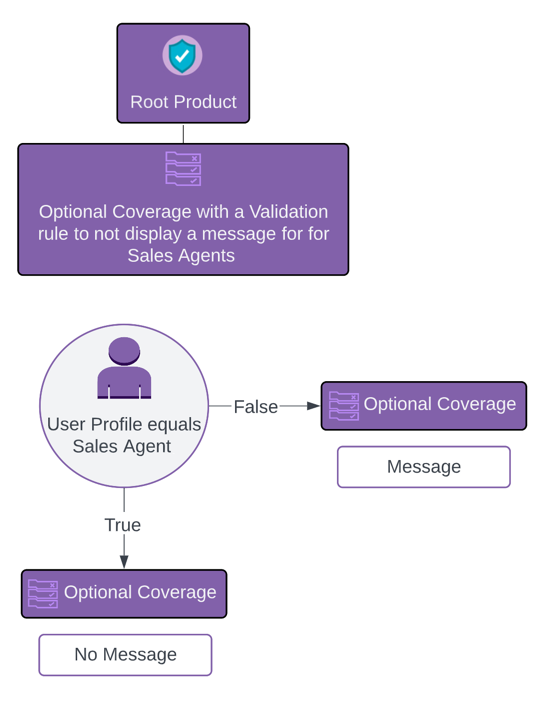
Display messages about coverages based on the user's profile. Let's say you want to show everyone who's not a Sales Agent a message about Rental Car coverage to let them know that rental car drivers must be at least 21 years old. Sales Agents don't need to see this message.
- When a coverage Validation rule expression
USER_PROFILE = 'Sales Agent'evaluates totrue, no message displays. The coverage behaves as it would normally. - When a coverage Validation expression
USER_PROFILE = 'Sales Agent'evaluates tofalse, the message displays just below the coverage name on the quote UI.
Eligibility Rules
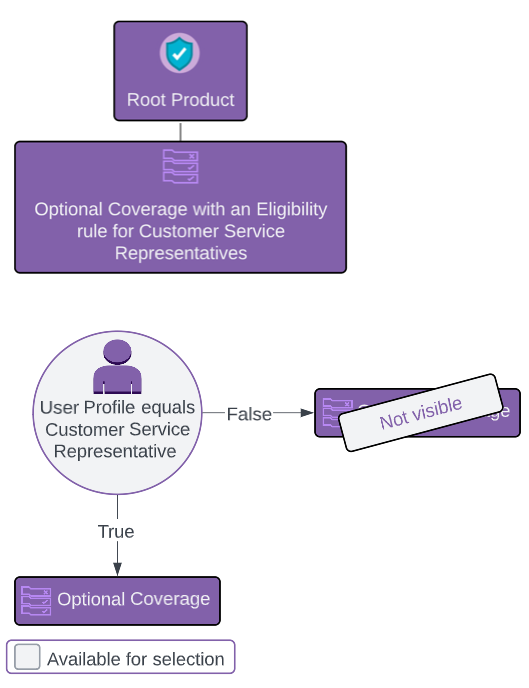
Control which users see optional coverages with profile-based eligibility rules. Let's say you want Customer Service Representatives to see Rental Car coverage as available for selection. Guest users can’t add this coverage, and don’t see it’s an option.
-
When an Eligibility optional coverage rule expression
USER_PROFILE = 'Customer Service Representative'evaluates to true, the coverage is visible to the user and is available for selection. -
When an Eligibility optional coverage rule expression
USER_PROFILE = 'Customer Service Representative'evaluates to false, the coverage isn’t visible to the user.
Coverage Rules and Locale-Specific Languages
When you update the org language, the Name field for certain standard user profiles is translated to that language. Be sure to use the translated version of the Profile Name in coverage rules for these profiles:
-
Contract Manager
-
Partner User
-
Marketing User
-
Standard User
-
Solution Manager
-
Standard Platform User
-
System Administrator
-
Customer Portal Manager
For example, if the org language is Spanish and the rule includes System Administrator:
%USER_PROFILE% = 'Administrador del sistema'