You are here:
Pursue and Accept Claim Recovery Amounts
As team members pursue, accept, and seek additional recovery amounts, they track each step of the claim recovery process.
-
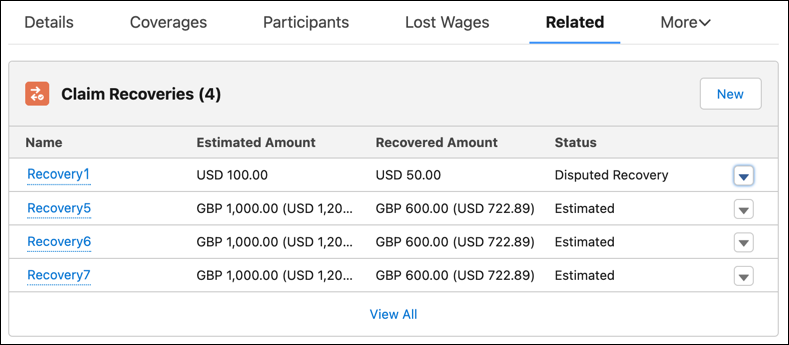
On a claim, from the Claim Recoveries related list, click New to initiate a recovery effort.
-
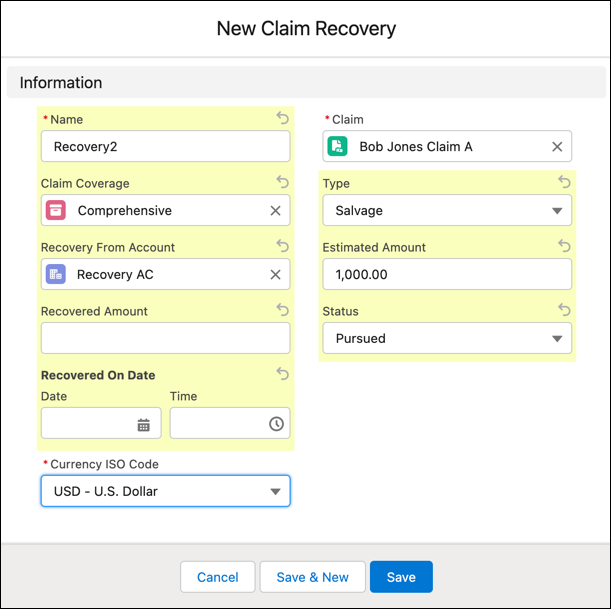
Enter the amount to recover, the account to recover from, and other details.
-
After funds are recovered, click Edit to enter an Actual Recovery amount.
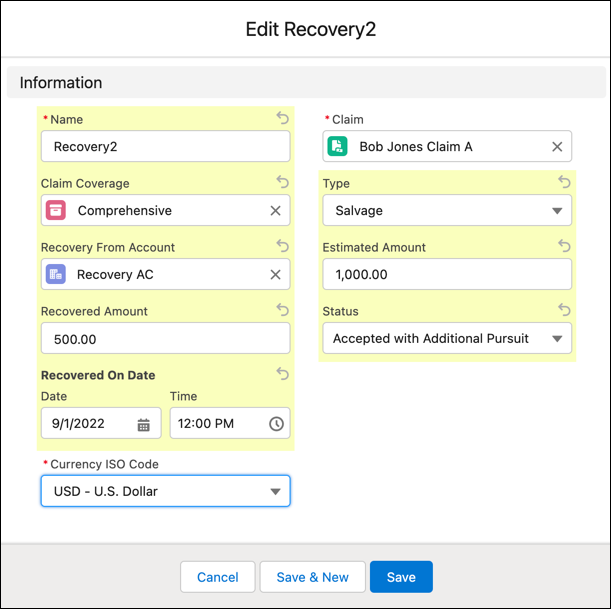
- Create a new claim recovery for each additional pursuit, and edit the status of each claim recovery to reflect the current state of that recovery attempt, such as Accepted Recovery, Accepted with Additional Pursuit, or Recovery Written Off.
Did this article solve your issue?
Let us know so we can improve!
