You are here:
Remove Drivers for Auto Business
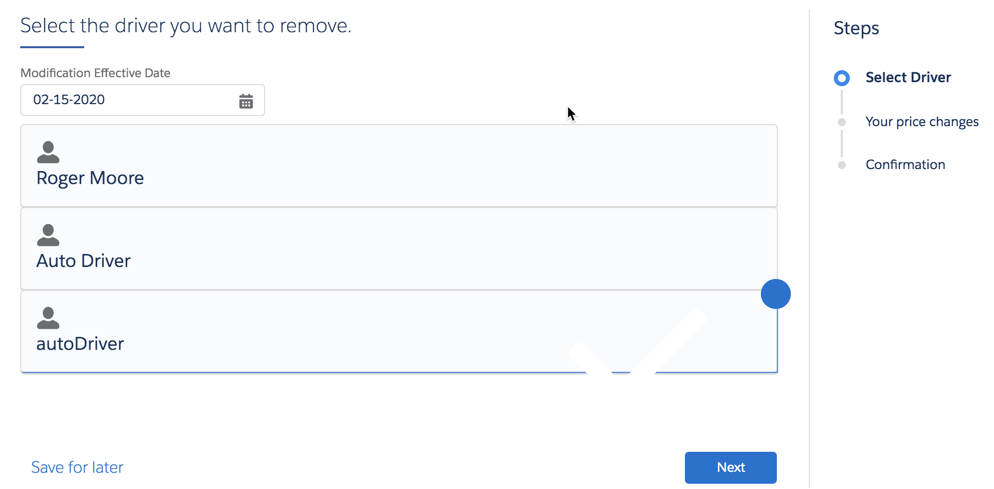
First, the OmniScript takes the policyId and uses the InsPolicyService:getInsuredItems service to retrieve data for the drivers included in this policy.
A Vlocity Lightning Web Component (specifically extended for this purpose) displays the drivers and makes them available for users to select for removal.
A selected driver gets a half-border and a big blue dot.
The OmniScript uses the InsPolicyService:removeInsuredItem to remove the selected drivers.
A page displays the price change that will take effect when the driver is removed from the policy.
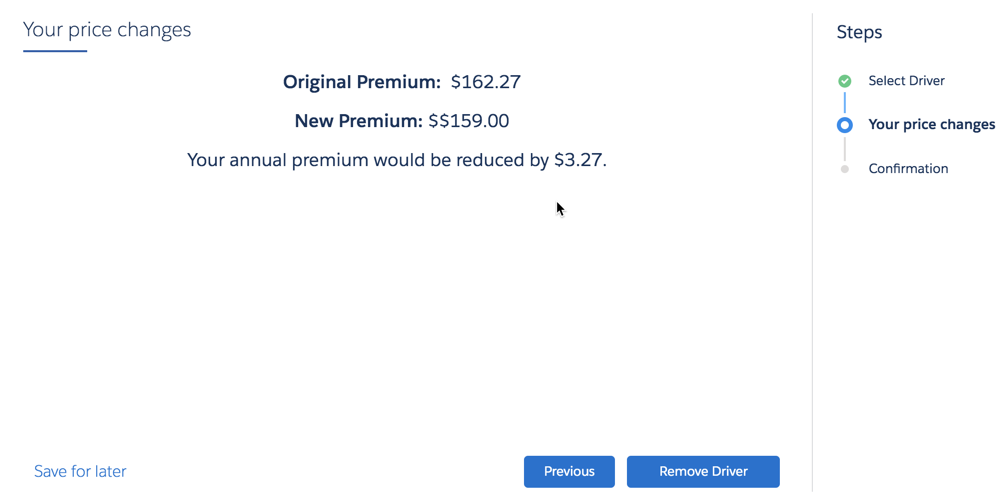
After the user clicks Remove Driver, a Data Mapper transforms the data and the InsPolicyService:createPolicyVersion service creates a new version of the existing policy, minus the removed drivers.
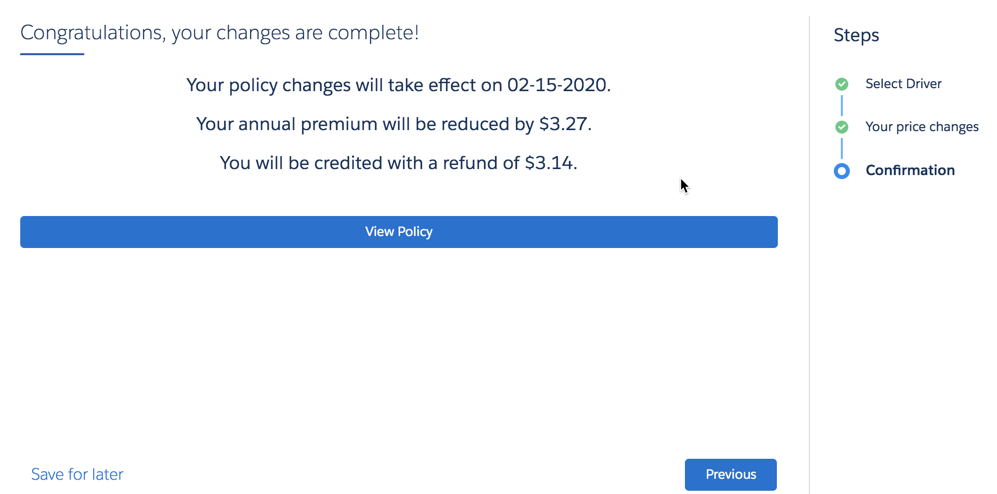
Finally, a confirmation page appears. It shows the key data that's changed for the policy.