You are here:
Remove Vehicles for Auto Business
The OmniScript takes a policy Id and uses the InsPolicyService:getInsuredItems service to retrieve data about all the vehicles insured by this policy. It calls a DataRaptor to transform the data from the service to get it ready to display. Then it displays the vehicles.
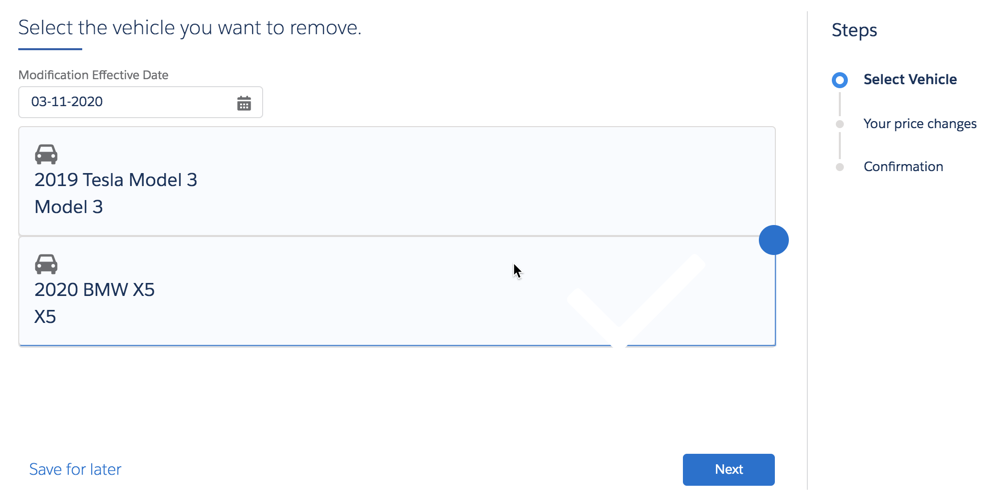
The OmniScript calls a Vlocity Lightning Web Component that lets users click any vehicle, then click Next to remove that vehicle from the policy.
When a user chooses a vehicle, it gets an outline and a big blue dot.
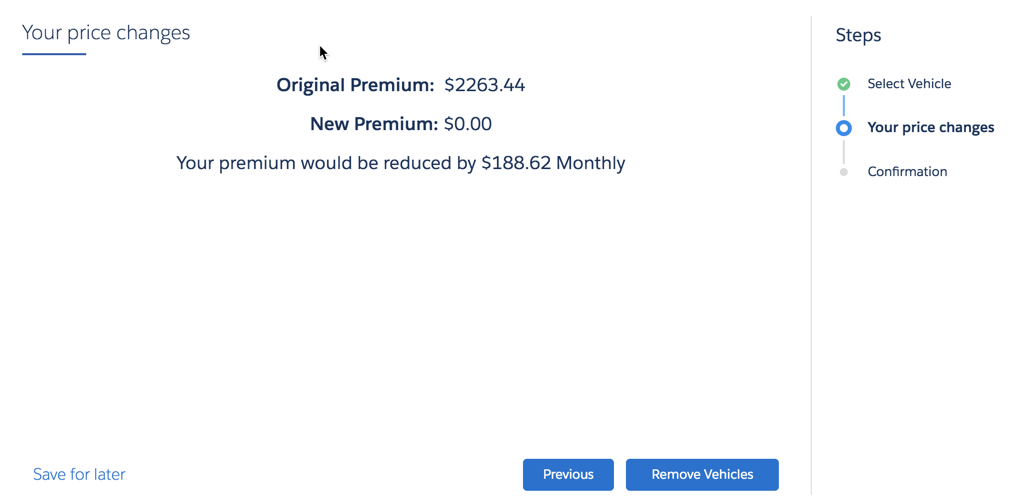
The OmniScript calls the InsPolicyService:removeInsuredItem service. It displays data about what will change, especially the price change to the customer.
A bunch of things happen behind the scenes after the user clicks the button. An Omnistudio Data Mapper transforms the data to prepare to create a new policy version.
The InsPolicyService:createPolicyVersion service creates a new version of the existing policy that doesn't include the selected vehicle(s).
An integration procedure updates the payment plan for the policy, minus the premium for the removed vehicle(s).
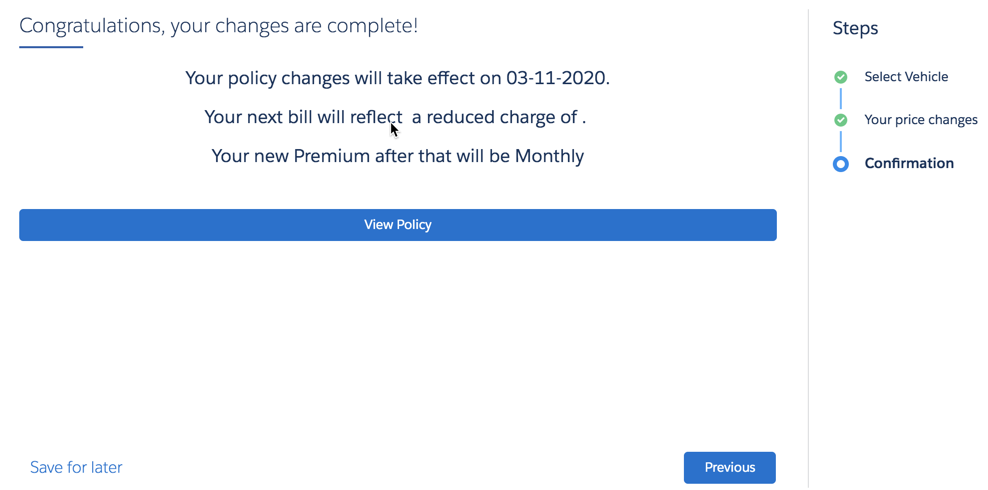
The user sees a confirmation page that gives the change to the premium they owe.