You are here:
Renew Policy Business Process
When it's time to renew your policy, you get an email with a renewal link. Then all you have to do is enter some details for the renewal and it's all done. It's that simple! Carry on reading to find out details of this process.
Renew Policy OmniScript
The renew policy OmniScript is available in OmniScripts under Type - insFSC/RenewPolicy and Version Name - Renew Policy FSC. You can launch the OmniScript from multiple locations.
You can launch this OmniScript from:
If you're a |
Launch OmniScript from |
|---|---|
Broker or Agent |
Broker Portal |
Customer who owns insurance policies |
Customer Portal |
Internal insurance agent Vlocity admin |
Vlocity Admin Lightning Experience |
How Renew Policy Works
The Renew Policy workflow renews your policy.
-
The OmniScript takes a policy Id and uses the InsPolicyService:getInsuredItems and InsPolicyService:getPolicyDetails and services to retrieve data about the vehicles insured by this policy and the corresponding coverages for them.
-
It calls an Omnistudio Data Mapper to transform the data from the service to get it ready to display.
-
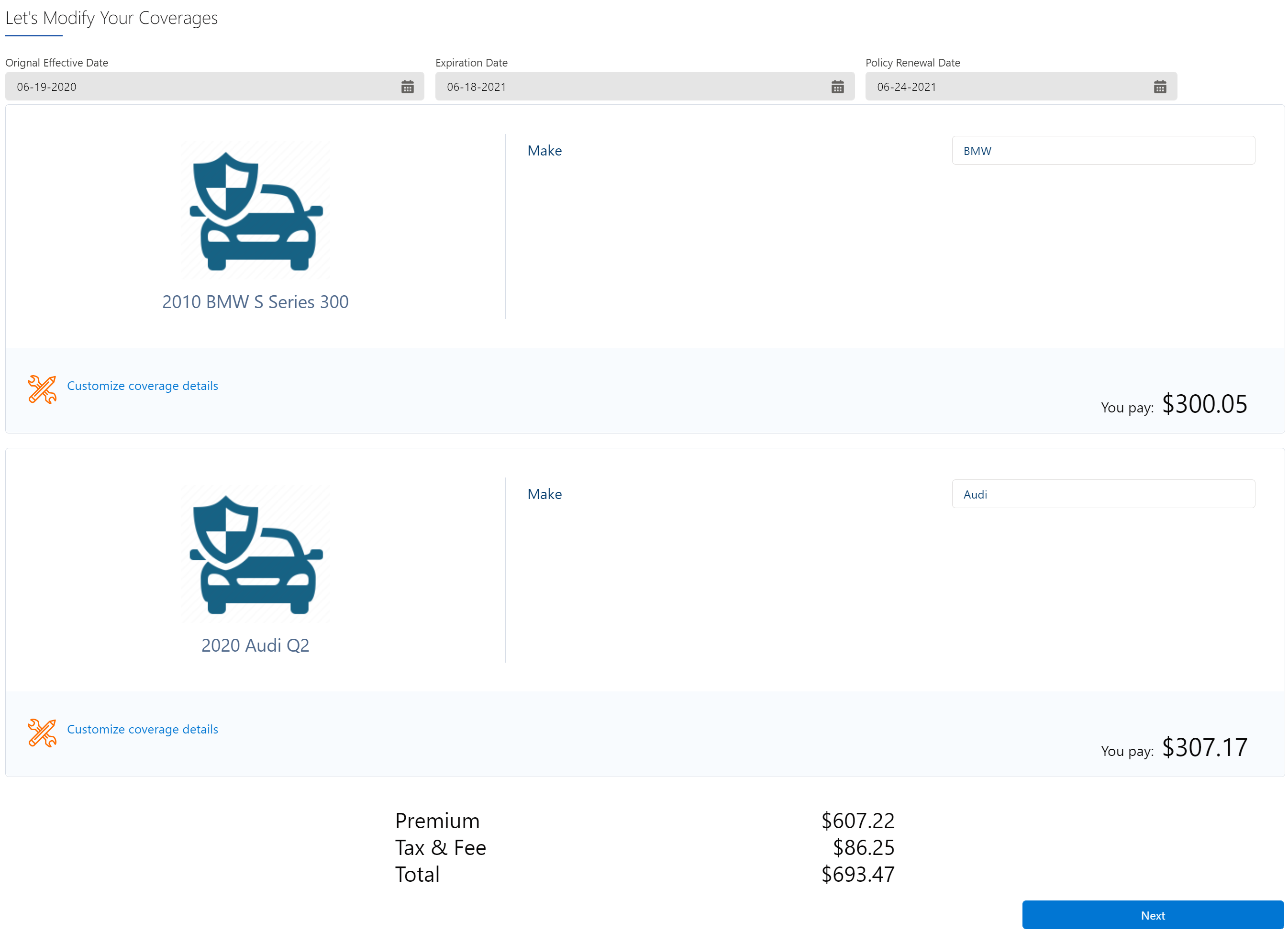
It then displays the vehicle and coverage details and lets the user modify coverages. If users modify coverages, the policy is repriced accordingly and the price is updated on the user interface.
-
The OmniScript uses this information to create a renewed policy.
-
Next, a Data Mapper updates the old policy to show that it has been renewed.
-
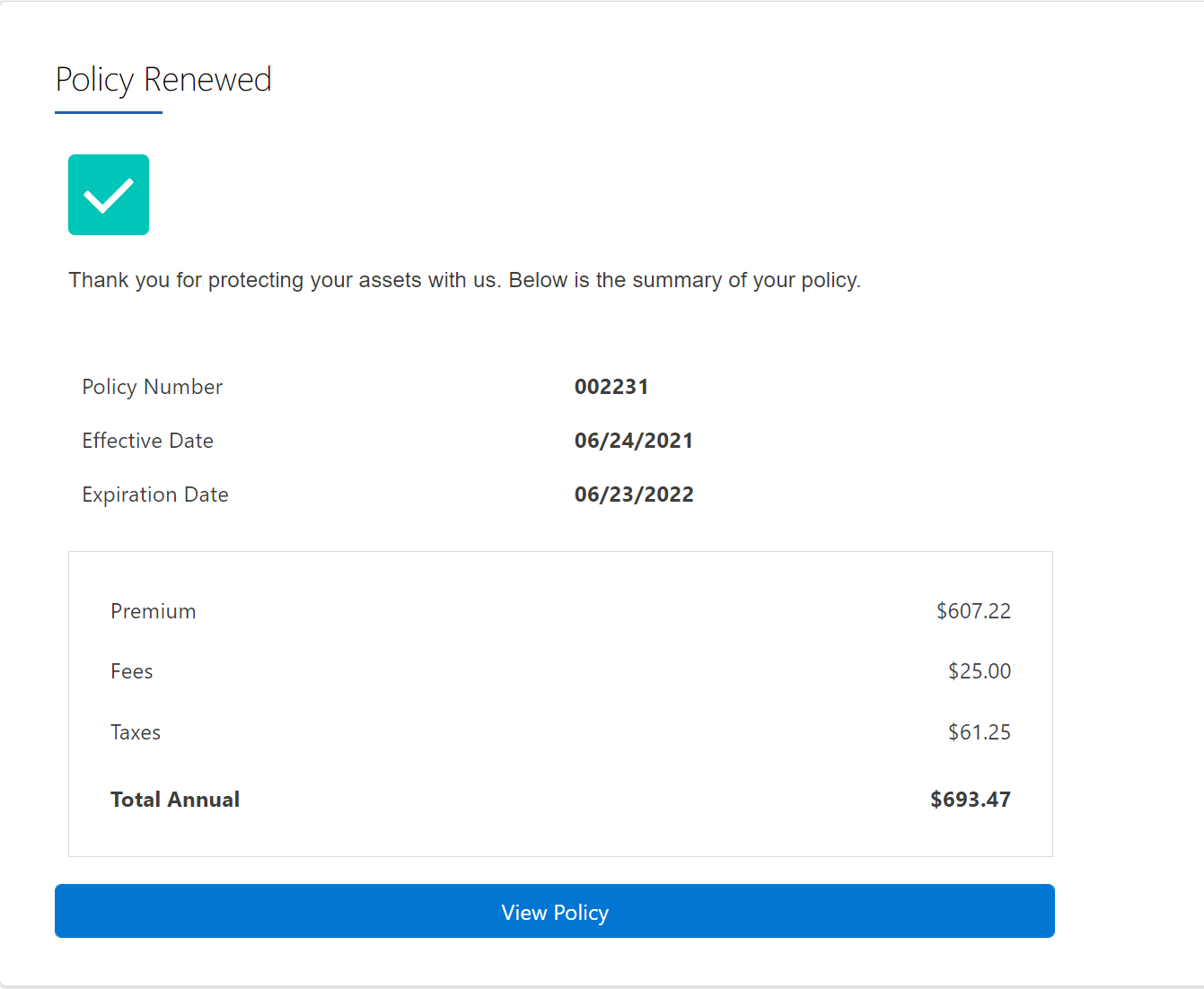
The OmniScript then uses a FlexCard to show information about the renewed policy.
What's in the Renew Policy OmniScript
The Renew Policy OmniScript has components to get insured items and policy coverages, to set renewal dates and policy ID, to configure coverages, and to update policies.
Component Name |
Component Type |
What It Does |
What It Calls |
|---|---|---|---|
SetPolicyId |
Set Values |
Retrieves the effective date and policy ID of the policy. |
None |
GetInsuredItems |
Remote Action |
Calls the service to get a list of the insured items. |
|
GetPolicyCoverages |
Remote Action |
Calls the service to get a list of the applicable coverages. |
|
setDisplayValues |
Data Mapper Extract Action |
Transforms the policy data for display. |
Fsc_ReadPolicyDetails |
SetRenewDate |
Set Values |
Retrieves the policy renewal date. |
None |
configure |
Step |
Lets users configure coverages for the renewed policy. |
None |
createUpdatePolicy |
Integration Procedure Action |
Calls an integration procedure that creates the renewed policy using the InsPolicyService: createPolicyVersion service. |
CreateRenewedPolicyVersion |
UpdateOldPolicy |
Data Mapper Post Action |
Updates the old policy record renewal information. |
Ins_PostOldPolicyVersion_FscOS |
confirmationScreen1 |
Step |
Displays the details of the renewed policy. |
None |
How to Renew a Policy
Customer services reps, policyholders and brokers can renew policies three different ways.
- Insurance Application Suite Renew a Policy from the Policy UI
A customer service rep or internal insurance agent with access to the Policy UI can renew policies from that UI. - Insurance Application Suite Renew a Policy from the Digital Experience Site
Policyholders and brokers can renew policies right from their Experience Sites. - Insurance Application Suite Renew a Policy Through Email
A week before your policy expires, you receive a reminder email to renew your policy. Here's what an example email looks like:
