You are here:
Revenue Schedule Display Lightning Web Components
You can view the Revenue Schedule for a policy on the Policy (Asset) record. The Revenue Schedule tab displays two Lightning Web Components (LWC): Vlocity Insurance Revenue Charts and Vlocity Insurance Revenue Schedule.
Vlocity Insurance Revenue Charts
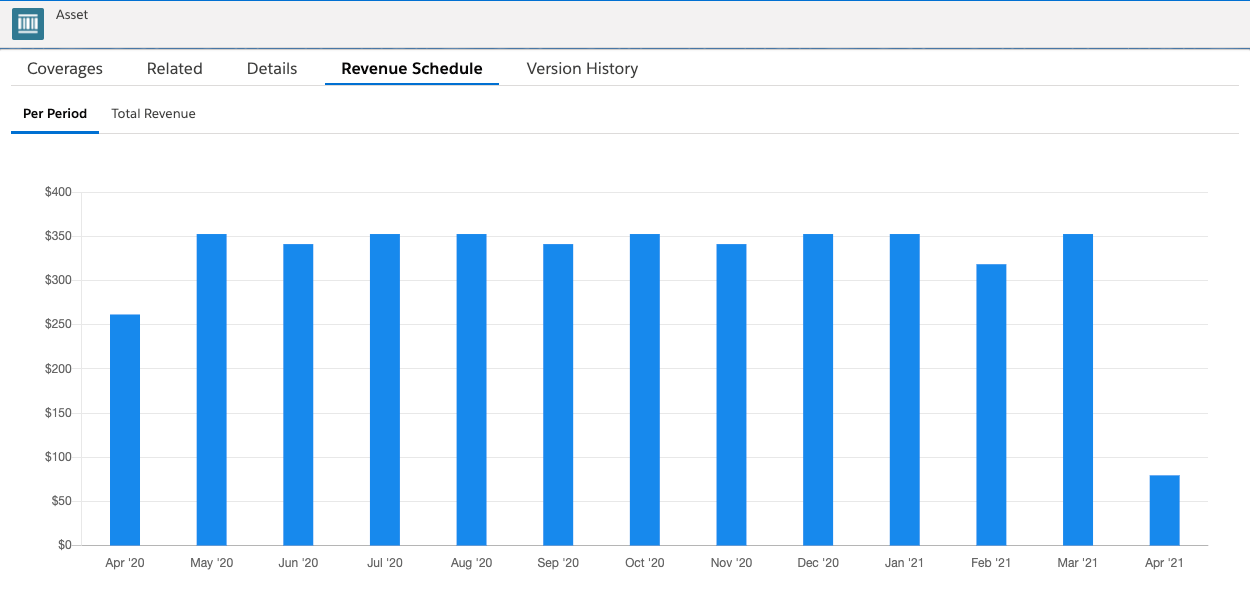
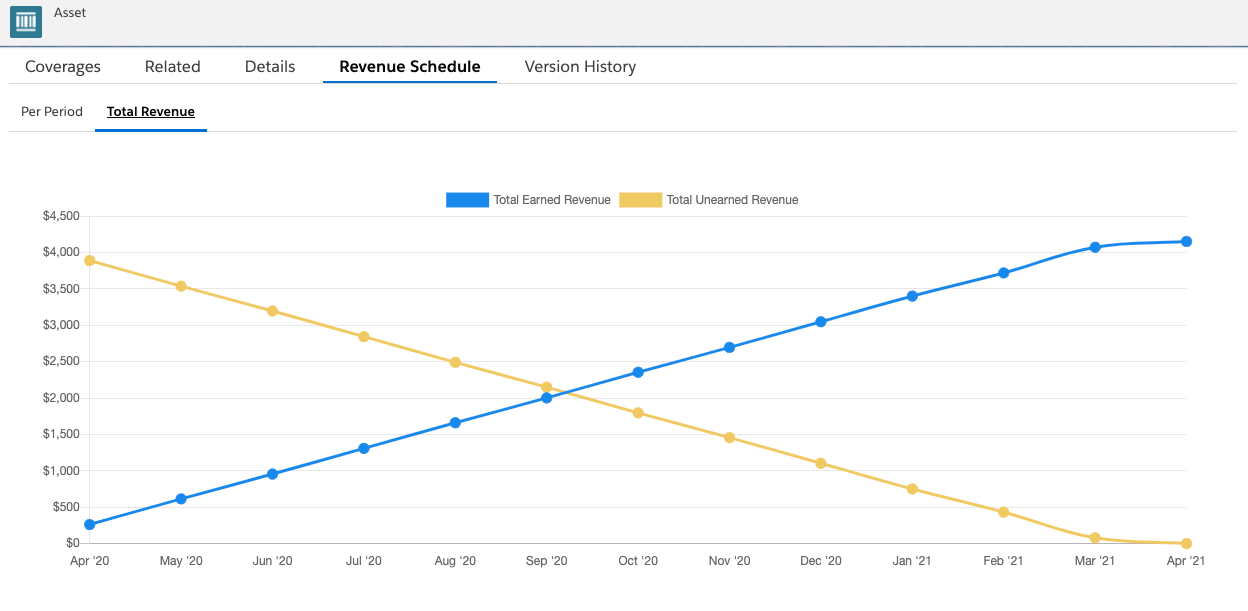
The Vlocity Insurance Revenue Charts LWC has two tabs: Per Period and Total Revenue.
The Per Period tab shows you a bar graph representation of the dollar amount of revenue earned in each period of the policy:
The Total Revenue tab shows you a line graph of the Total Earned Revenue and Total Unearned Revenue over the lifespan of the policy:
Vlocity Insurance Revenue Schedule
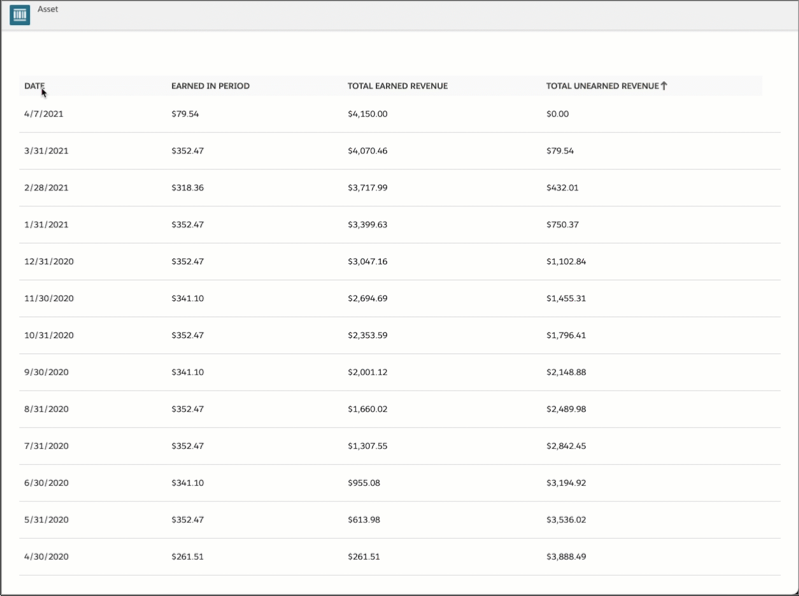
You can see the Vlocity Insurance Revenue Schedule LWC directly below the charts. This component displays information in four columns:
-
Date
-
Earned in Period
-
Total Earned Revenue
-
Total Unearned Revenue
Click any of the column headers to sort the table based on that column: