You are here:
Scope of Rule Evaluations
Editing root items, insured items, insured item parties, or coverages can change how optional coverage rules evaluate.

A node is a root item, insured item, or insured party item.
Edit a Root Item, Insured Item, or Insured Party Item
The impact of an edit starts from the edited node and extends to all its lower-level nodes with at least one optional coverage defined in its product configuration. Any optional coverages that belong to lower-level nodes can reference the edited node's attributes in its rule expressions. This is a top-down traversal.
"All coverages" means all optional coverages defined in the insured item’s, insured party item’s, or root item’s product configuration.
Example 1
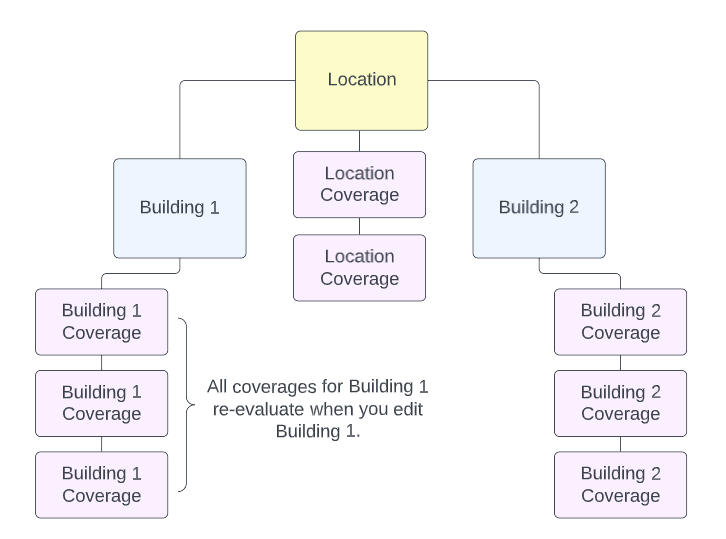
You edit a grandchild insured item (Building 1). All coverages for Building 1 re-evaluate because the node above them (Building 1) changed.
Example 2
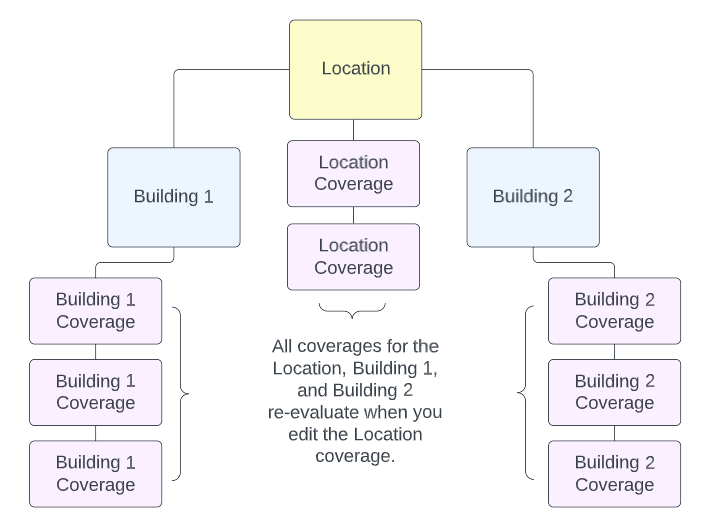
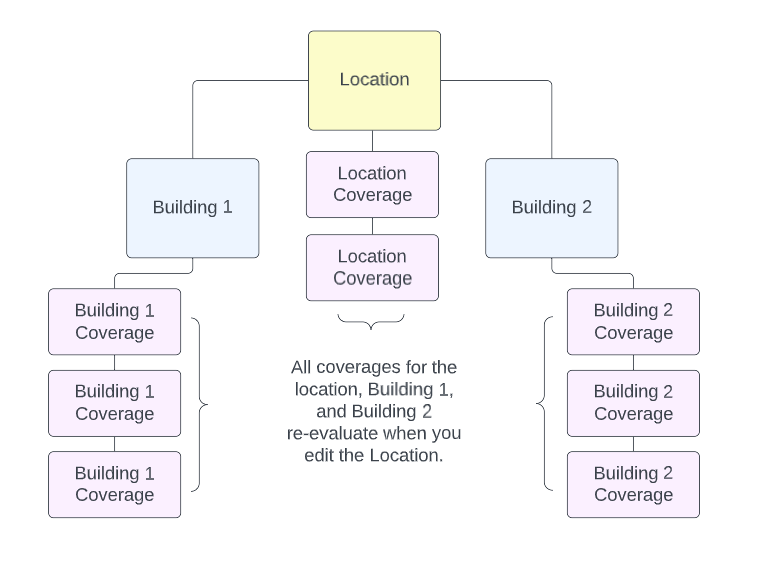
You edit a child insured item (Location). All coverages for the location and the buildings (grandchild insured items) at the Location re-evaluate because the top-level node (Location) changed.
Edit a Coverage
From the edited coverage, we can find the node it’s associated with. The impacted nodes are from this node to all its lower-level nodes with at least one optional coverage defined in its product configuration. Any optional coverages that belong to lower-level nodes can reference the edited node's attributes in its rule expressions. This is a top-down traversal.
"All coverages" means all optional coverages defined in the insured item’s, insured party item’s, or root item’s product configuration.
Example
You edit the coverage on a child insured item (Location). All Location coverages and all coverages for the buildings (grandchild insured items) at the Location re-evaluate because coverage at the top-level node (Location) changed.