Loading
Feature Disruption - Service Cloud VoiceRead More
Feature degradation | Gmail Email delivery failureRead More
Insurance
Table of Contents
Select Filters

          No results
          No results
          Here are some search tips

          Check the spelling of your keywords.
          Use more general search terms.
          Select fewer filters to broaden your search.

          Search all of Salesforce Help
          Set Up the Bulk Termination CSV Template

          Set Up the Bulk Termination CSV Template

          The template stores details required for the bulk termination process.

          1. From Setup, in the Quick Find box, enter Static Resources, and then select Static Resources.
          2. Click New.
          3. Enter a name for the bulk termination CSV template.
          4. Click Browse and then find and select a bulk termination CSV template.
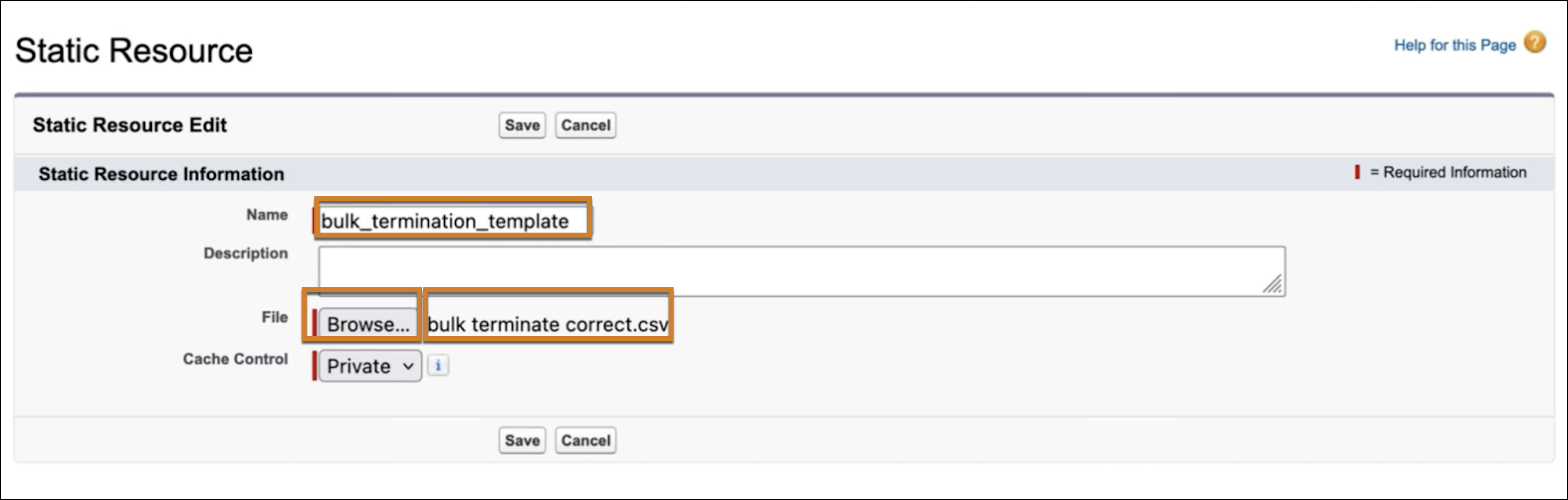
            Selection of Bulk Terminate CSV Template in the Static Resource Dialog.
          5. Click Save.
          6. On a group Account page, from the Setup menu, click ​Edit Page​. In the Lightning App Builder, select the Mid-Term Adjustments LWC. Specify the static resource name in the Bulk Termination CSV Template field.
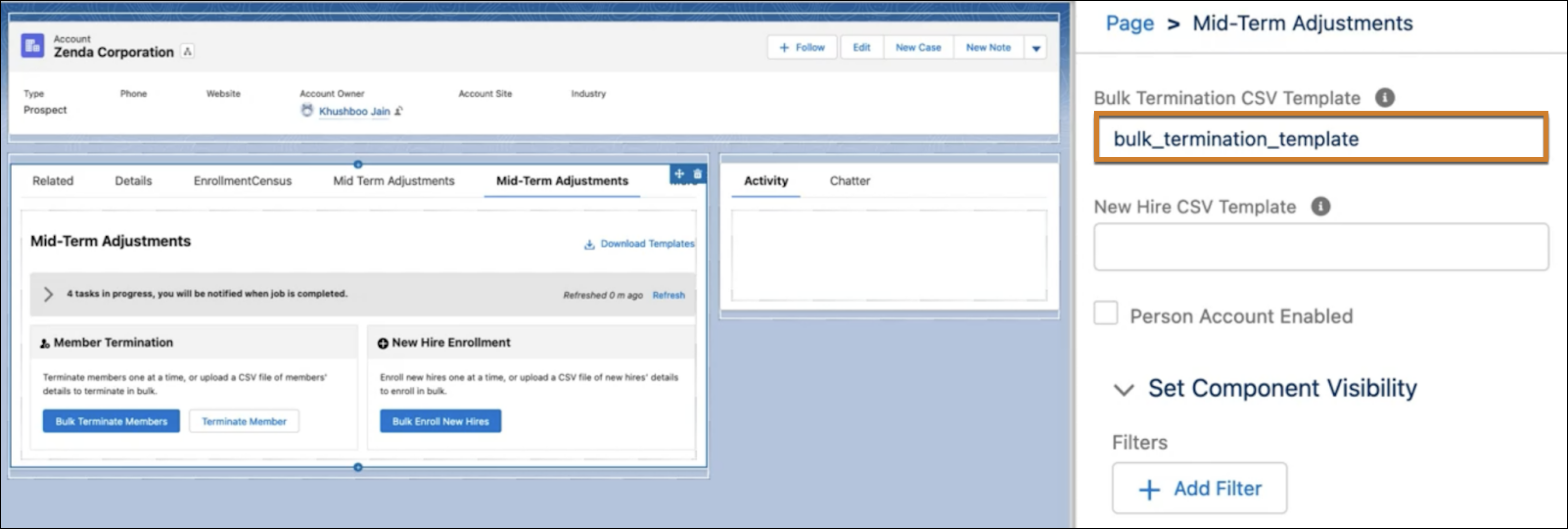
            Account Page with the static resource name specified in the Bulk Termination CSV Template field
          7. To use the Person Account flow for enrollment, select Person Account Enabled.
          8. Click Save.
           
          Loading
          Salesforce Help | Article
