Loading
Feature Disruption - Service Cloud VoiceRead More
Feature degradation | Gmail Email delivery failureRead More
Insurance
Table of Contents
Select Filters

          No results
          No results
          Here are some search tips

          Check the spelling of your keywords.
          Use more general search terms.
          Select fewer filters to broaden your search.

          Search all of Salesforce Help
          Set Up Direct Billing

          Set Up Direct Billing

          Policyholders, agents, and admin users can set up direct billing from the Lex Console.

          1. Open the policy that you want to set up direct billing for and from Actions, click Set-Up Billing.
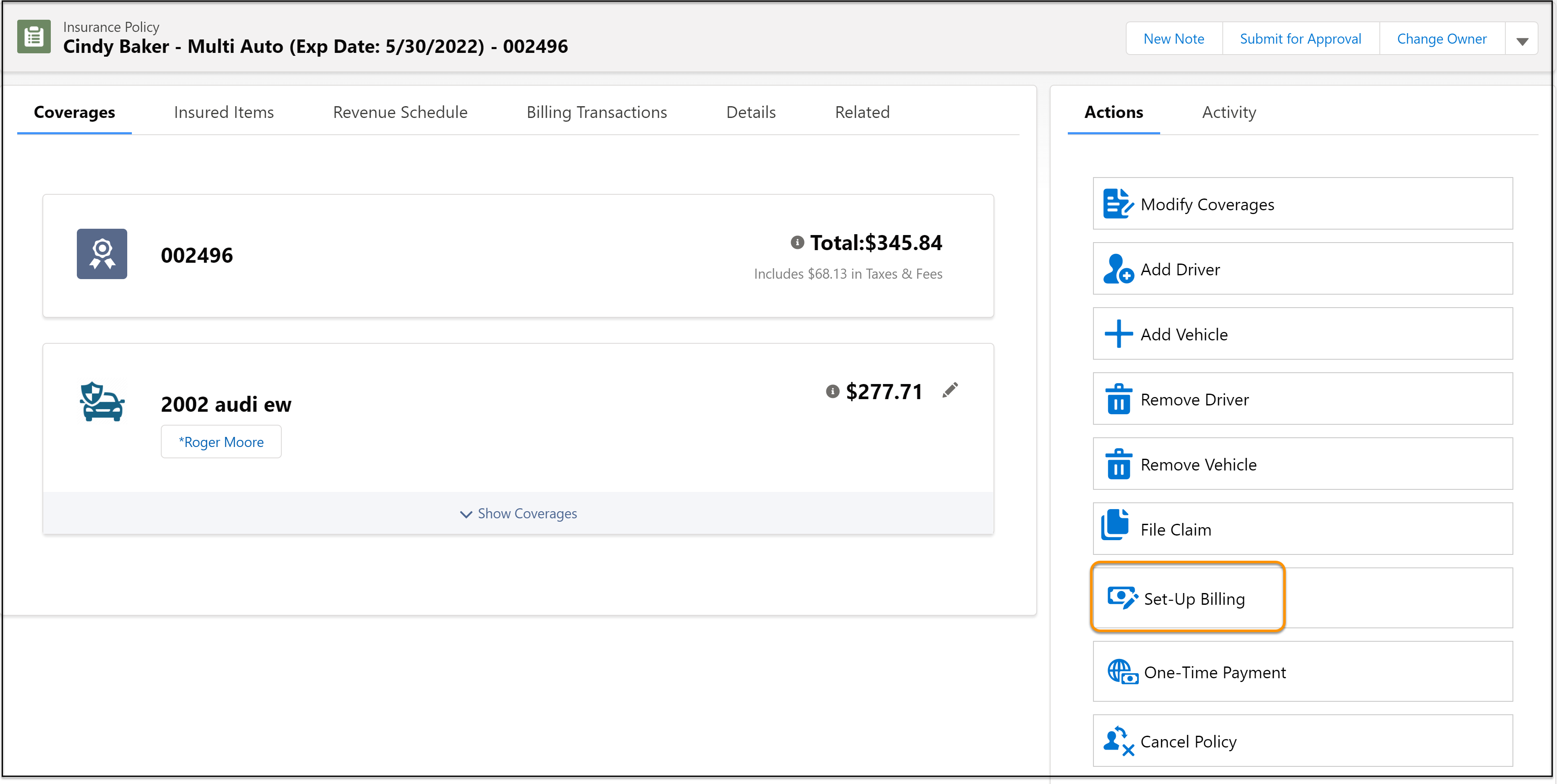
            The Set-Up Billing button.
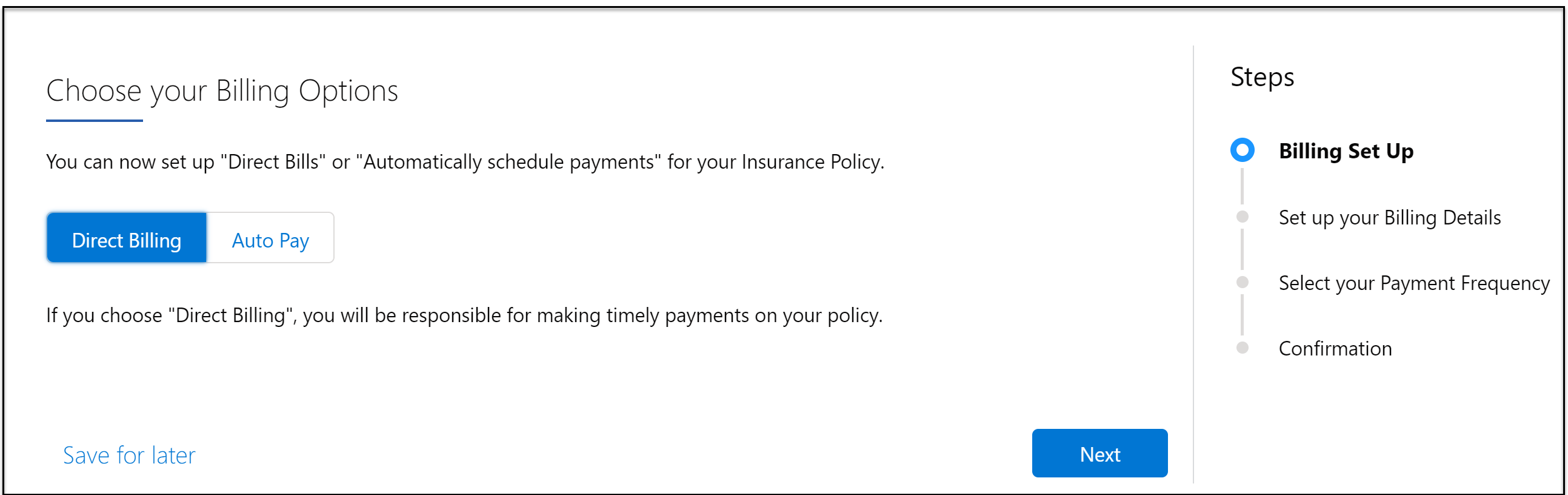
          2. Select Direct Billing and click Next.
            The Choose your Billing Options screen.
          3. Select the bill delivery method and click Next.
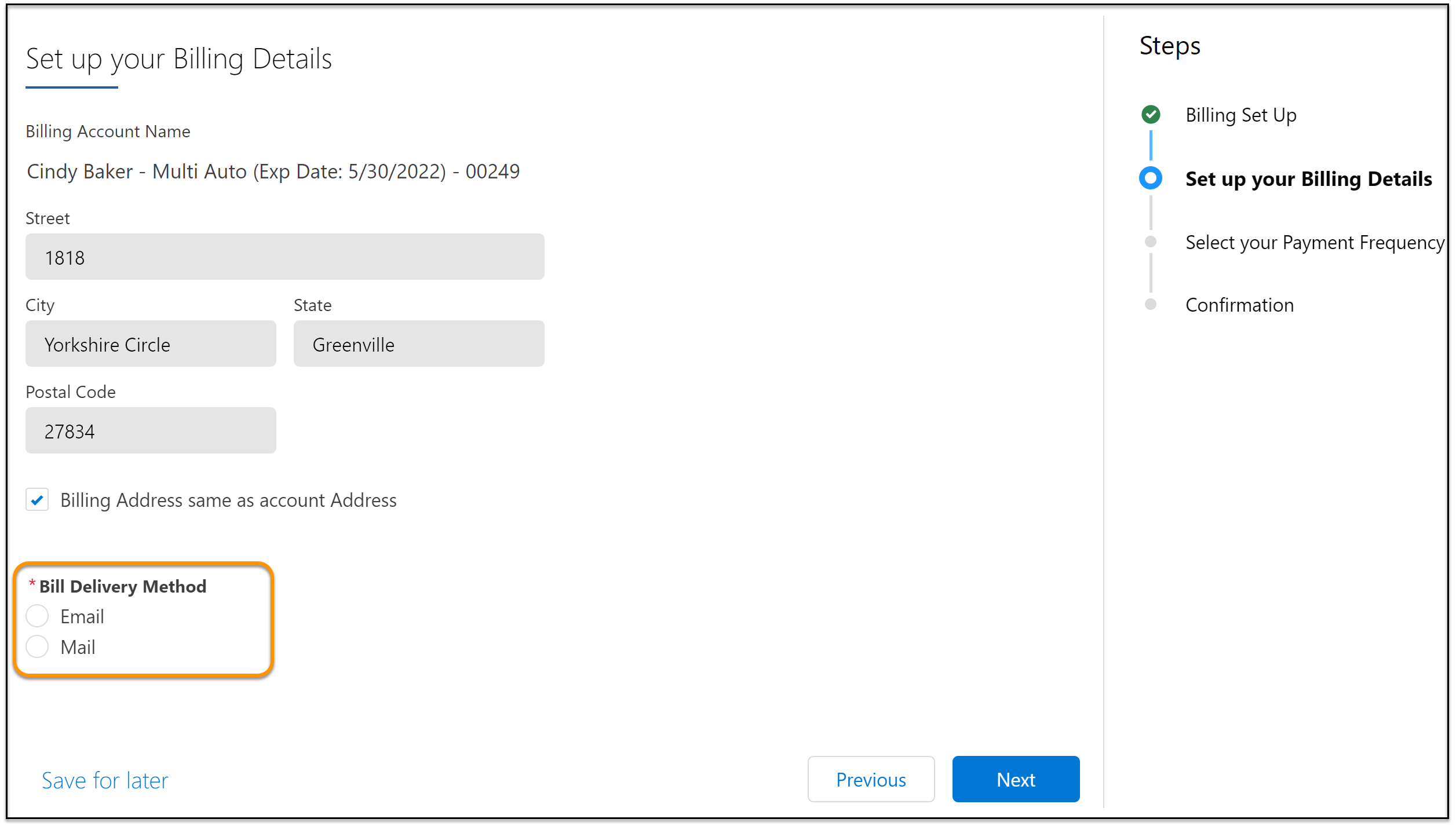
            The Set up your Billing Details screen.
          4. Now, select your payment frequency and click Next.
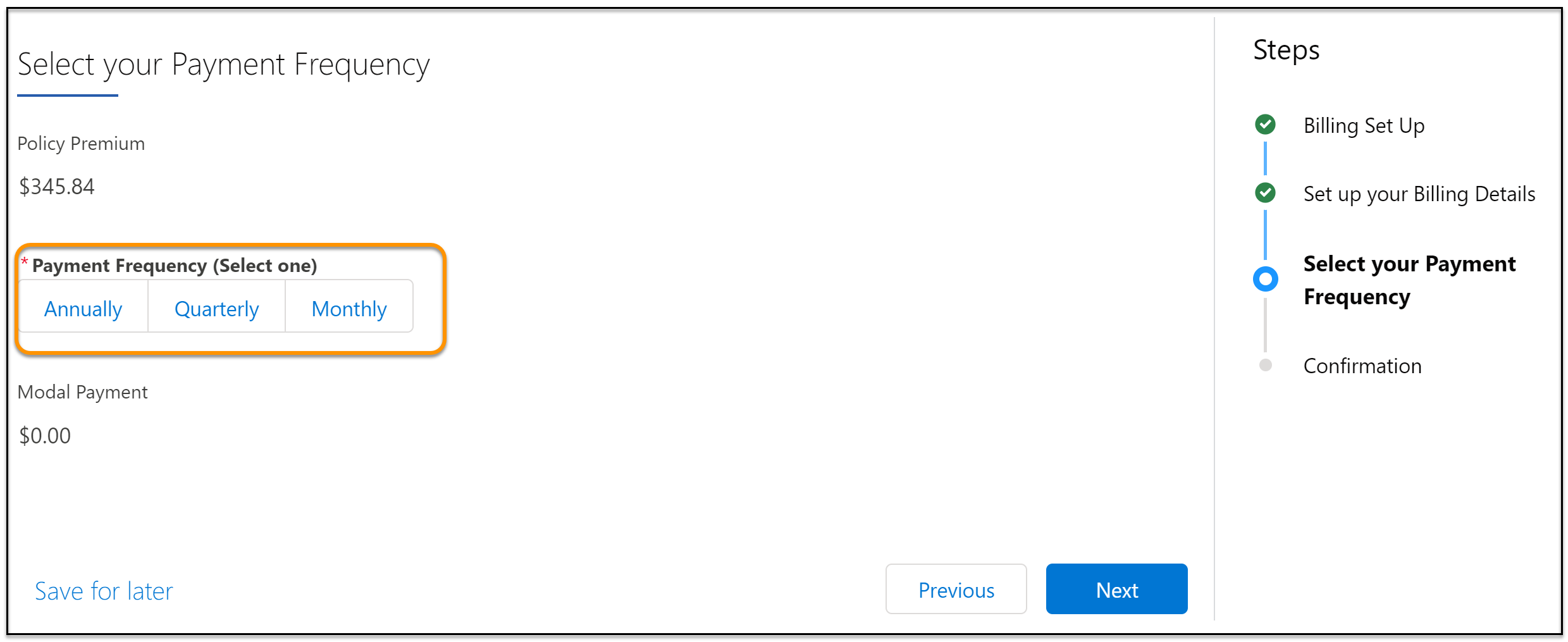
            The Select your Payment Frequency screen.
          5. That's it! You see a confirmation that direct billing has been approved. To see your policy, click View Policy.
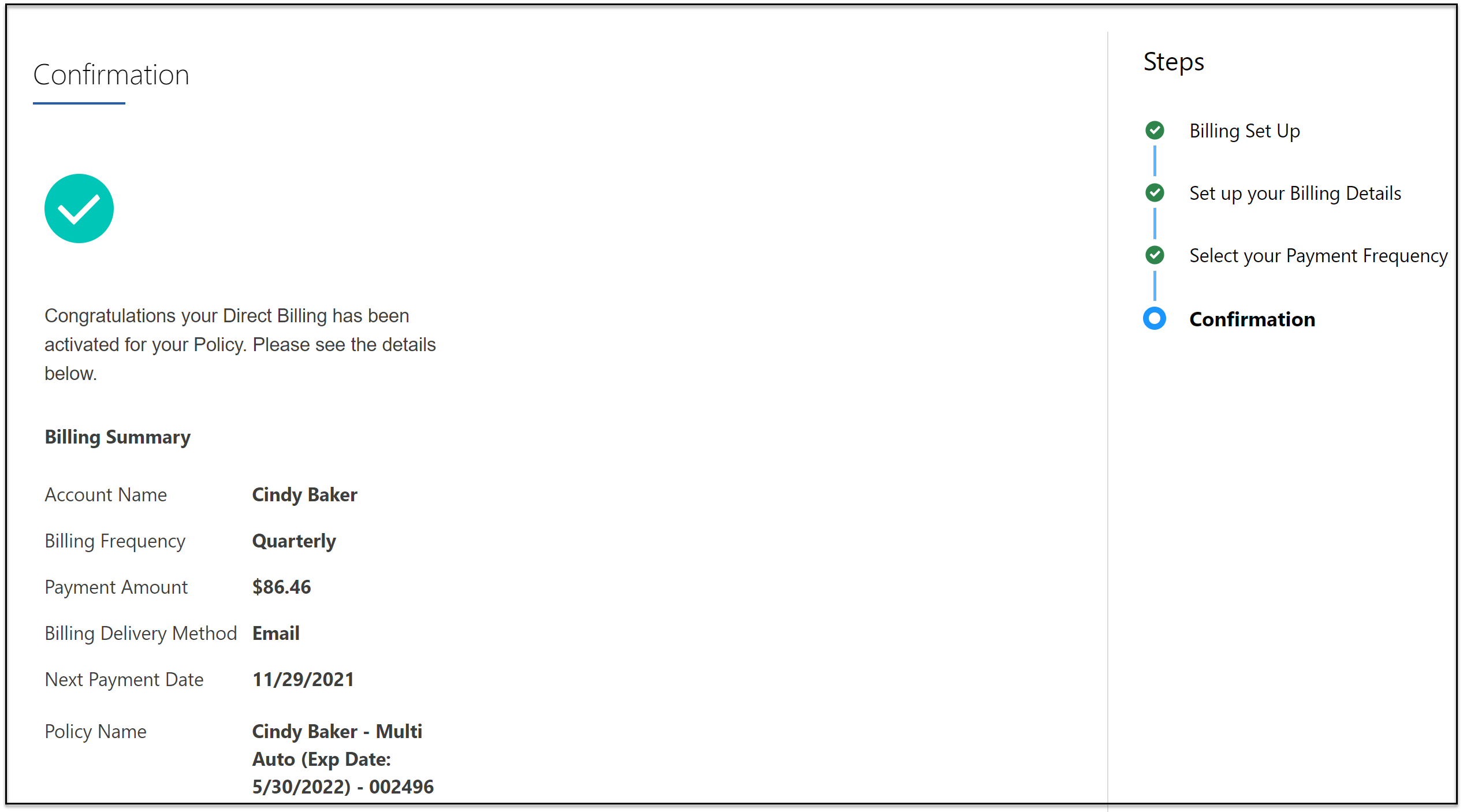
            The Confirmation screen.
           
          Loading
          Salesforce Help | Article