You are here:
Clone a Component's FlexCard
When you want to customize a component for the Vlocity Insurance Broker or Policyholder Experience site, the first task is to clone the component's FlexCard.
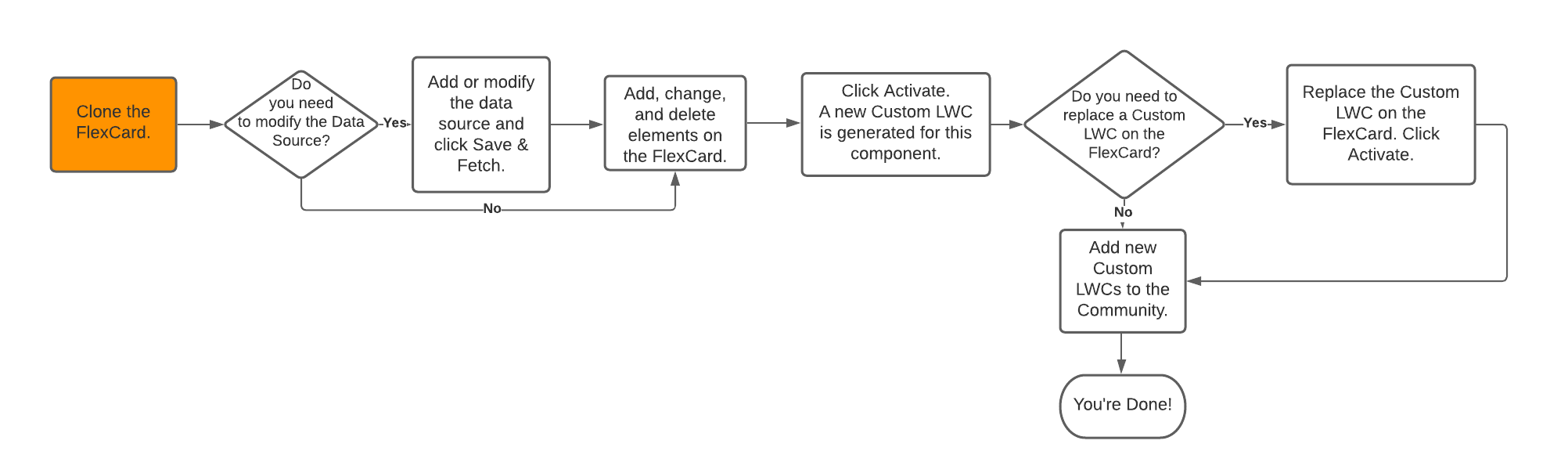
The highlighted area in this flow shows where you are in the process of customizing Experience components:

Tip
If you plan to customize a bunch of Experience components, you can clone them all first, then move on to the next step to customize them.
- From the FlexCard Designer list view, open the version of the card you want to clone.
- Along the top right above the card, click Clone.
- On the Clone Card modal, enter a new name for the card.
- (Optional) Make changes to any other fields on the modal that you want.
- Click Clone.
Did this article solve your issue?
Let us know so we can improve!
