You are here:
Create Quote from Account
If you are a broker or an internal user who creates policies for others, then we have some great news for you! You can now quickly create an Auto, Marine or Property quote from the account page with just a few clicks. Read on to see how it works.
You can create a quote in two ways:
-
OmniScript Flow
-
Quote UI Object
OmniScript Flow
The OmniScript can be accessed from the OmniScript Designer under:
-
Type - insWC/CreateQuote
-
Version - create Oppty and Quote
You can launch the OmniScript from certain application where it can be accessed by:
Application |
Accessed By |
|---|---|
Interaction Console |
Internal Insurance Agent |
Admin Lightning Experience |
Internal Insurance Agent Vlocity Admin |
How it Works
Here's what you see when you go through the OmniScript:
-
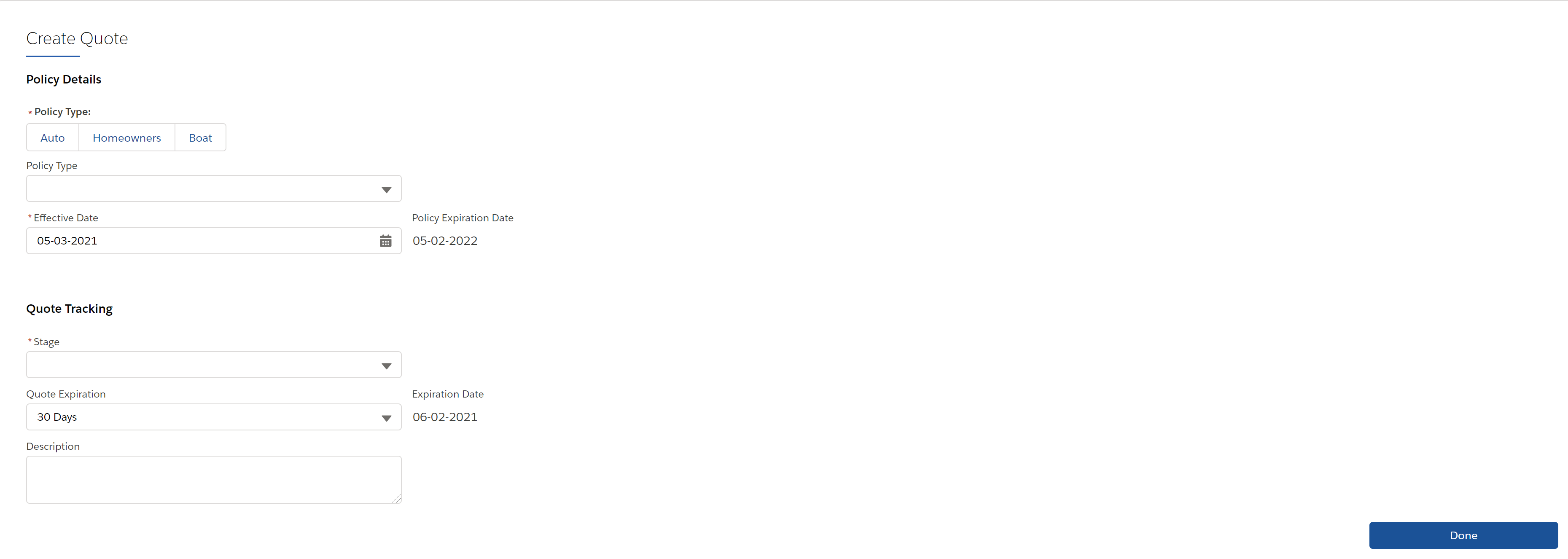
The OmniScript starts with a Create Quote page that gathers all the quote details.
What's In It
Component |
What It Is |
What It Does |
What It Calls |
|---|---|---|---|
readPersonAccount |
Omnistudio Data Mapper Extract Action |
Retrieves details from the person account. |
ReadPersonAccount |
newOpportunity |
Step |
Gathers details about the opportunity. |
None |
setProductCode |
Set Values |
Based on the details entered, this component sets the value of the product code. |
None |
setDefaults |
Set Values |
Sets values for the account ID and the product. |
None |
createQuoteandOppty |
Integration Procedure |
Retrieves the rated products, creates the opportunity and quote. |
createQuoteandOppty |
viewQuote |
Navigate Action |
Navigates to the newly created quote |
None |
Quote UI Object
To create a quote from the UI, go to Actions on the account of the person you want to create a quote for, then click Create Quote. Enter all the required information and click Done.The quote is created and you can proceed with adding products and policies.
