Loading
Insurance
Table of Contents
Select Filters

          No results
          No results
          Here are some search tips

          Check the spelling of your keywords.
          Use more general search terms.
          Select fewer filters to broaden your search.

          Search all of Salesforce Help
          Insurance Account Policy List Flyout

          Insurance Account Policy List Flyout

          Users can click a link on the Insurance Account Insurance Policy List Component or the Insurance Account (Asset) Policy List Component component to see the contents of this component, which shows additional information about the price of the policy.

          This component is composed of a FlexCard and the LWC compiled from the FlexCard:

          • FlexCard: insAccountPolicyListFlyout

          • LWC: cfInsAccountPolicyListFlyout

          • Label: Insurance Account Policy List Flyout

          This component is designed for both desktop and mobile.

          This component uses the Lightning design system. Newport isn't supported.

          Here's what the Account Policy List Flyout component looks like when it's rendered in the Broker site:
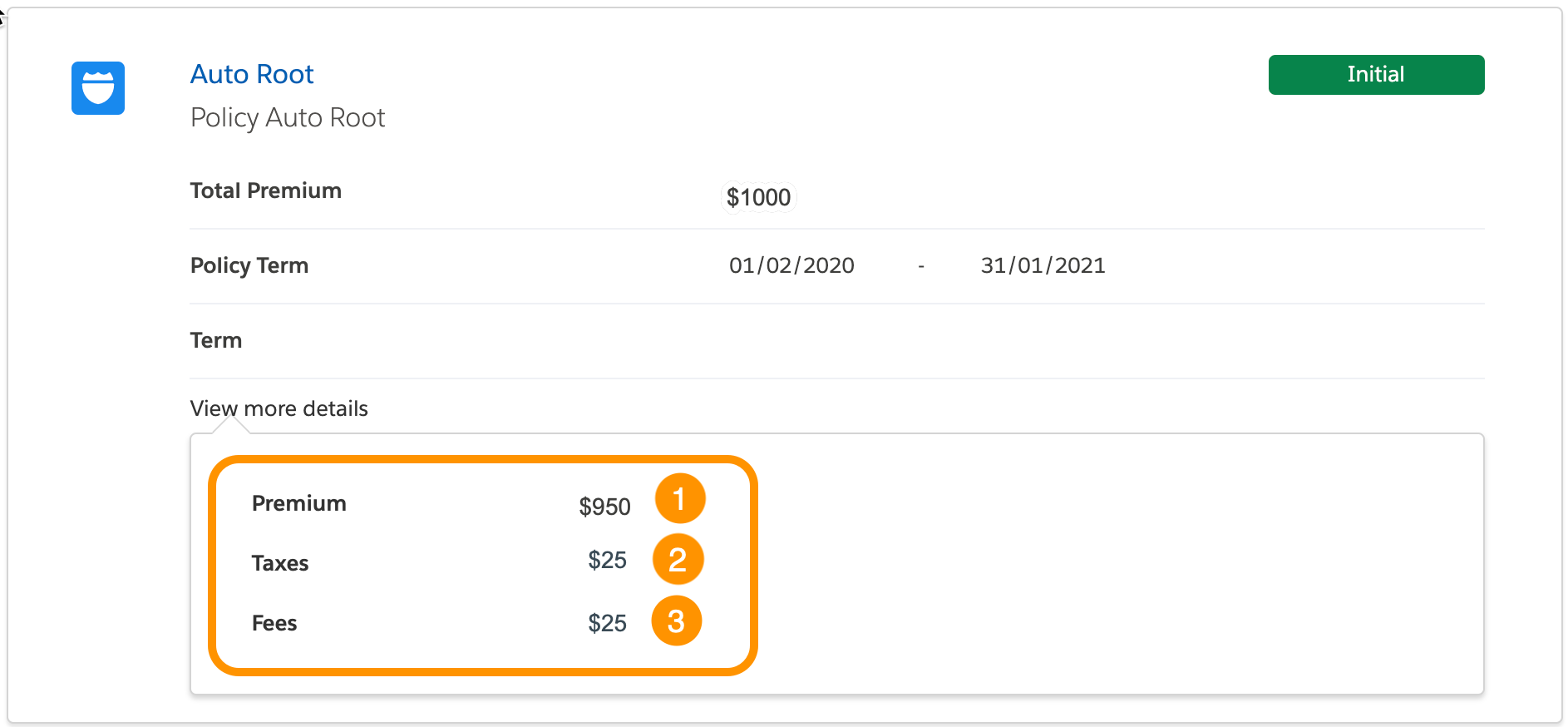
          Illustrates how the components render in the UI.

          The parts of this component are:

          1. Premium

            Total premium for this policy

          2. Taxes

            Total taxes on this policy

          3. Fees

            Total fees for this policy

          What Your Users Can Do on this Component

          Users can view additional information about the breakdown of the premium price for this policy.

          FlexCard Structure
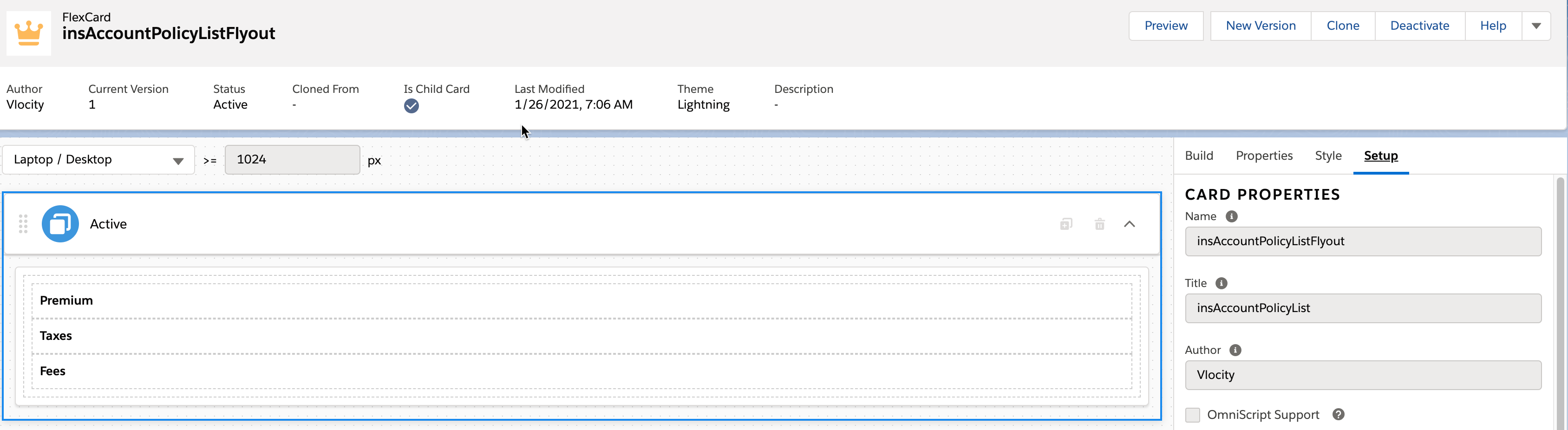
          Illustrates the FlexCard structure.

          This FlexCard contains several elements, including:

          • Text elements that display labels we typed in directly

          • Field elements that have Output set to pull and display data from the parent card's data source

          Data Source

          This component doesn't have its own data source. Instead, because it's a child card, it pulls values from its parent card's data source.

          Customize this Component

          To learn about how to customize this kind of component, see the Digital Experience Site Component Customization Overview

           
          Loading
          Salesforce Help | Article