You are here:
Insurance Account Quote List Component
On this component, brokers see a list of all the quotes attached to a specific account.
-
FlexCard: insAccountQuoteList
-
LWC: cfInsAccountQuoteList
-
Label: Insurance Account Quote List
This component is optimized for both mobile and desktop.
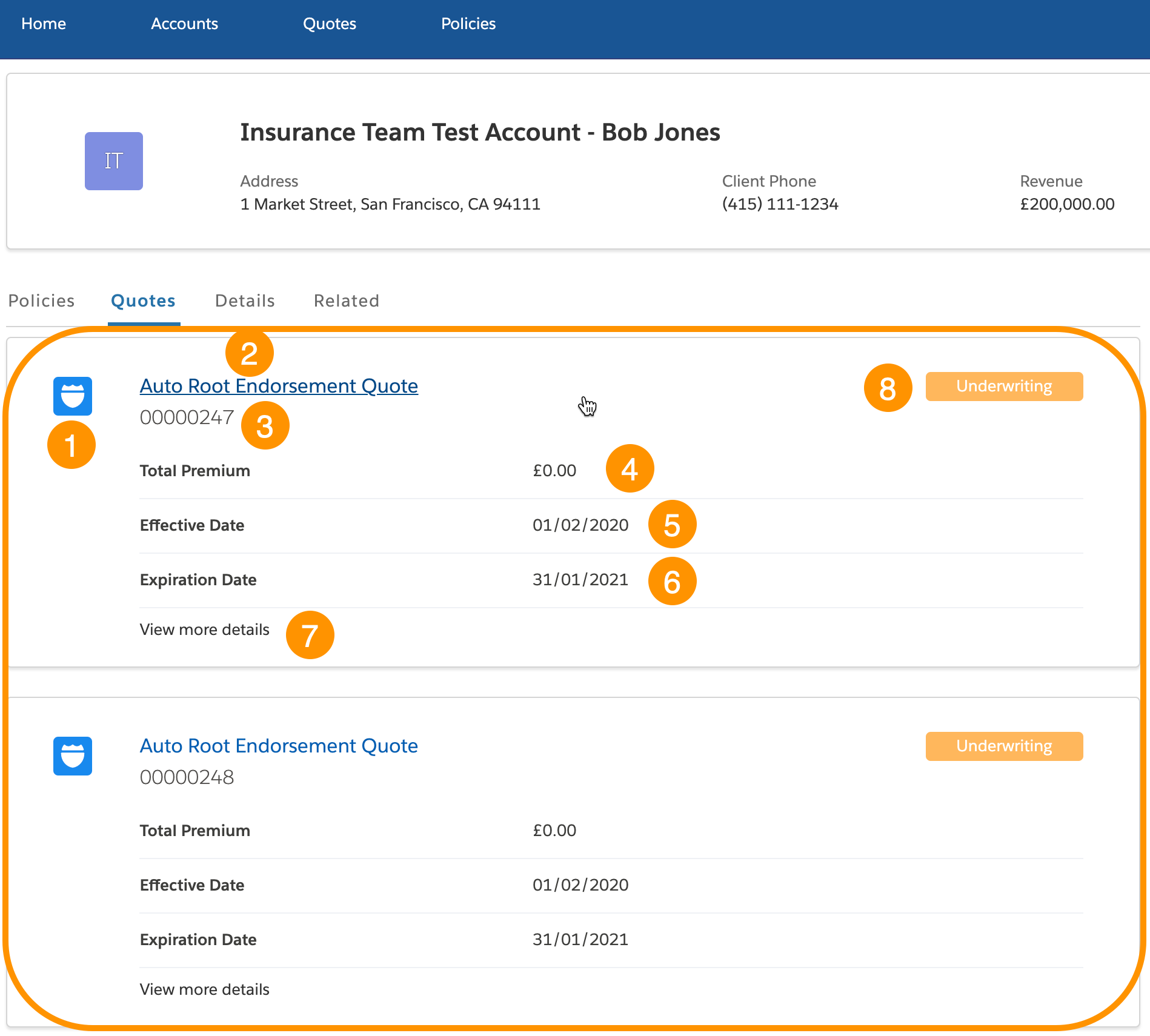
The Insurance Account Quote List component is the part inside the yellow rectangle.
-
Icon for the quote
-
Quote name link
A user can click this link to go to the Details page for this quote
-
Quote number
-
Total premium amount
-
Effective date
The starting date for the quoted policy (if the customer buys the policy)
-
Expiration date
The date the quoted policy will expire (if the customer buys the policy)
 Note
NoteThis is not the expiration date of the quote itself.
-
Link to additional information about this quote
-
Quote status
What Your Users Can Do on this Component
-
Click the name of the quote to go to the quote details page
-
Click the View Details link to see details about the premium calculations for this quote
What this Component Does
This component pulls information about all the quotes connected to the specified account and displays each quote with supporting data in a list.
FlexCard Structure
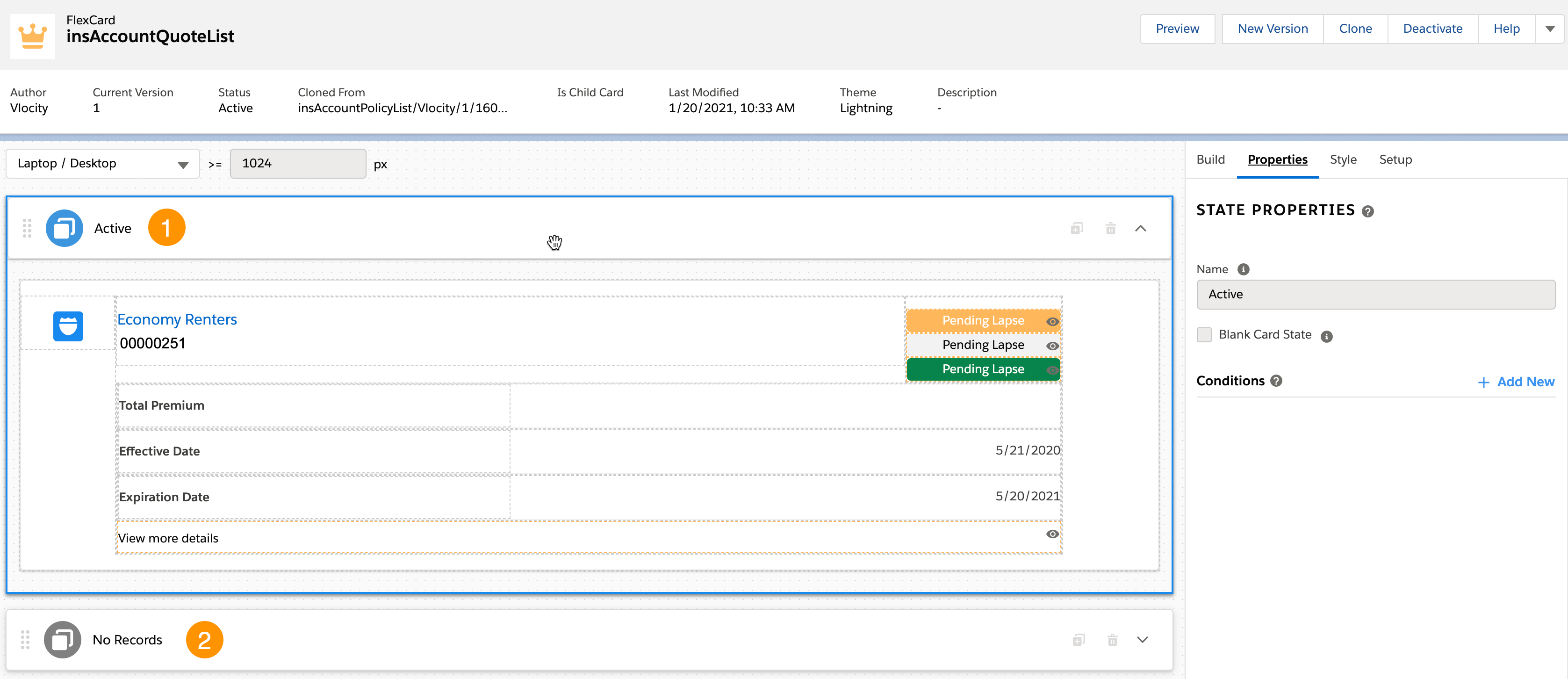
This card has two states:
-
Active: Quotes present for the specified account
When there's more than one quote attached to an account, an instance of this FlexCard structure is populated for each quote and displayed in a list.
-
Inactive: No quotes present for the specified account
To learn more about how to work with FlexCard states, read FlexCard States .
You can add, remove, and change any of these elements based on what you want your users to see. To learn how see Add Elements to a FlexCard. Other good topics to read to learn about how this FlexCard works include FlexCards Display Elements Reference, FlexCards Menu Properties, and FlexCards Action Properties.
Many of the elements of this card contain Custom CSS styles. You can make changes to these styles to create a different look and feel. To learn how to work with Custom CSS in FlexCards, see Apply Custom CSS to a FlexCard Element .
Data Sources Called by this Component
This component calls an Omnistudio Data Mapper named InsGetAccountQuoteList.
This Data Mapper pulls information from each quote attached to the specified account. Elements in the FlexCard include keys that get replaced by the values in the Data Mapper and displayed to the user.
