You are here:
Upload Group Census Data to a Quote
To incorporate census information into a Group Benefits quote, upload it. The group member and dependent data in the census is used to create accurate quotes.
- On a quote, select one or more insurance products, such as a Dental Premium plan.
-
Click Upload Census to upload a new or existing CSV file with census data. The system uses the census data to calculate a rating for the selected products.
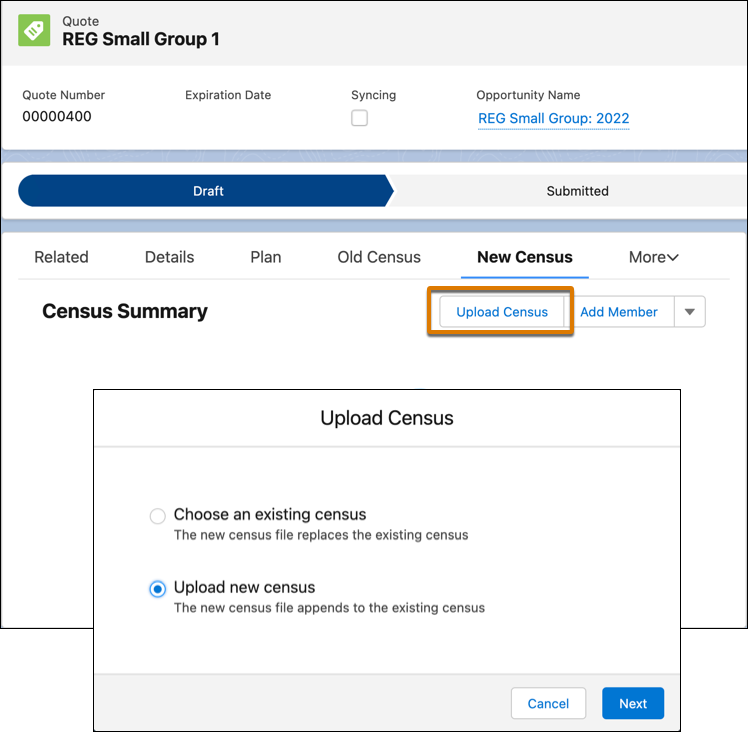
You can choose an existing census that's already been uploaded or you can upload a new census.
-
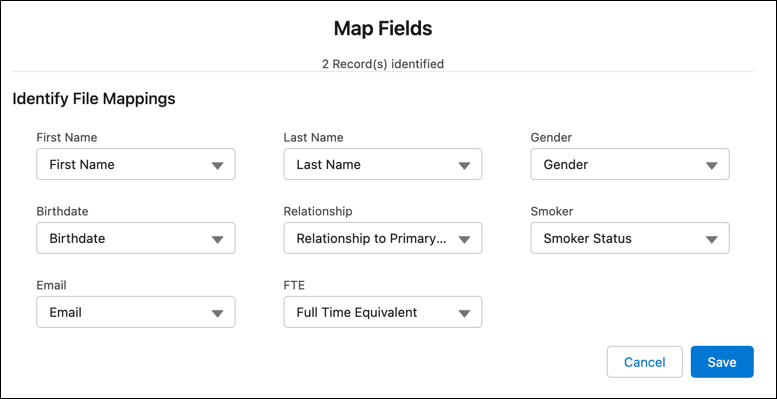
If you're uploading a new census, map fields in source data to fields in Group Census Member records.
-
The number of fields to map is the same as the number of columns in the source file.
-
The field labels are the same as the column headings in the source file.
-
The field values displayed in the dropdown lists are populated from the Group Census Member object.
-
-
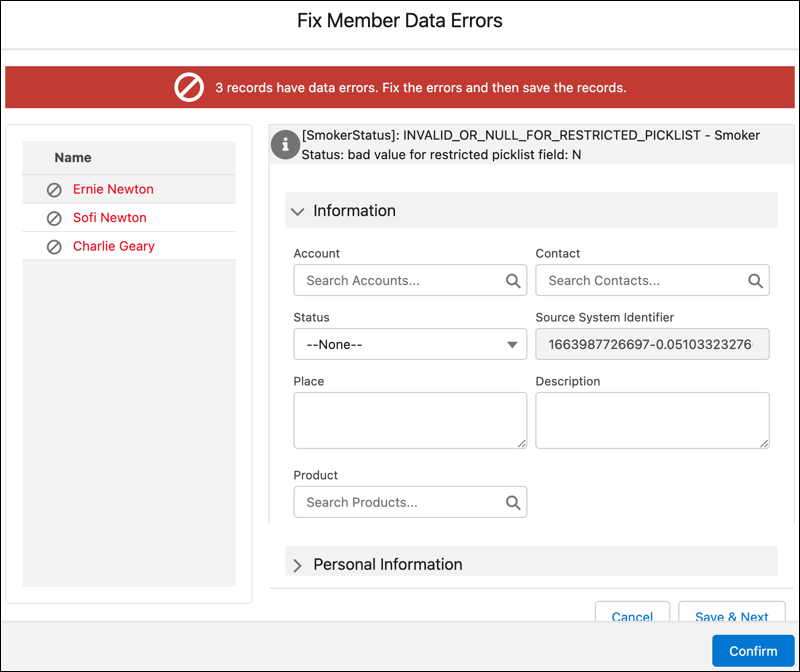
Review and correct any data errors. If you skip this step, records with errors are not saved as group census members.
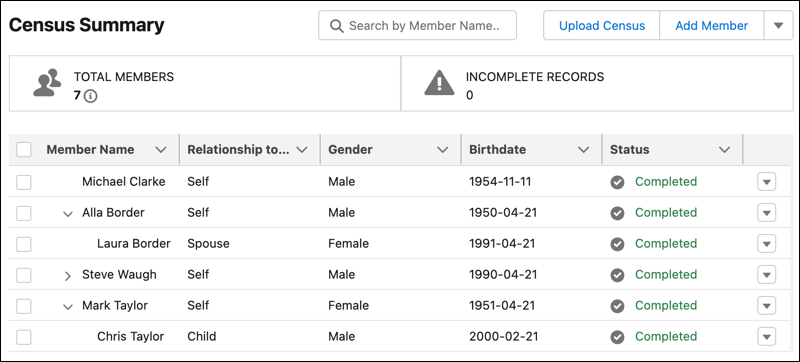
Uploaded group census members appear in a hierarchical tree view.
Did this article solve your issue?
Let us know so we can improve!
