You are here:
View the Plan Coverage Details of Members for Enrollment
After you upload group benefits coverage selections of members, view the coverage selections for a member.
-
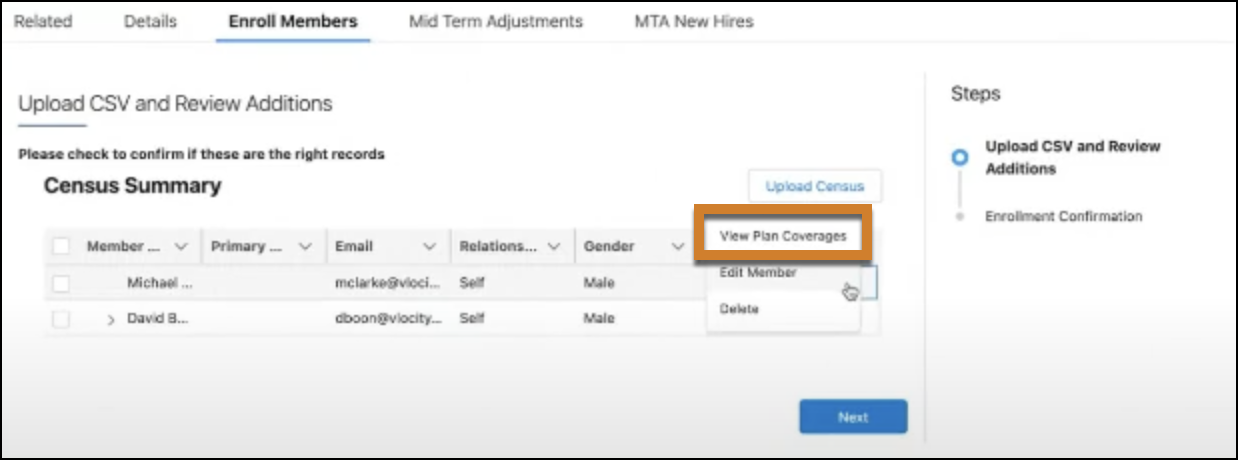
From an Account page, click the action menu for any member and select View Plan Coverages.
 Products and the respective mandatory and optional coverages available for the selected member appear.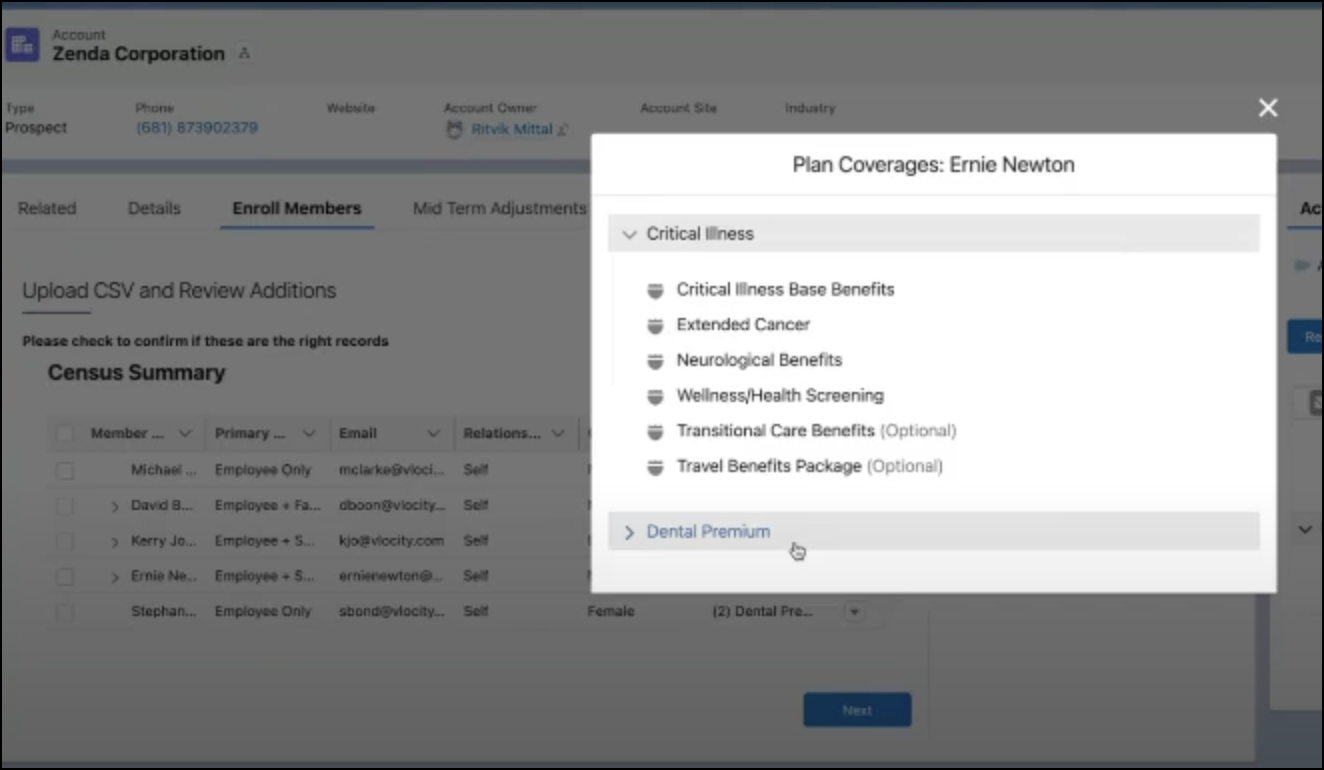
- Review the selected coverages and then close the window.
Did this article solve your issue?
Let us know so we can improve!
