You are here:
Watercraft Product Model
The product model underpins all the business processes used in the Watercraft line of business. The name of this product model is Marine.
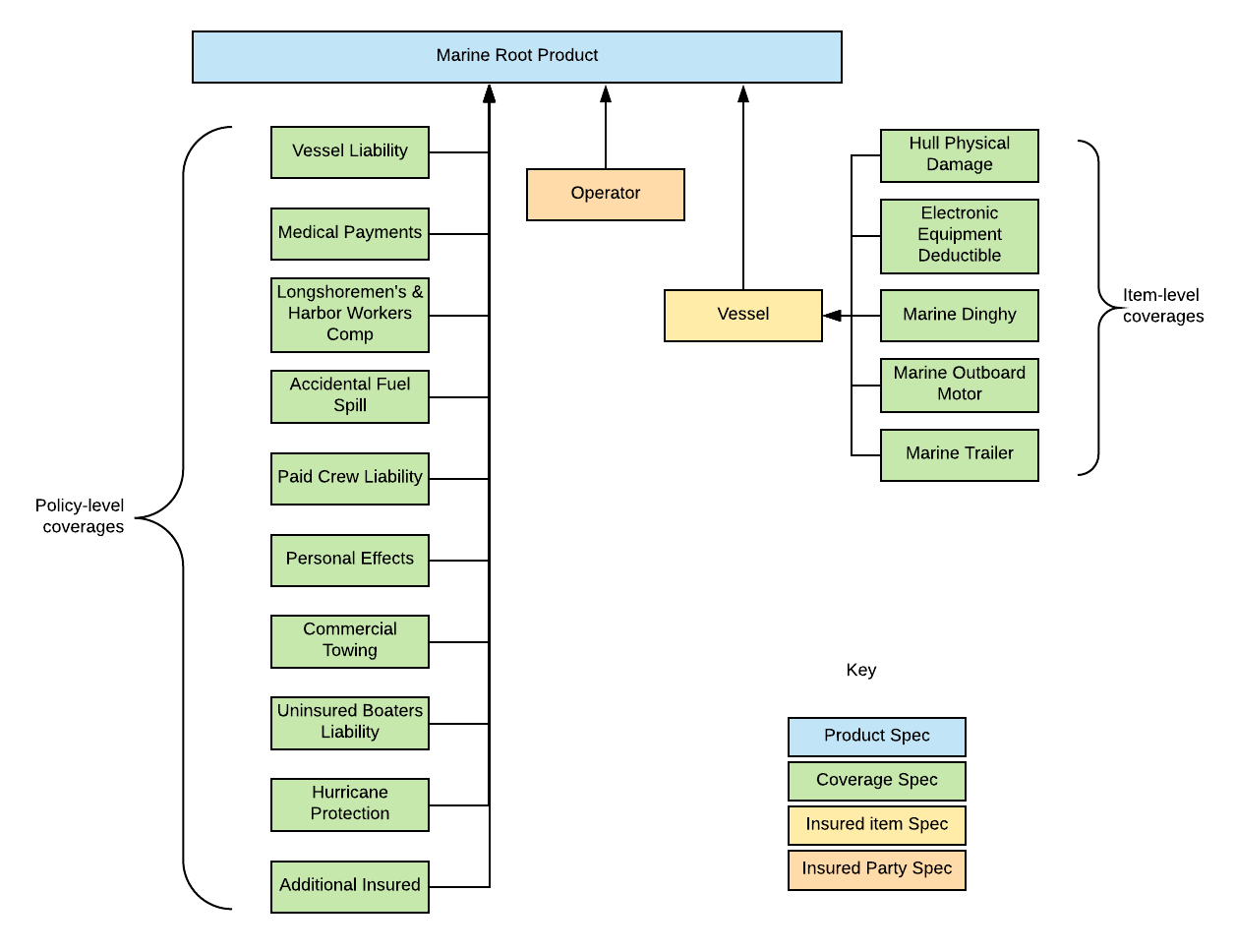
The Marine product is a multi-instance product model that lets users create quotes for multiple vessels and an operator. This product model has the flexibility to handle complex combinations, such a quote that's got multiple vessels and coverages.

The Marine product currently doesn't allow multiple operators to be added. If you want to use a product model that allows multiple operators associated with multiple vessels, refer to the Multi Auto product model
The following sections catalog the components of the Marine product model.
Insured Item: Vessel
The Insured Item Spec is the spec for vessels to be insured. It's named:
-
Name: Vessel
-
Product Code: wiVessel
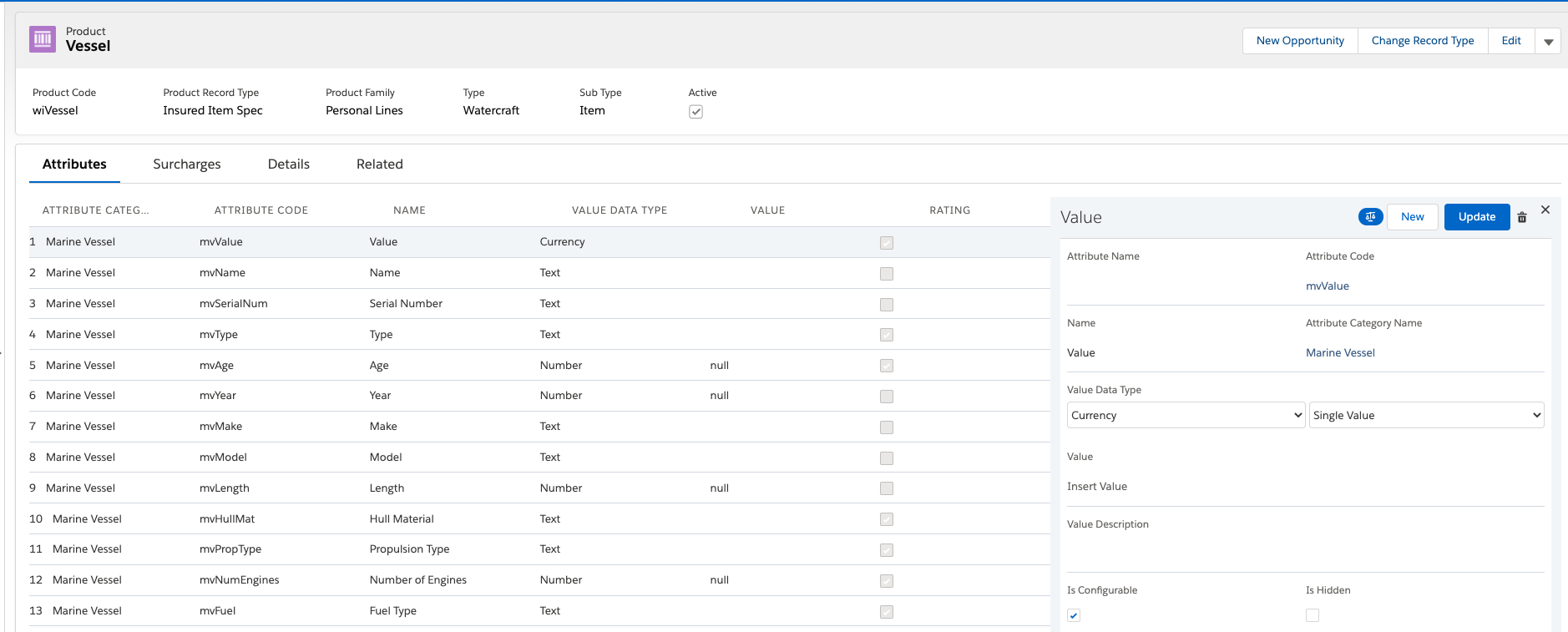
It contains attributes that apply to a vessel, all in the Marine Vessel attribute category.
Values for these attributes get collected from the end customer who's shopping for insurance. Vlocity Insurance uses many of these attributes to help rate (price) the Marine product.
Each attribute is configured for this insured item spec on the right pane of this page. In your org, click each attribute name to see its configuration on the right pane. Scroll down to see if the Rating checkbox is selected. If it's selected, this attribute is used to rate the insurance product.
Many of these attributes correspond to user inputs in the quote OmniScript and quote UI.
To learn more about insured item specs, see Child Specs for Root Products.
Insured Party: Operator
The insured party spec represents operators for a Marine insurance product. It's named:
-
Name: Operator
-
Code: wiOperator
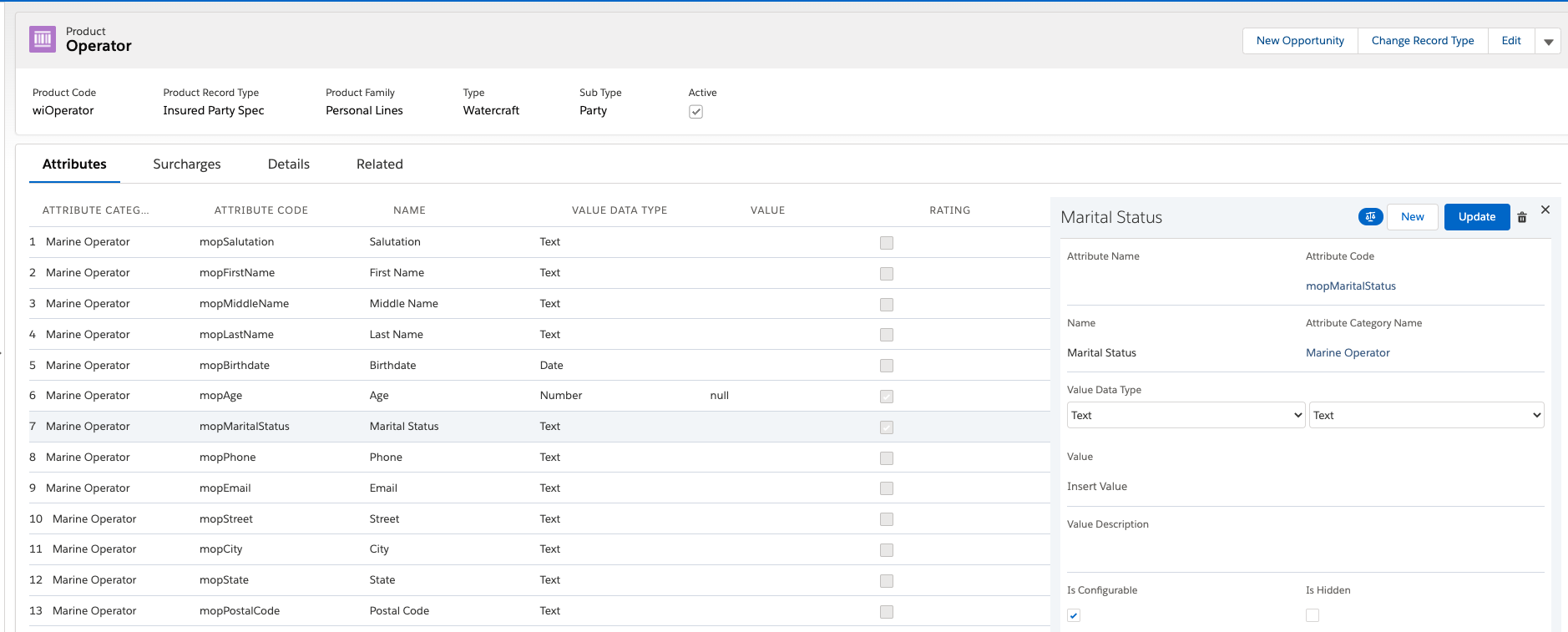
It contains attributes, all from the Marine Operator attribute category.
Values for these attributes get collected from the end customer who's shopping for insurance.
Each attribute is configured for this insured party spec on the right pane of this page. In your org, click each attribute name to see its configuration on the right pane.
Many of these attributes correspond to user inputs in the quote OmniScript and quote UI.
To learn more about insured party specs, see Child Specs for Root Products.
Coverages
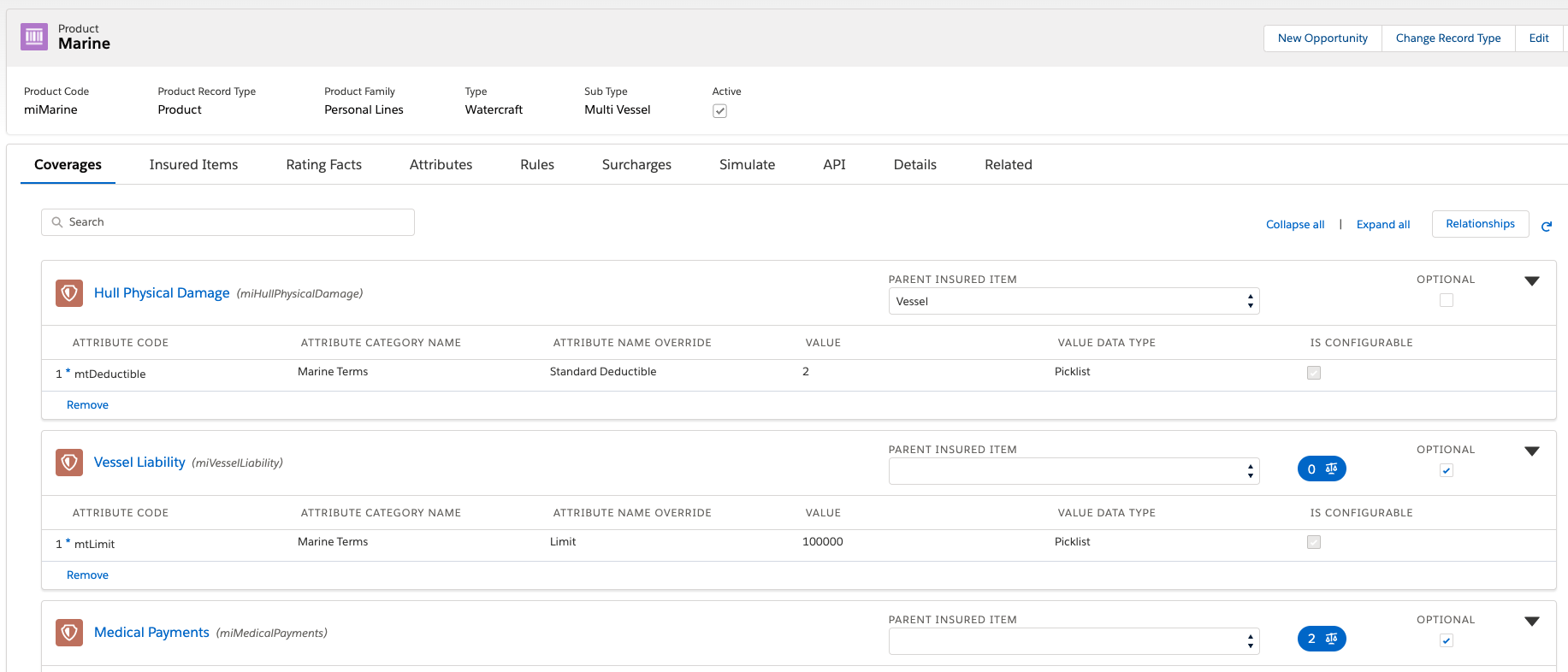
Coverage specs define the required and optional coverages on an insurance product.
The watercraft product model contains the following coverage specs:
Coverage Spec Name |
Product Code |
Parent Insured Item |
Configuration |
|---|---|---|---|
Hull Physical Damage |
miHullPhysicalDamage |
Vessel |
Contains the Standard Deductible attribute, configured as a Picklist Dropdown. |
Vessel Liability |
miVesselLiability |
Blank (Root Product) |
Contains the Limit attribute, configured as a Picklist Dropdown. |
Medical Payments |
miMedicalPayments |
Blank (Root Product) |
Contains the Limit attribute, configured as a Picklist Dropdown. |
Longshoremen's & Harbor Workers Comp |
miLHWWorkersComp |
Blank (Root Product) |
Contains the Limit attribute, configured with Text values. |
Accidental Fuel Spill |
miAccidentalFuelSpill |
Blank (Root Product) |
Contains the Limit attribute, configured with Currency values. |
Paid Crew Liability |
miPaidCrewLiability |
Blank (Root Product) |
Contains the Limit attribute, configured as a Picklist Radiobutton. |
Personal Effects |
miPersonalEffects |
Blank (Root Product) |
Contains the Limit attribute, configured as a Picklist Dropdown. |
Commercial Towing |
miCommercialTowing |
Blank (Root Product) |
Contains the Limit attribute, configured as a Picklist Dropdown. |
Uninsured Boaters Liability |
miUninsuredBoatersLiability |
Blank (Root Product) |
Contains the Limit attribute, configured as a Picklist Dropdown. |
Electronic Equipment Deductible |
miElectronicEquipmentDeductible |
Vessel |
Contains the Deductible attribute, configured as a Picklist Dropdown. |
Hurricane Protection |
miHurricaneProtection |
Blank (Root Product) |
Contains the Limit attribute, configured as a Picklist Dropdown. |
Additional Insured |
miAdditionalInsured |
Blank (Root Product) |
Contains the Limit attribute, configured as a Number Single Value. |
Marine Dinghy |
MarineDinghy |
Vessel |
Contains the Deductible attribute, configured as a Picklist Dropdown. |
Marine Outboard Motor |
miMarineOutboardMotor |
Vessel |
Contains the Deductible attribute, configured as a Picklist Dropdown. |
Marine Trailer |
miMarineTrailer |
Vessel |
Contains the Deductible attribute, configured as a Picklist Dropdown. |
To learn more about coverage specs, see Child Specs for Root Products.
Marine Root Product
The root product spec is the container for the Marine product model. The system uses the data stored in this product model in downstream business processes, including quoting, issuing policies, and adjudicating claims.
The Marine root product contains a number of coverages, which are associated either with the root product or with the Vessel insured items as a parent insured item.
This structure makes Marine a multi-instance product model. This means that whenever a quote is rated out for this product, it can have different levels of coverage for each vessel in the quote.
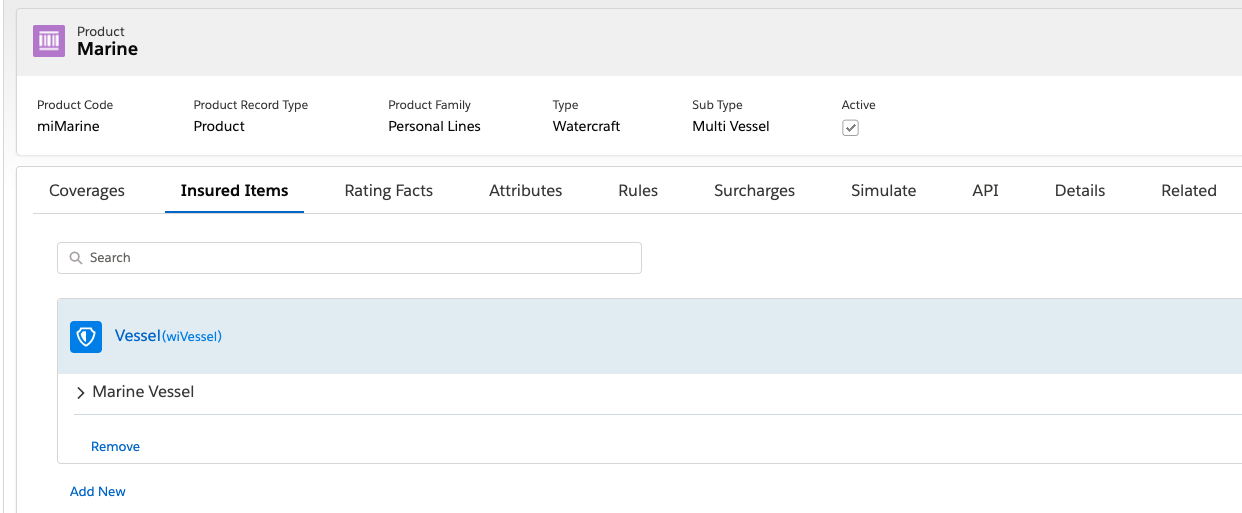
To learn about how to set up root product specs, see Root Product Specs.
Attributes
All the attributes used in the Marine insurance product and the insured item spec, insured party spec, and coverage specs are defined in the Vlocity Attribute Designer. Attributes are arranged into Attribute Categories.
Want to see a complete list of the attributes used in the Marine product model? Visit the Watercraft Attribute Catalog.
Rules
The Marine product doesn't currently include any rules, but you can add any of the following types of rules, depending on your requirements:
-
Eligibility rules
-
Workflow or underwriting rules
-
Optional coverage rules
-
Attribute rules
For information on how rules are implemented in a Vlocity Insurance Application, see the Rules section in the Auto Product Model.
Surcharges
The Marine product doesn't currently include any surcharges. If required, you can add surcharges to be calculated when quotes are created and policies are modified. For information about adding surcharges, see Taxes and Fees.
Simulate Rating the Marine Product
The Simulate tab on the root product spec has the ratings set up to simulate rating the Marine product model. To learn about this setup, see Watercraft Rating.
