You are here:
Your Agent Component
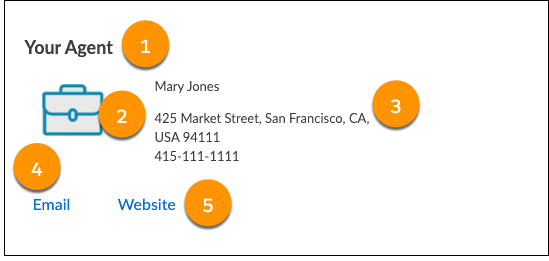
Your Policyholder site users can view details and contact their agent from the Your Agent component.
-
FlexCard: insYourAgent_nds
-
LWC: cfInsYourAgent_nds
-
Label: Insurance Your Agent Newport
-
Text label:
Your Agent
-
Agent icon pulled from the source data.
 Note
NoteAn agent picture can also display next to the icon.
-
Agent name and address
-
Email button
Opens an email modal with the agent's email address pre-filled.
-
Website button
Launches the agent's website in a new window.
FlexCard Structure
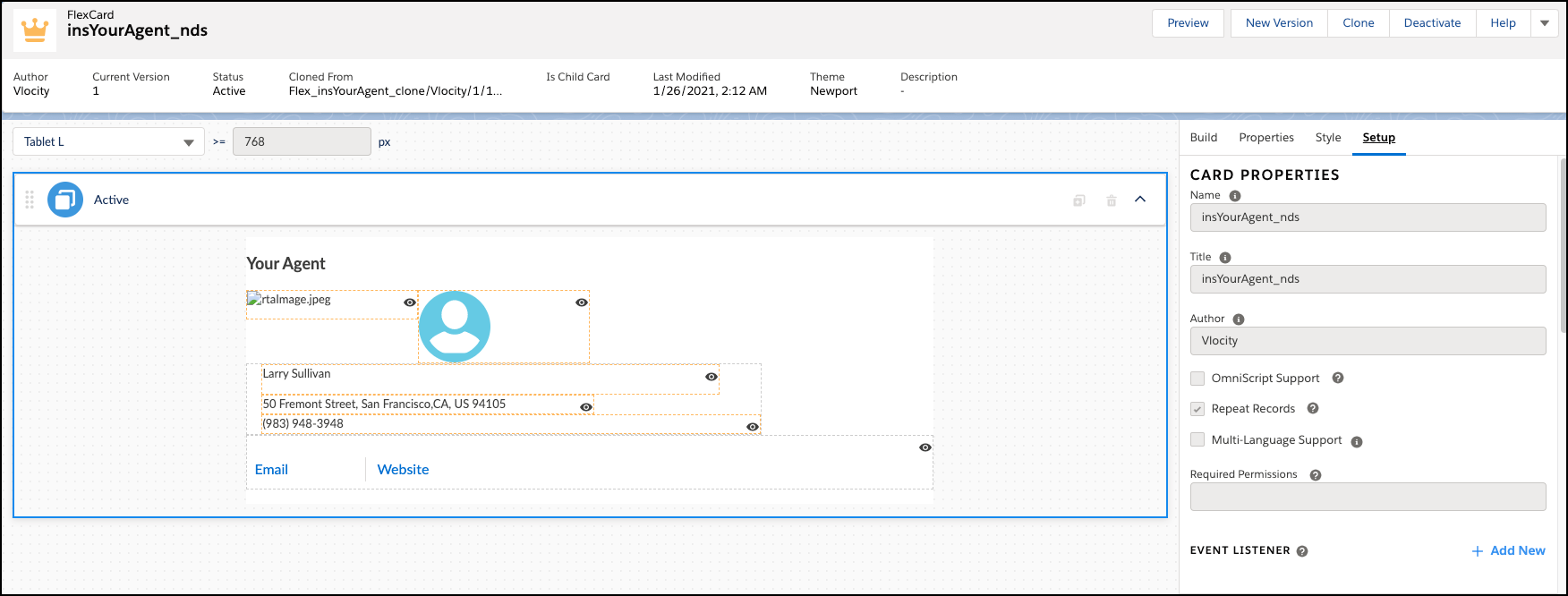
This FlexCard contains several elements, including:
-
Text element that displays the label we typed in
-
Field elements with output selected from available fields returned from the data source
-
Elements with conditions to hide or show the element based on data returned from the DataRaptor
-
Action elements that launch new windows
You can add, remove, and change any of these elements based on what you want your users to see. To learn how see Add Elements to a FlexCard. Other good topics to read to learn about how this FlexCard works include FlexCards Display Elements Reference, FlexCards Menu Properties, and FlexCards Action Properties.
Many of the elements of this card contain Custom CSS styles. You can make changes to these styles to create a different look and feel. To learn how to work with Custom CSS in FlexCards, see Apply Custom CSS to a FlexCard Element .
