
You are here:
Datasource Contracts
Use datasource contracts to access and manipulate data from an existing database.
Required Editions
| Available in: Enterprise, Performance, and Unlimited Editions |
The datasource contract represents an abstraction between the data layer (the SQLite database) and the business object layer. The framework uses datasource contracts to construct SQL queries, which are run on the local SQLite database to fetch the entries or data from the database, to update existing records, or to insert new records. Datasource contracts reside in the DS folder of a module in your Modeler workspace.
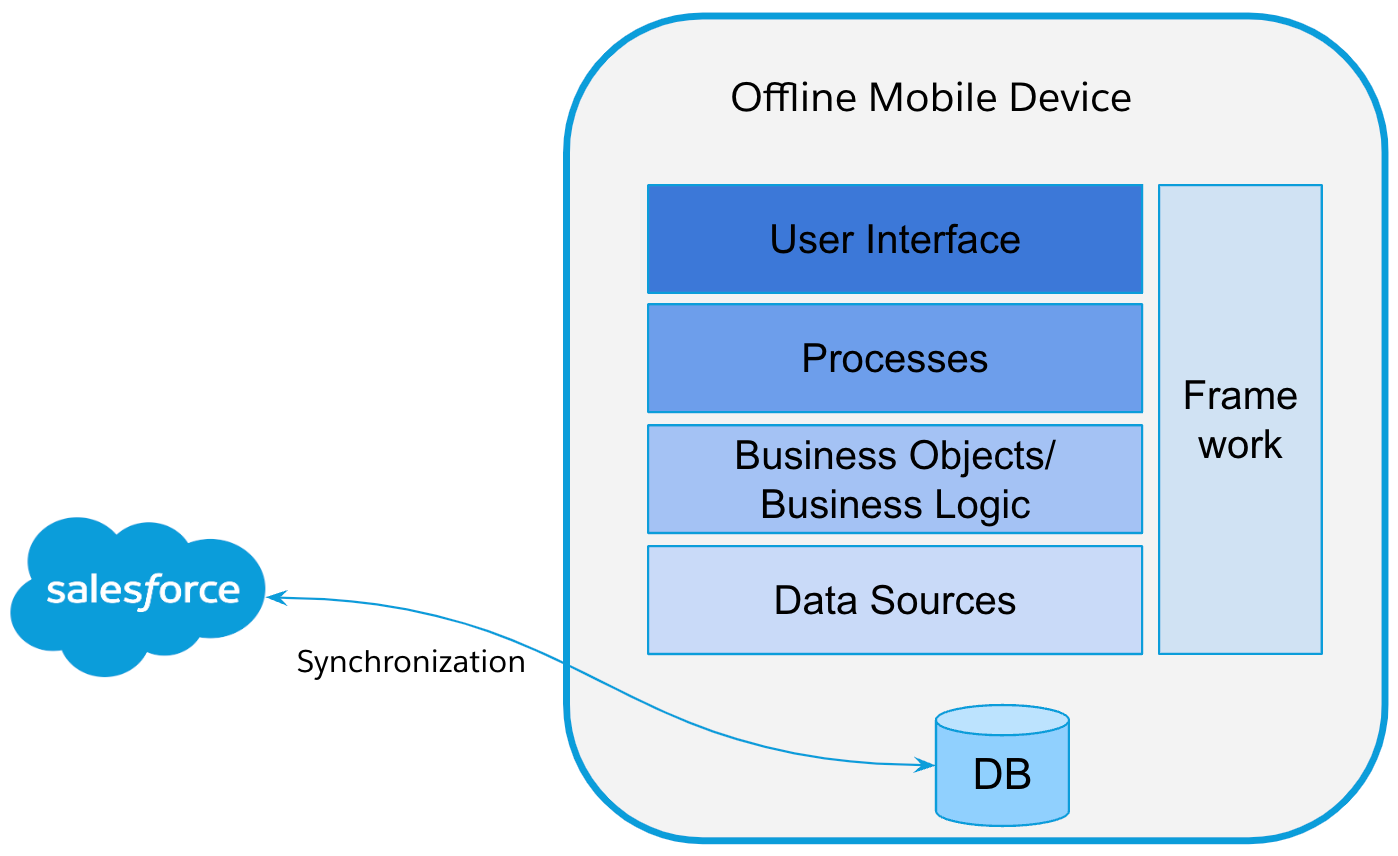
Use datasource contracts to map the simple properties from a business object to the database table attributes. Every business object in Modeler, including BOs, list objects, and lookup objects, references a specific type of data source. You can model all these data sources by using the datasource contract:
- Business object data sources for business objects.
- List object data sources for list objects in business objects.
- Object lookup data sources for object lookups in business objects.
Datasource Naming Convention
The name and file name of the datasource is a combination of the prefix Ds and the name of the assigned business object specified in camel case.
Datasource contract file name: Ds + (value of businessObjectClass) + _sf.datasource.xml.
For example, if the businessObjectClass name is BoOrder and the backendSystem value is Salesforce, the contract file name is DsBoOrder_sf.datasource.xml.
- Datasource Contract Definition
Use the various elements that constitute a datasource contract to define a datasource. - Generate a Datasource Preview
To verify that you correctly defined the datasource contract, review the SQL statement generated from the datasource contract. - External and Standard Datasource Contracts
The result of using either of these two formats is the same; it’s just the modeling approach that’s different. However, in the documents that describe the XML syntax in more detail, we discuss only the syntax for standard data source contracts.
