You are here:
Input Validations
Consumer Goods Cloud supports the validation of user inputs before the data is saved to the database. Data in the modified Business Objects and List Objects is validated before storage. This provides enhanced security for the CG Cloud Offline Mobile app. The validation is performed on the length and the base type of the input. Process context variables that are used during runtime and aren’t saved aren’t validated. The validations are performed only if the InputValidationActive attribute is set to true.
Required Editions
| Available in: Lightning Experience in Professional, Unlimited, and Enterprise Editions that have Consumer Goods Cloud enabled. |
Input validation option in CG Cloud: The InputValidationActive attribute is defined in the Info.JSON of the Deployment.zip file
in Modeler and Configuration.JSON to enable the input validations feature. Info.JSON is used for
customizing deployment and Configuration.JSON is used when the CG Cloud offline mobile app is
executed in the browser.
Validation Framework
The table defines the framework that is implemented for validations.
| Contract | Validation |
|---|---|
| BO, LO, or LI contracts | An error is logged if the type attribute of a simple property starts with two underscores (__). If the correlated data source is external and doesn’t have a matching attribute for the simple properties, then a validation warning is logged. |
| Business Logic contracts | A validation error is displayed if an attempt is made to access AppManager.TYPES, AppManager._TYPES, or
AppManager.getTypes(). |
| Process contracts | The disableInputValidation attribute is added.
Possible values are true and false. |
| Datasource contracts | The businessObjectClass must be
specified. |
| Domain repository | A warning is logged for all data types in these scenarios:
An error is logged if the name attribute of a type starts with two underscores (__). Input validation can’t be performed for types that don’t define a length or a base type. |
Customizers can add an attribute, disableInputValidation,
to the process with the value as true to skip the validation for the process.
Validation Message
The table describes the structure of the input validation messages that are displayed and logged.

| Scenario | Message Type | Validation Message | Occurrence |
|---|---|---|---|
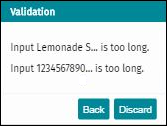
| Input length exceeding the predefined maximum limit. | Text | Input #processContextValue# is too long. | Displayed one time per error. |
| Log | The value + value + of length + inputLength + isn’t valid for +
property.name + with max. length + allowedLength
+ in + object.$type + located at + path +. |
Logged one time per error. | |
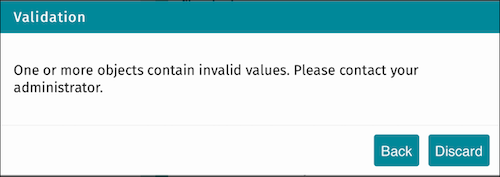
| Input has invalid base type. | Text | One or more objects contain invalid values. Contact your admin. | Displayed one time for multiple errors. |
| Log | The value '" + value + "' of type '" + typeof(value) + "' isn’t valid for '" + property.name + "' of type", typeInfo, "in '" + object.$type + "' located at '" + path + "'. | Logged one time per error. |
Validation in Master Detail Section Page
With input validation enabled, CG Cloud offline mobile app framework supports validation of objects in the detail section when the user changes the selection in the master section of a master detail section page or taps the Back button in the page header.
If the validation fails because of length or base type mismatch errors in the list item object from which the selection is being changed, a validation message is displayed. The object selection is handled based on the buttons (Back or Discard) tapped in the message window.
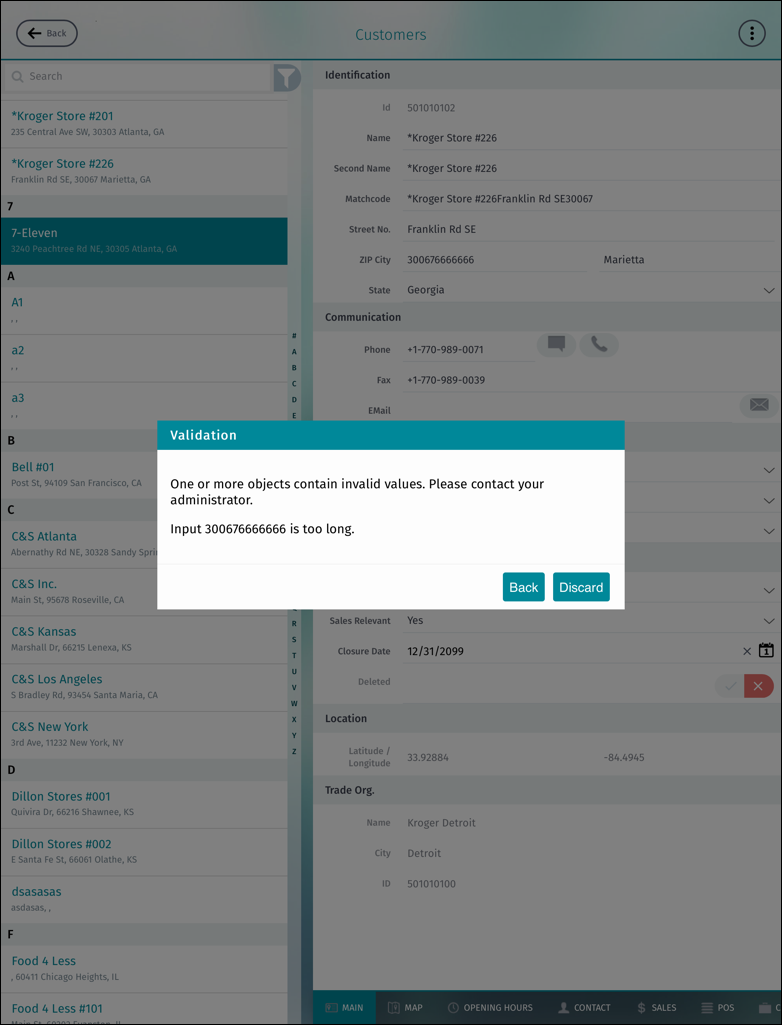
Sample Input Validation Messages
If input validation is enabled and the user enters input, text and decimal number in this example, beyond the limits configured in the backend into corresponding input fields on a page, then the validation message appears as shown.
If input validation is enabled and the user enters input with invalid base type into corresponding input fields on a page, then the validation message appears as shown.