
You are here:
MediaList Component
Use the MediaList UI component to add attachments.
Required Editions
| Available in: Lightning Experience in Professional, Unlimited, and Enterprise Editions that have Consumer Goods Cloud enabled |
Component name: medialist
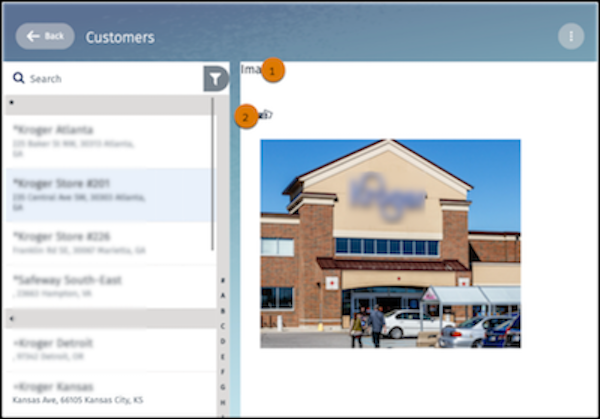
In the MediaList component, you can configure:
- Header color (1)
- File name color (2)
- Icon image and color (3)
The table lists the images and icons that are available for the MediaList component.
| Image Name | Description |
|---|---|
| FileType_img.svg | Icon that appears next to image files. |
| FileType_video.svg | Icon that appears next to video files. |
| FileType_pdf.svg | Icon that appears next to pdf files. |
| FileType_zip.svg | Icon that appears next to PDF files. |
| FileType_doc.svg | Icon that appears next to all other files. |
| Icon_Info.svg | Icon that indicates a tagged picture. |
| Icon_Context.svg | Icon to show the context menu. |
| Icon_ContextWhite.svg | Icon to show the context menu in the selected state. |
| Ani_In-Progress.gif | Animated GIF that shows when an image is loading. |
Did this article solve your issue?
Let us know so we can improve!
