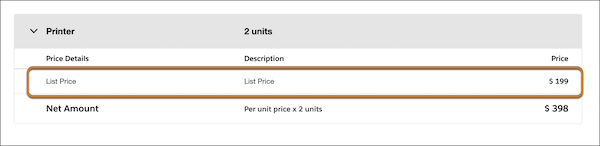
To get the base price of a product for pricing procedure execution, use the List Price
element. The list price serves as a starting point for calculating the final price before
applying any discounts or adjustments.
An organization might have different prices for the same product, depending on
scenarios such as sales territories or sales cycles. These various list prices for products
are tracked as price book entries within a price book.
In a pricing procedure, the
list price of a product or line item is fetched from the Price Book Entries decision table.
If you are calculating the derived price of a product, fetch the list price from the Price
Book Entries V2 decision table.
Let's explore using the List Price element in a
pricing procedure:
We use three kinds of cookies on our websites: required, functional, and advertising. You can choose whether functional and advertising cookies apply. Click on the different cookie categories to find out more about each category and to change the default settings.
Privacy Statement
Required Cookies
Always Active
Required cookies are necessary for basic website functionality. Some examples include: session cookies needed to transmit the website, authentication cookies, and security cookies.
Functional Cookies
Functional cookies enhance functions, performance, and services on the website. Some examples include: cookies used to analyze site traffic, cookies used for market research, and cookies used to display advertising that is not directed to a particular individual.
Advertising Cookies
Advertising cookies track activity across websites in order to understand a viewer’s interests, and direct them specific marketing. Some examples include: cookies used for remarketing, or interest-based advertising.