
You are here:
Map Line Item
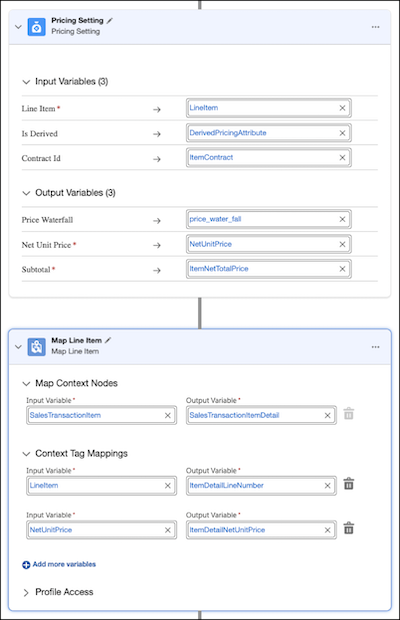
The Map Line Item element is used for precise mapping of variables. It maps variables at the main line item level and sub-line item levels, which are created when multiple transactions occur on the same line item within different pricing elements.
This element is valuable for mapping variables in both discovery and pricing processes. It must be placed second in line, immediately following either the Discovery Settings or Pricing Settings element.
- Create a pricing procedure. To create a pricing procedure, follow the first 5 steps in Configure Your Pricing Procedure.
-
Click
 to add the Pricing Setting element and map these variables.
-
Click to add the Map Line Item element to map your variables to the appropriate context
tags at both the context node level and the child node level.
Did this article solve your issue?
Let us know so we can improve!
