
You are here:
Save and Reuse Configurations
After you configure simple and bundled products, you can save the configurations and reuse them. You can also edit and delete saved configurations.
Required Editions
| Available in: Lightning Experience |
| Available in: Enterprise, Unlimited, and Developer Editions of Revenue Management (formerly Revenue Cloud) with the Revenue Cloud Growth license or the Revenue Cloud Advanced license |
| User Permissions Needed | |
|---|---|
| To save and reuse product configurations: | Product Configurator |
Save a Configuration
Each user can save up to 80 configurations for each product reference record ID.
- Configure a product.
-
Click
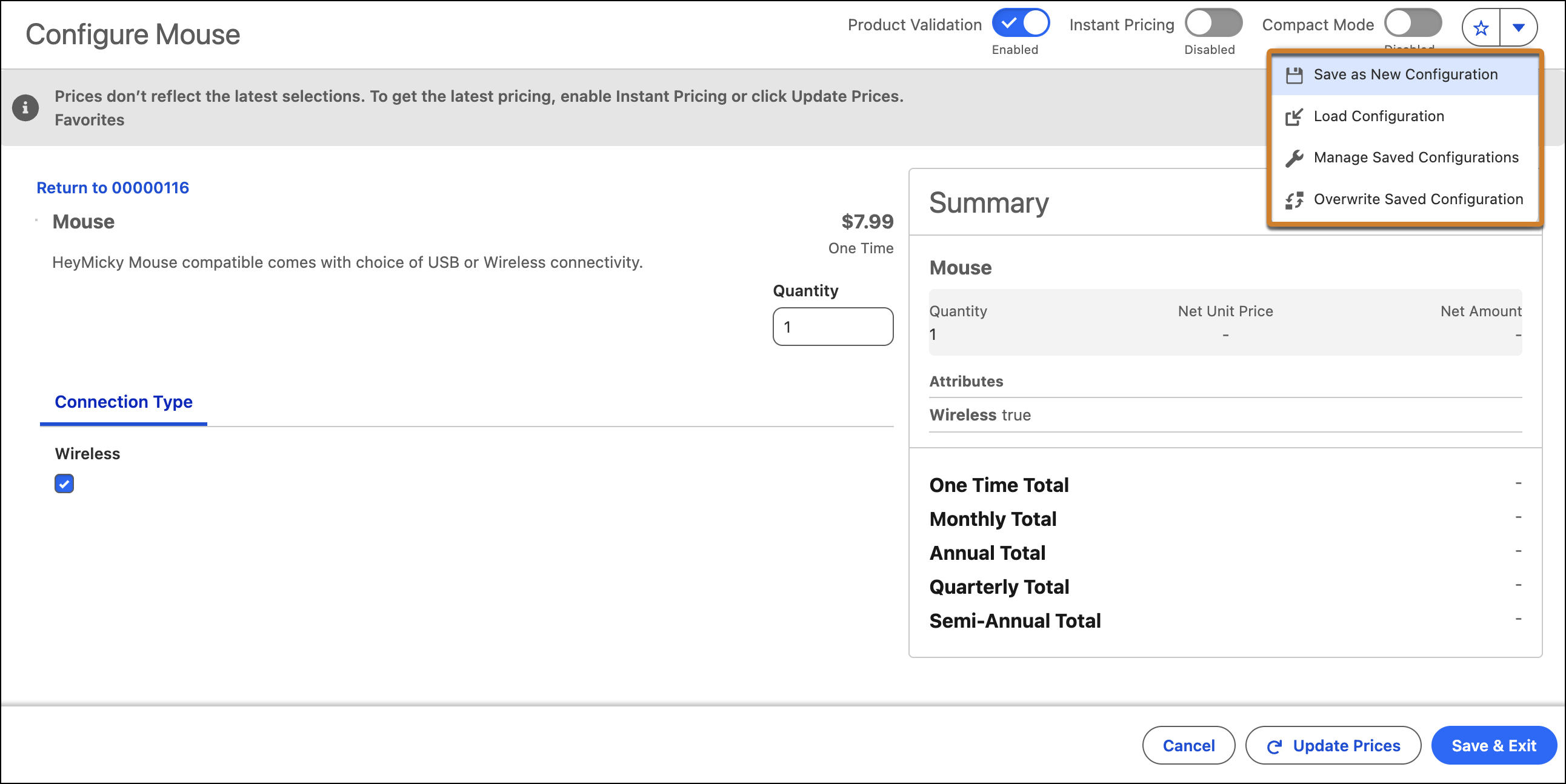
 , and then select Save as New Configuration.
- Enter a name and description for the saved configuration.
- Save your changes.
Load a Saved Configuration
- Open the Product Configurator.
-
To use a saved configuration, click , and then select Load Configuration.
- Select the saved configuration that you want to use.
- Click Load Favorite.
Manage Saved Configurations
- Open the Product Configurator.
-
Update the saved configurations as necessary.
-
To update a saved configuration, load it, make changes, and click
 . You can also update the name and description.
-
To update a saved configuration and save as a new configuration, click , and then select Save as New Configuration.
-
To update or delete saved configurations, click , and then select Manage Saved Configurations.
-
To update a saved configuration, load it, make changes, and click
Did this article solve your issue?
Let us know so we can improve!
