You are here:
Configure Document Generation Notifications for Salesforce Contracts
You can notify your users with timely email and in-app notifications for server-side document generation. In-app notifications are available by default and you can enable or disable the email notifications.
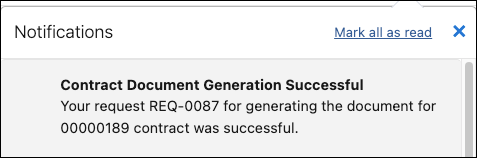
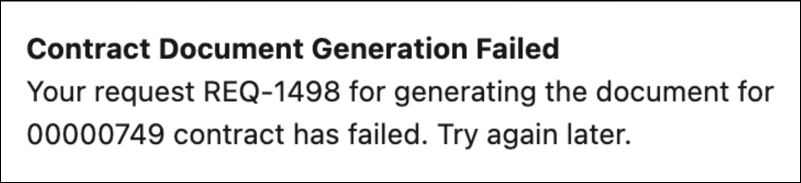
The in-app notification displays the success or failure of the document generation request along with the request number and contract number. If document generation was a success, you can click on the notification to open the generated contract document version in the contract’s documents tab.
Example of document generation successful notification.
Example of document generation failure notification.
An email notification is sent to the user who initiated the document generation. The email provides information related to the success or failure of the document generation request along with the request number and contract number. If document generation was a success, you can click on the link to open the generated contract document version.

Example of document generation successful email.

Example of document generation failure email.

Manage Notification Delivery Settings for Salesforce Contracts
You can enable or disable server-side document generation email and in-app notifications from the Notification Delivery Settings. The Notification Delivery Settings are at the root level; therefore, it overwrites the Email Notification On Document Generation config contract type setting.
- From Setup, in the Quick Find box, enter Notification, and then select Notification Delivery Settings.
- In the Salesforce Contracts section, click Generated Documents notification type, and select Edit from the dropdown menu.Notification Delivery Settings shows you only the notification types available for your org.
- Do one of the following:
To enable notifications, select the channels for your notification type.
To disable notifications, deselect the channels for your notification type.
- Save your changes.
Manage Email Notifications for Salesforce Contracts
You can set up email notifications for server-side document generation using the Email Notification On Document Generation contract type config setting. The default setting is set to False.
- From Setup, in the Quick Find box, enter Contract Type Config.
- Click Contract Type Config.
- Click the dropdown arrow next to Email Notification On Document Generation and click Edit.
- Enter True in Config Value to enable email notifications.
- Click Continue.
