You are here:
Electronic Signature Envelope Configuration for Salesforce Contracts
Using the Electronic Signature Envelope Config the system admin can define the default reminders and expiry for the envelopes submitted for eSignature.
You can define these settings for custom objects and standard objects (opportunity, quote, order). The default values are defined for the standard objects.
For the contract object, if the signature settings are not defined in the Contract Type Config settings then the Salesforce Contracts application takes the values defined in the Electronic Signature Envelope Config.
For other standard and custom objects, if the reminder and expiry settings are not defined in the UI, the application takes the values defined in the Electronic Signature Envelop Config.
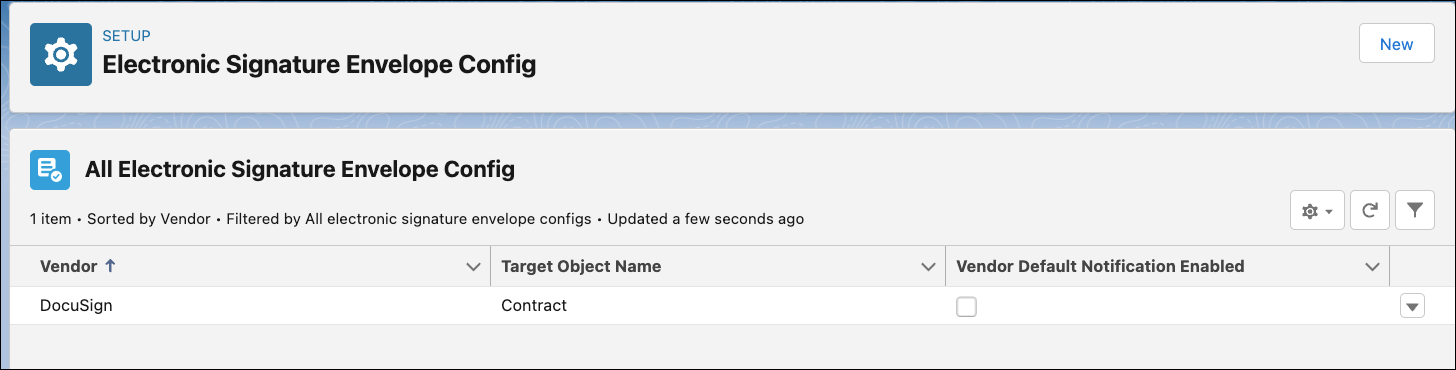
- Default Electronic Signature Envelope Configurations for Contracts
The Electronic Signature Envelope Config serves as a fallback for e-signature settings when the Contract Type Config doesn't define signature settings for a contract type. - Edit Electronic Signature Envelope Configurations for Contracts
Using the Electronic Signature Envelop Config the system admin can define the default reminders and expiration timeframes for envelopes submitted for e-signature. - Create Electronic Signature Envelope Configurations for Standard and Custom Objects
You can create default reminders and expiration timeframes for envelopes submitted for e-signature from the Electronic Signature Envelop Config. - Edit Electronic Signature Envelope Configurations for Standard and Custom Objects
You can edit the default reminders and expiration timeframes for envelopes submitted for e-signature from the Electronic Signature Envelop Config.
Did this article solve your issue?
Let us know so we can improve!
