You are here:
Modify a Section in a Salesforce Contract Document
Template designers and contract authors can modify the sections within document templates and contract documents.
- Open the contract document or document template in Microsoft 365 editor.
- Click the Salesforce Contracts for Word add-in on the Home tab.The Delete, and Edit Properties options are available in the add-in pane for a section.
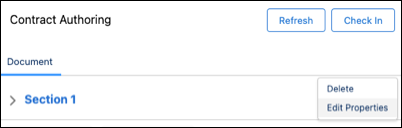
- Select the dropdown next to the section that you want to modify.You can perform these actions:
-
Delete - Deletes data within the section. The section reference from the add-in panel also gets deleted.
-
Edit Properties - Helps you modify section properties such as section name.
-
Did this article solve your issue?
Let us know so we can improve!
