You are here:
Retry Contract Document Generation
Salesforce Contracts allows you to retry or cancel the contract document generation if the generation is incomplete due to any failure or time-out issues in generating the document.
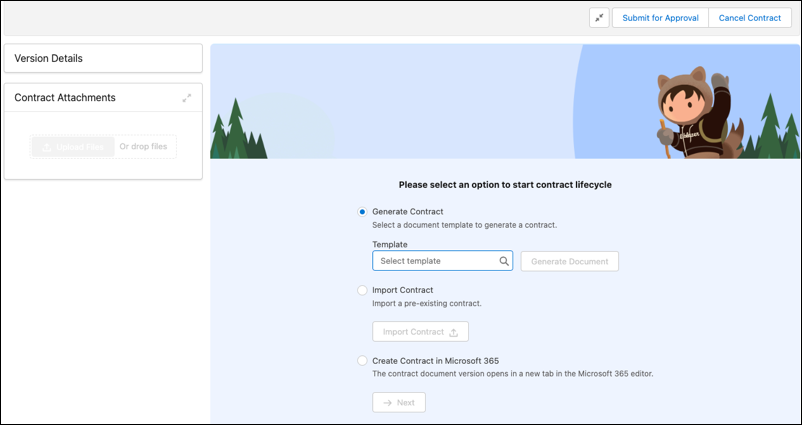
Select an existing template to generate the document and click Retry. When you assign a template to a contract document, a document is generated using the template conditions, mappings, and so on. A new version of the contract document is generated and saved as an attachment. The contract document view is read-only. You can select the format to save the contract - Microsoft Word or PDF. Typically, you want to save a contract as a Microsoft Word document so others can edit it, if necessary. After all the parties agree on the contract, you can save the contract as a read-only PDF file.
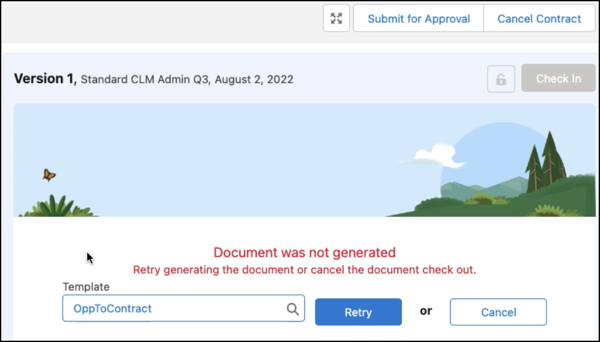
You have the option to cancel the contract document generation by clicking Cancel. Contract creation can be selected by either selecting an existing document template or importing a contract document.