You are here:
Run Salesforce Contracts Invocable Actions
Leverage invocable actions to enhance the functionality of your applications. These actions can trigger various functions within Salesforce Contracts to manage the contract lifecycle efficiently.
| REQUIRED EDITIONS |
|---|
| Available in: Lightning Experience |
| Available in: Enterprise, Unlimited, Professional, and Developer Editions |
| USER PERMISSIONS NEEDED | |
|---|---|
| To create a flow: | Manage Flow |
| To invoke Salesforce Contracts invocable actions: | CLM Admin User OR CLM Runtime User |
- From Setup, in the Quick Find box, enter flows and then select Flows.
- Click New Flow.
- Select Start From Scratch, and then click Next.
- Select Screen Flow, and then click Create.
- Hover over
 , and then click
  .
. - In Add Element, select Action.
- In the Search Actions box, search for and then select Salesforce Contracts.
-
Select an invocable action.
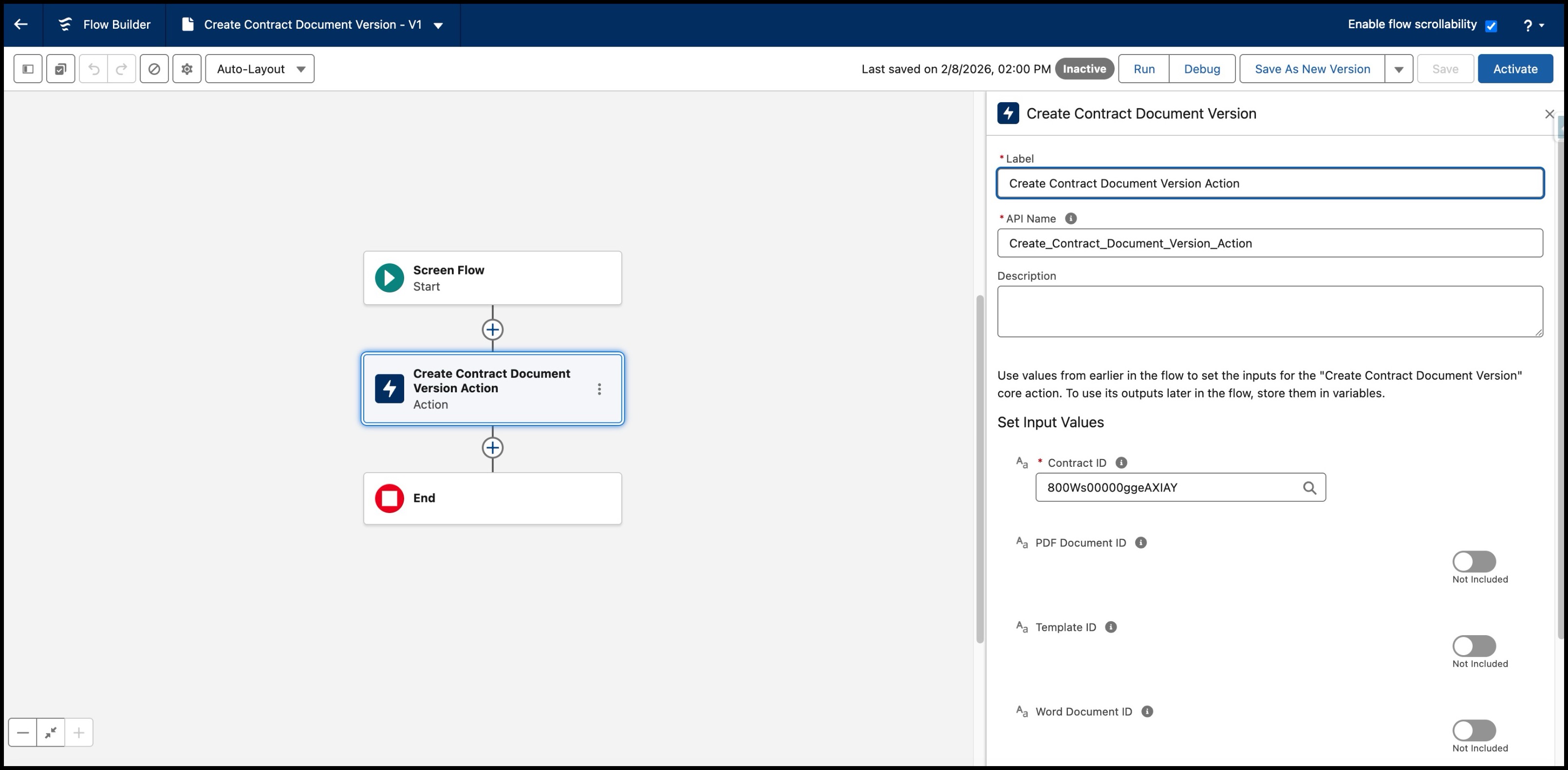
- Enter a label for the action that you selected.The API name is automatically populated from the label that you enter.
- If needed, enter a description.
- Enter the required input parameters for the selected action.
- Save your changes.
- Enter a flow label.The API name is automatically populated from the label that you enter.
- If needed, enter a description.
- Save your changes.
- Run the invocable action.
Did this article solve your issue?
Let us know so we can improve!
