Loading
Table of Contents
Select Filters

          No results
          No results
          Here are some search tips

          Check the spelling of your keywords.
          Use more general search terms.
          Select fewer filters to broaden your search.

          Search all of Salesforce Help
          Sample Clause Report

          Sample Clause Report

          Add fields to your report as columns, group by rows and columns, filter report data, and add a chart. Then customize your report to view the desired clause data.

          Clause Report Filters

          A modified clause is not regarded as a document clause and is converted to plain text, unless only formatting changes were made.
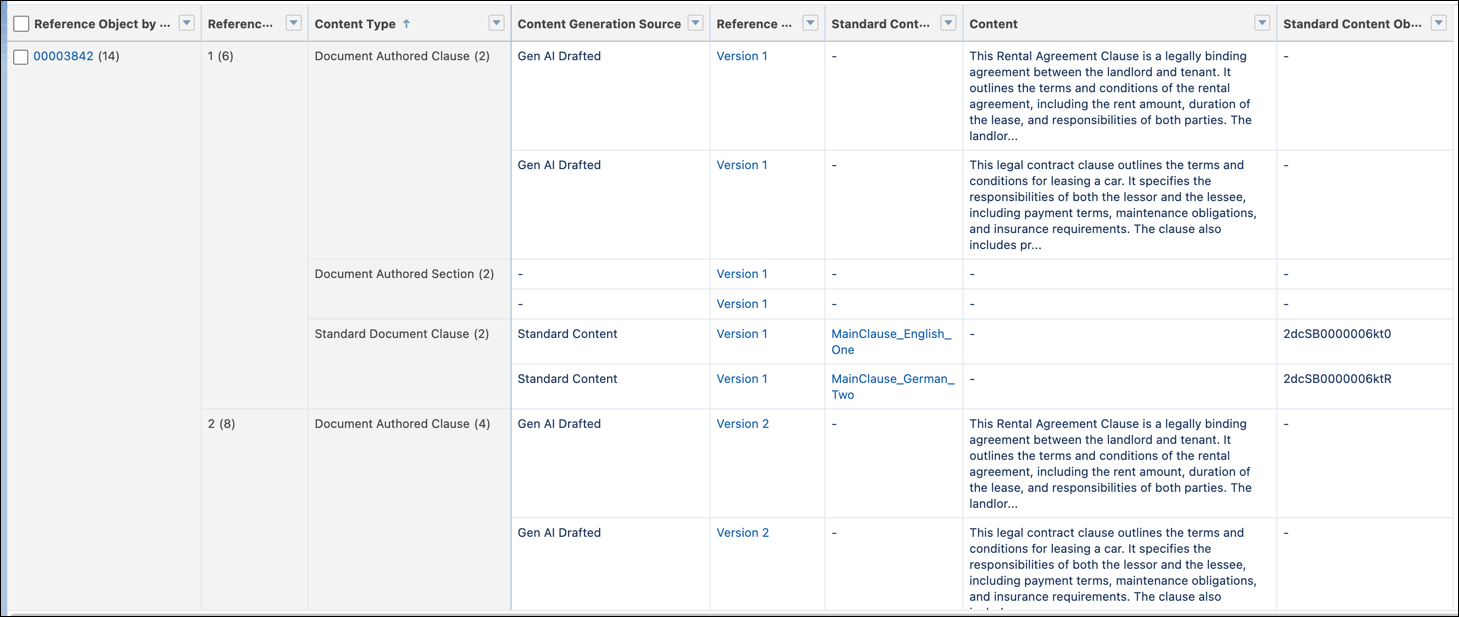
          Filters applied in a clause report

          Filter by Fields
          Outline: Groups
          • Reference Object by Contract Document Version: Contract: Contract Number

          • Reference Object by Contract Document Version: Version Number

          • Content Type

          Outline: Columns
          • Content Generation Source

          • Reference Object by Contract Document Version: Name

          • Standard Content Object: Name

          • Content

          • Standard Content Object: Document Clause ID

          Filters
          • Show Me: All document authored contents

          • Created Date: All Time

          • Reference Object by Contract Document Version: Contract Document Number:

            • Operator: equals

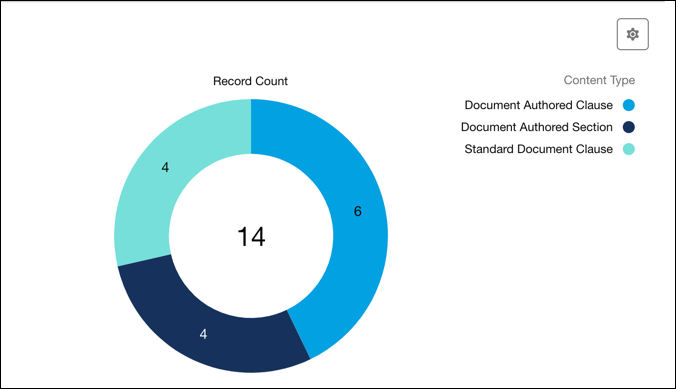
          Show record count as Donut

          Clause record count in the donut format

          Filter by Fields
          Value Record Count
          Sliced By Content Type
          Select these checkboxes
          • Show Values

          • Combine Small Groups into “Others”

          • Show Total

          Legend Position Right
           
          Loading
          Salesforce Help | Article