You are here:
Use Suggest More Option to Draft Clauses
Instead of describing your clause, you can define parameters such as jurisdiction, industry, and other relevant factors to guide Contracts AI to draft accurate clauses.
- From the App Launcher, find and select a Document Clause Set.
- Click Draft with Contracts AI.
- When you open Contracts AI, a disclaimer message for Einstein appears. Click Got it.
- Click Suggest More.
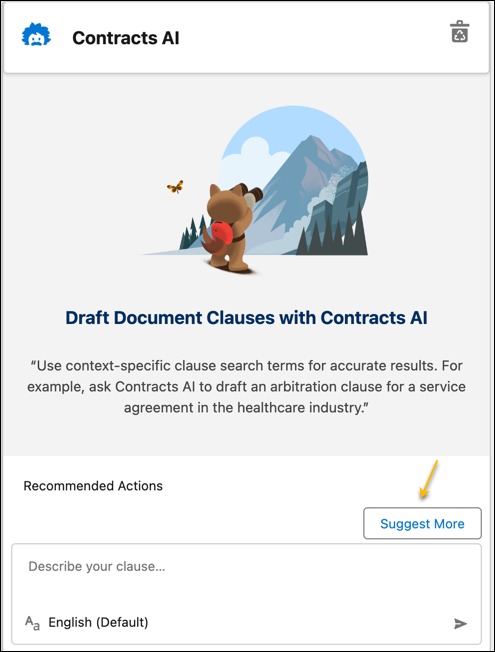
- Specify these parameters.
- Clause Name: The name of the clause.
- Jurisdiction: The geographic location where the clause is applicable. This location is often a specific city, state, or country.
- Involved Party: The party for whom the clause is applicable.
- Industry or Sector: The clause alignment with a specific business category. It helps draft clauses that incorporate the unique attributes, regulations, and standards associated with a specific industry or sector.
- Agreement Classification: The clause category is based on the business scenario. For example, a master service agreement, licensing agreement, or sales and purchase agreement.
- Save your changes.Contracts AI drafts your clause.
Did this article solve your issue?
Let us know so we can improve!
