You are here:
View Associated Clauses
After you check in a document created in the Microsoft 365 editor, you can access the associated clauses. View all clauses associated with the contract version from the Associated Clauses section. The Associated Clauses window includes the clause source (Marked Clause, Contracts AI, and Clause Library), the review status for each clause, and so on.
| USER PERMISSIONS NEEDED | |
|---|---|
| To create and edit document clauses | Contracts AI Clause Designer AND Contracts AI User AND Prompt Template User AND NLP Service AND Scoring Framework Admin |
| To edit in Microsoft 365 editor | Microsoft 365 Word Designer |
| To view clauses from the contract record | Clause User AND CLM Runtime User |
| REQUIRED EDITIONS |
|---|
| Available in: Lightning Experience |
| Available in: Enterprise, Unlimited, Professional, and Developer Editions |
- From the contract record page, click View Contract Document.
-
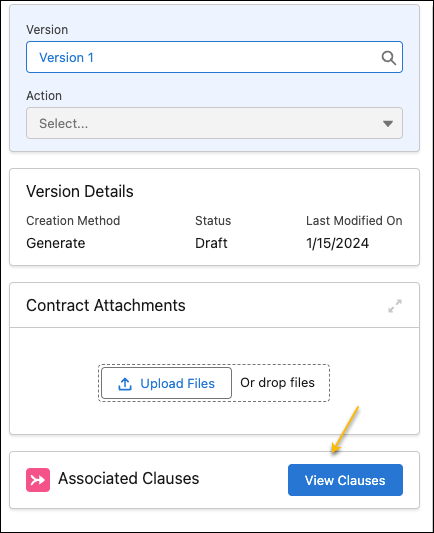
In the Associated Clauses, click View Clauses.
 A window opens with the list of associated clauses.
Did this article solve your issue?
Let us know so we can improve!
