You are here:
View Obligations Associated with a Contract
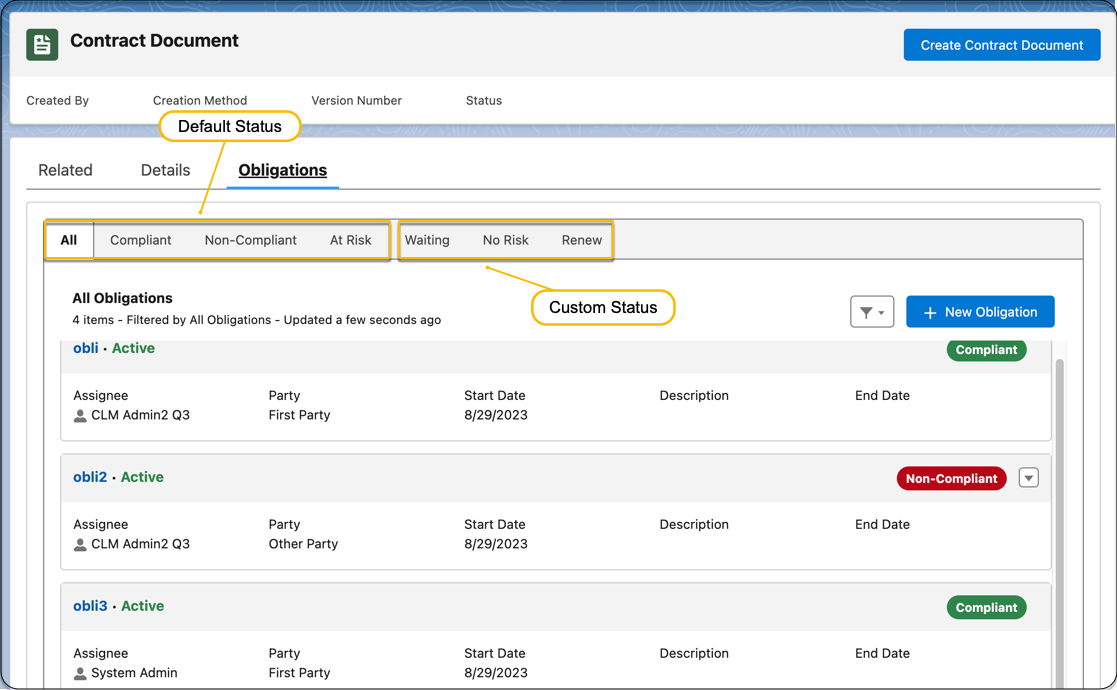
Preview the obligations associated with a contract from the contract’s record page. The default obligation statuses are Compliant, Non-Compliant, and At Risk. The obligation manager can also configure additional custom obligation statuses.
You need the ObligationManagement platform license to see the Obligations tab.
| REQUIRED EDITIONS |
|---|
| Available in: Lightning Experience |
| Available in: Enterprise, Unlimited, Professional, and Developer Editions |
| USER PERMISSIONS NEEDED | |
To view obligations: |
Obligation Manager permission set OR Obligation Assignee permission set OR Obligation User permission set |
-
On the Contract record detail page, click the Obligations tab.
The tabs available for obligations depend on the number of obligations associated with the contracts and their status.
-
View obligation sub-tabs that are based on the obligation status:
-
All: Default tab that lists all the obligations associated with the contract, irrespective of their status.
-
Complaint: Available only when the contract has obligations in the Compliant status.
-
Non-Compliant: Available only when the contract has obligations in the Non-Compliant status.
-
At Risk: Available only when the contract has obligations in the At Risk status.
-
{Custom Status}: Available only when the contract has an obligation in any custom st
-
{Custom Status}: Available only when the contract has an obligation in any custom status.
-
-
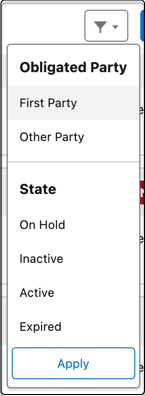
Filter obligations.
Apply the filter options on the obligation sub-tabs to filter obligations by states and parties.