You are here:
View the Standard ContractsExtractionContext Mapping
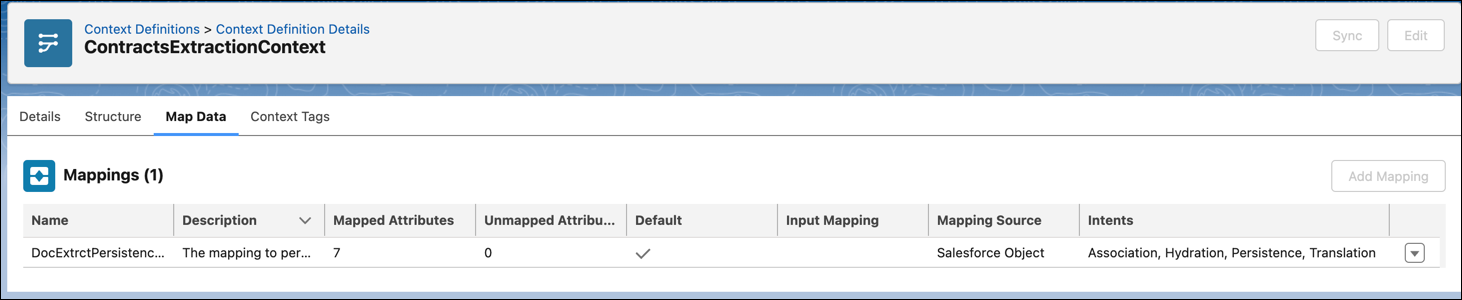
After you turn on the Context Service for Salesforce Contracts setting, the default ContractsExtractionContext mapping is available. Use the predefined definition to extract contract details from a file. The definition includes a default DocExtrctPersistenceMapping that persists data by pushing the extracted document data from the document into the contract fields.
| REQUIRED EDITIONS |
|---|
| Available in: Lightning Experience |
| Available in: Enterprise, Unlimited, Professional, and Developer Editions |
| USER PERMISSIONS NEEDED | |
|---|---|
| To view context definitions: | Context Service Run Time User |

Important You can’t edit or delete a standard context definition that’s shipped with Salesforce Contracts. You can extend or clone it and make your modifications.
- From Setup, in the Quick Find box, enter Context Service, and then select Context Definitions.
- To view the predefined context definitions, go to the Standard Definitions tab.
- Click ContractsExtractionContext.
-
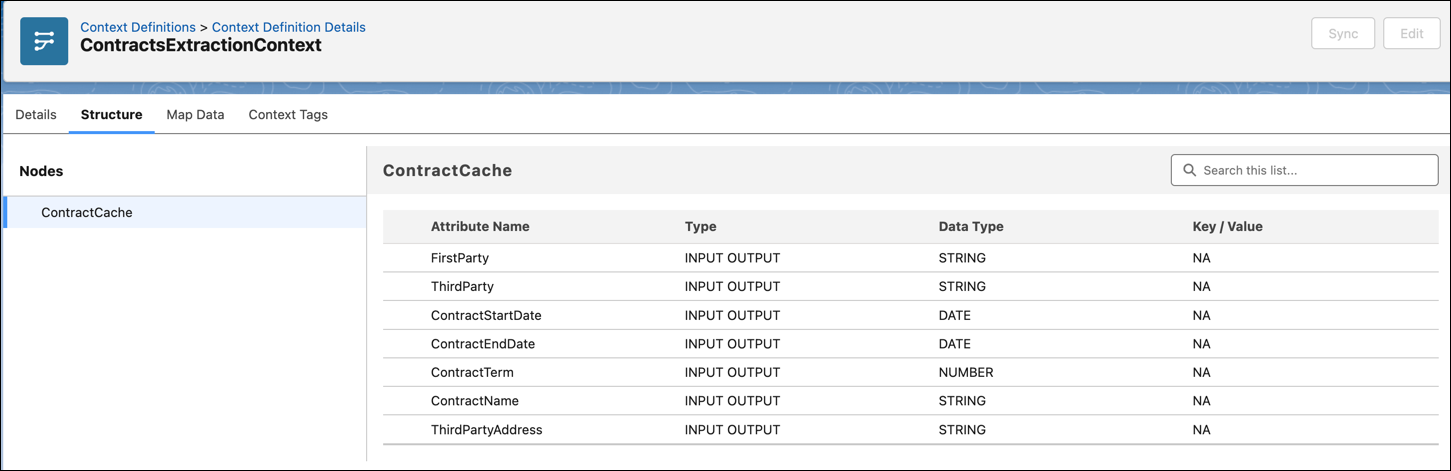
To view the ContractCache node and associated attributes, go to the Structure tab. By default, seven fields are mapped.
-
To view the default DocExtrctPersistenceMapping, go to the Map Data tab.
-
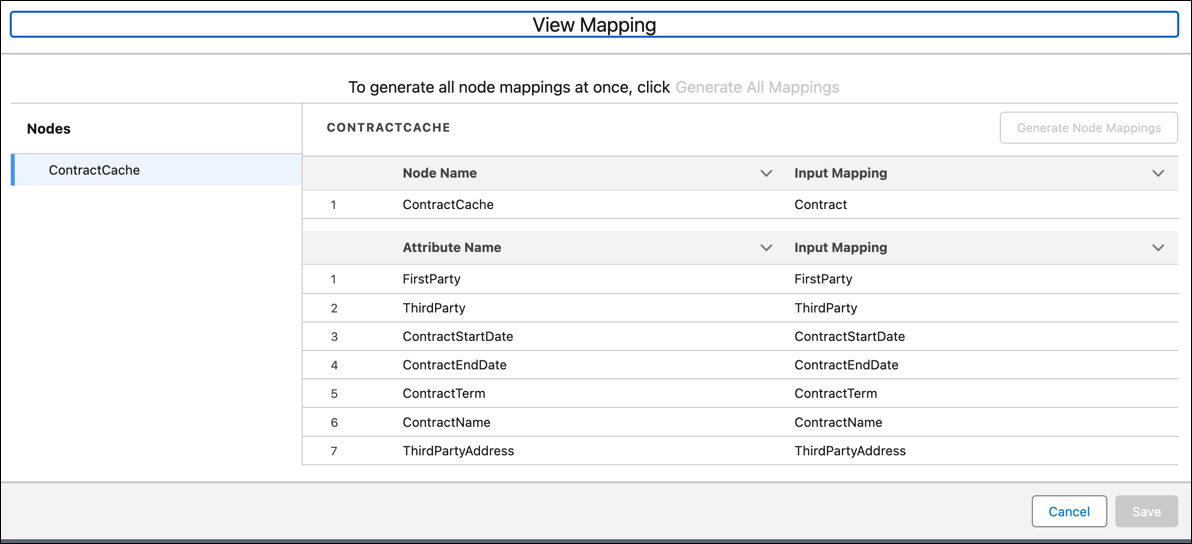
To view the cache and node details, click the down arrow next to the persistence mapping source and select View Input Mapping.
You can see the logical mapping of fields from the document to the corresponding fields in the ContractCache node.
-
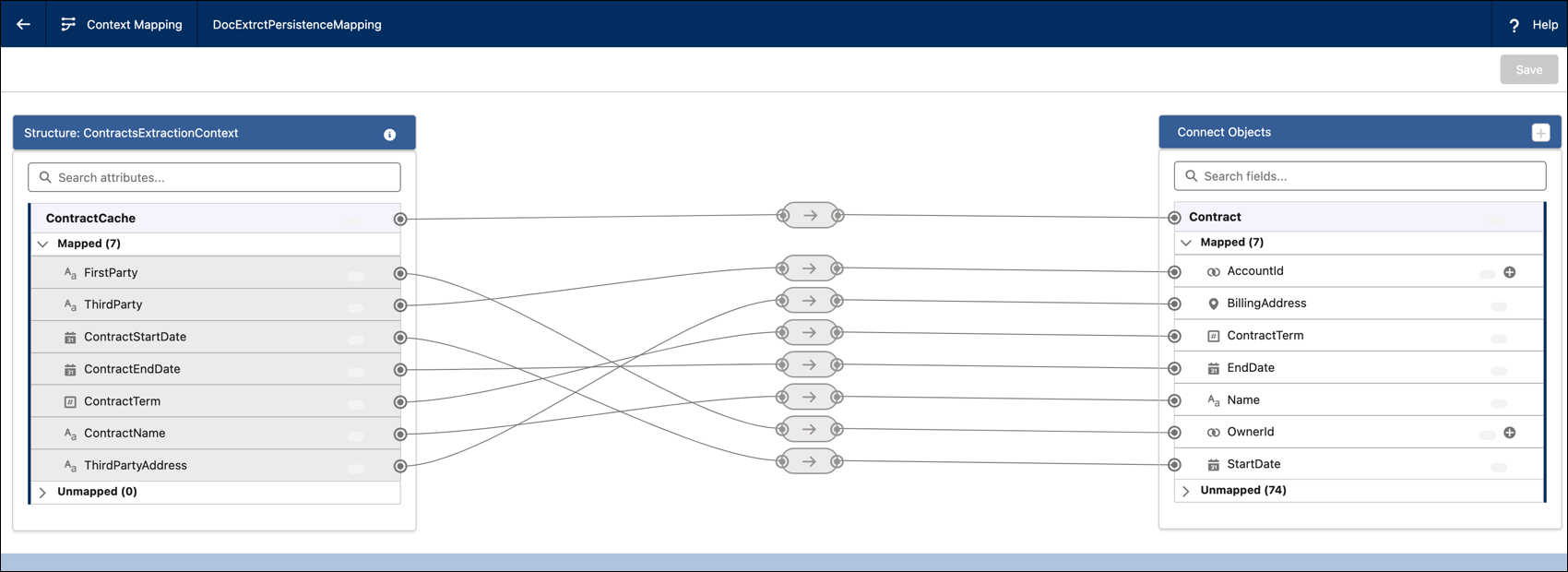
To view the mapping details of fields from the Contract object to the corresponding fields in the ContractCache, click the down arrow next to DocExtrctPersistenceMapping and select View sObject Mapping.
Did this article solve your issue?
Let us know so we can improve!
