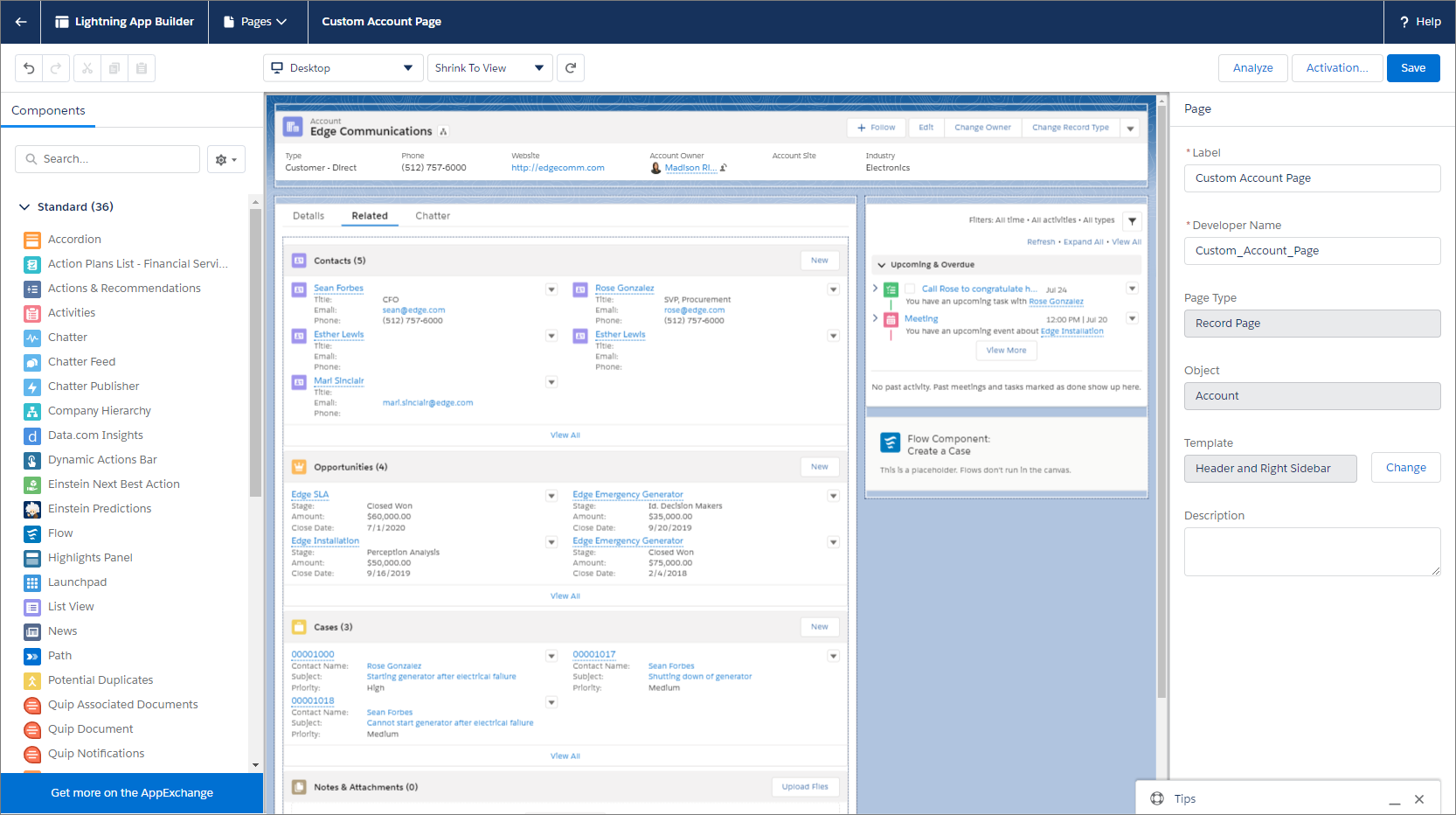
The Lightning App Builder is a point-and-click tool
that makes it easy to create custom pages for the Salesforce mobile app and Lightning
Experience, giving your users what they need all in one place. The Lightning App
Builder is also a one-stop shop for configuring Lightning apps.
Required Editions
Available in: both Salesforce Classic and Lightning
Experience
Available in: Group, Essentials, Professional,
Enterprise, Performance, Unlimited, and
Developer Editions
You can access the Lightning App Builder from Setup by entering
Lightning App Builder in the Quick Find box and then selecting
Lightning App Builder.
With the Lightning App Builder, you can build:
Single-page apps that drill down into standard pages
Dashboard-style apps, such as apps to track top sales prospects or key leads for the
quarter
“Point” apps to solve a particular task, such as an expense app for users to enter
expenses and monitor expenses they’ve submitted
Custom record pages for your objects, tailored to the needs of your users
Custom Home pages containing the components and features that your users use
most
Custom forecasts pages containing components and features that give sales leaders
information about planned revenue.
But that’s not all. When you edit a Lightning app from the App Manager in Setup, you’re
brought into the Lightning App Builder to manage the app’s settings. You can update the
app’s branding, navigation, app options, and manage the Lightning pages assigned to that
app all inside the Lightning App Builder.
The Lightning App Builder supports the same browsers as
Lightning Experience and isn’t supported on mobile browsers. The minimum recommended
resolution for the Lightning App Builder is 1280x1024.
We use three kinds of cookies on our websites: required, functional, and advertising. You can choose whether functional and advertising cookies apply. Click on the different cookie categories to find out more about each category and to change the default settings.
Privacy Statement
Required Cookies
Always Active
Required cookies are necessary for basic website functionality. Some examples include: session cookies needed to transmit the website, authentication cookies, and security cookies.
Functional Cookies
Functional cookies enhance functions, performance, and services on the website. Some examples include: cookies used to analyze site traffic, cookies used for market research, and cookies used to display advertising that is not directed to a particular individual.
Advertising Cookies
Advertising cookies track activity across websites in order to understand a viewer’s interests, and direct them specific marketing. Some examples include: cookies used for remarketing, or interest-based advertising.