You are here:
Check External Calendars to Determine Resource Availability
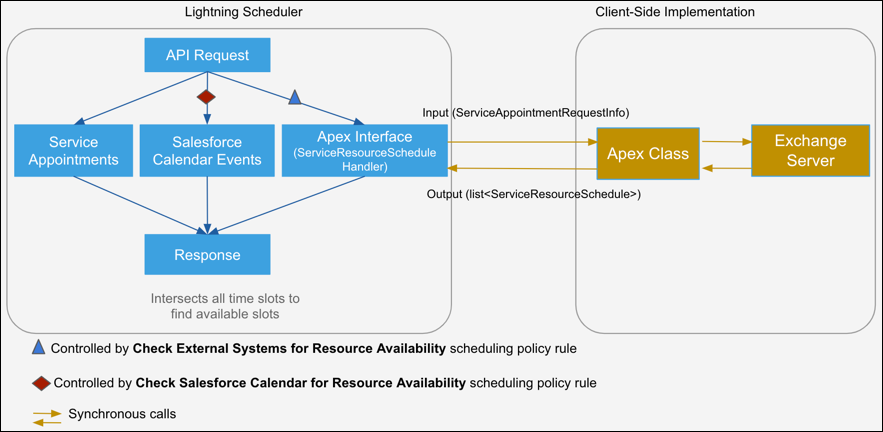
When you run a Salesforce Scheduler flow or make an API call, the Apex interface makes a synchronous call to the Apex class. The Apex interface passes the details of the requested service resources and timelines for which Salesforce Scheduler wants to find the resources’ availability on the external calendar. The Apex class checks the external calendar events and returns the time slots where resources aren’t available. Salesforce Scheduler excludes the unavailable time slots during appointment scheduling.
Did this article solve your issue?
Let us know so we can improve!
