Set Up Your First Workspace in Marketing Cloud Intelligence
After your Marketing Cloud Intelligence account is provisioned, you can now start
setting up your workspace. A Marketing Cloud Intelligence account is divided into workspaces. Each
workspace is a separate working environment with its own permissions. When you make changes, the
changes are applied only to the workspace that you’re working in.
Required Editions
User Permissions Needed
To set up a workspace:
Admin
By default, a workspace can have up to 50 million rows. If you exceed this amount, an error
message appears, and you can’t create the workspace. To increase the number of rows, contact
your Marketing Cloud Intelligence representative.
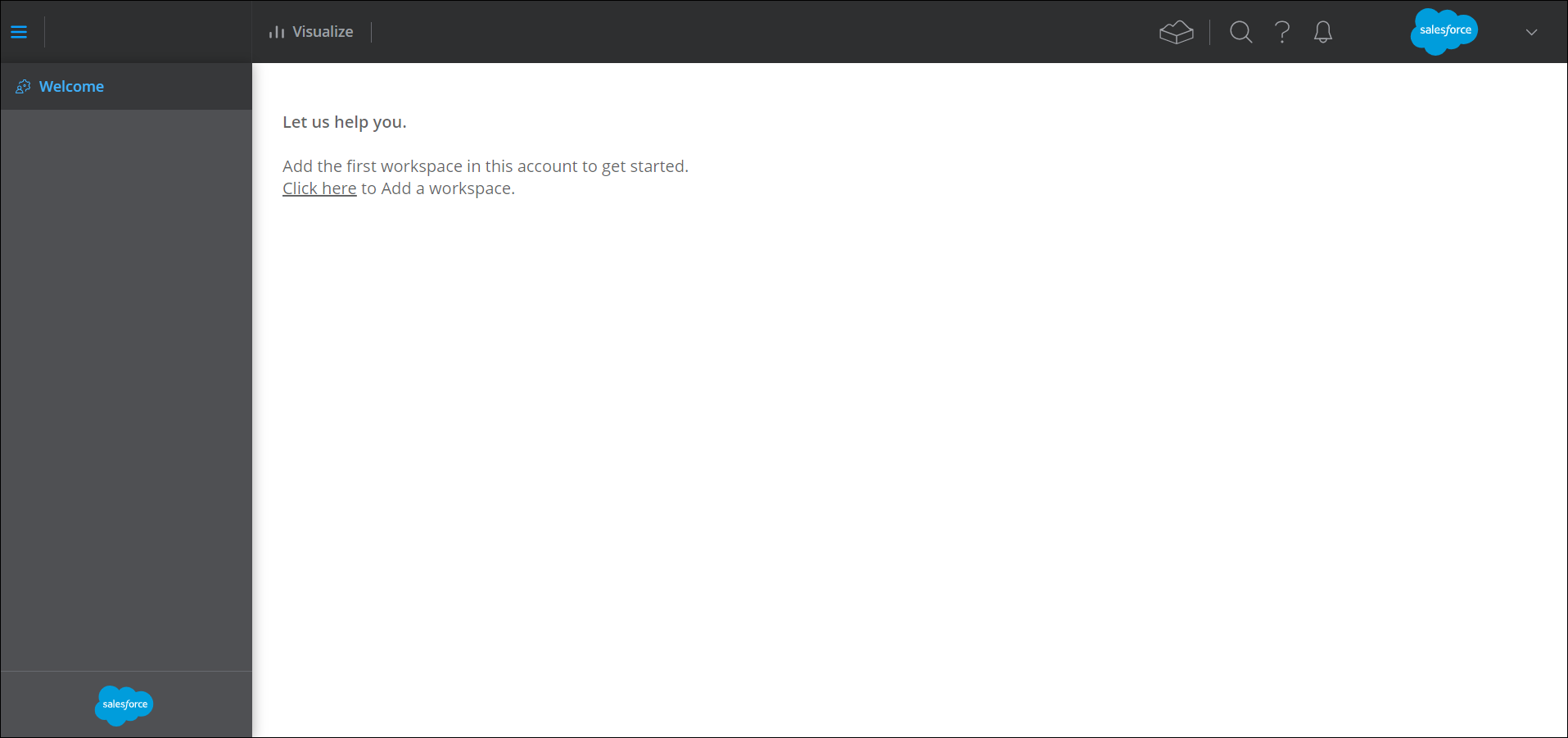
Log in to Marketing Cloud Intelligence with your username and password. The first time you
log in, the Welcome screen appears.
To add your first workspace, click the Click here link.
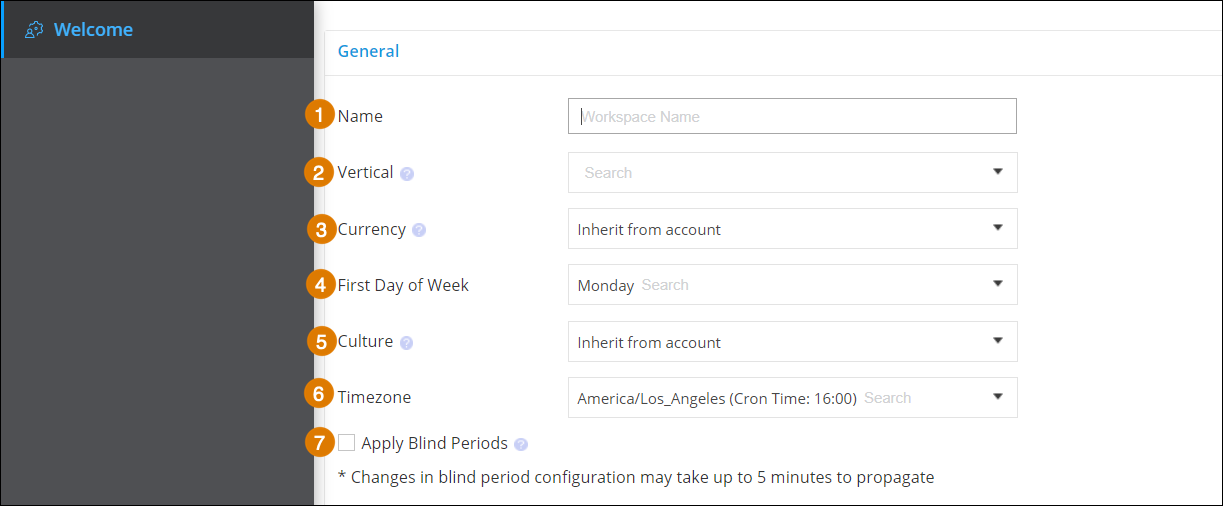
Enter these details.
Name–Enter your workspace name. (1)
Vertical–Select the targeted market that’s relevant to your
workspace. (2)
Currency–The default behavior is to inherit the currency settings
from the account. If you require a different currency, select it from the dropdown list. Cost
data uploaded to the workspace is converted according to the workspace’s currency. (3)
First Day of Week–Set the first day of the week. By default, it’s
set to Monday. (4)
Culture–Select the country to define how numbers are displayed in
the platform. For example, 100,000 for United States, 100.000 for Germany. (5)
Timezone–The time zone affects notifications and automatic
scheduling, like report scheduling. Data stream updates are performed at 6:00 AM in the
workspace’s time zone. (6)
Apply Blind Periods–Blind periods are time periods when users with
analyst and viewer roles can’t see the updated data in the workspace. If you’re using a blind
period, enter the number of days the period lasts. (7)
Save your workspace. You can now add users and upload your data.
We use three kinds of cookies on our websites: required, functional, and advertising. You can choose whether functional and advertising cookies apply. Click on the different cookie categories to find out more about each category and to change the default settings.
Privacy Statement
Required Cookies
Always Active
Required cookies are necessary for basic website functionality. Some examples include: session cookies needed to transmit the website, authentication cookies, and security cookies.
Functional Cookies
Functional cookies enhance functions, performance, and services on the website. Some examples include: cookies used to analyze site traffic, cookies used for market research, and cookies used to display advertising that is not directed to a particular individual.
Advertising Cookies
Advertising cookies track activity across websites in order to understand a viewer’s interests, and direct them specific marketing. Some examples include: cookies used for remarketing, or interest-based advertising.