
You are here:
Create an Info Capture Message in MobileConnect
Prompt recipients to provide information in Marketing Cloud Engagement. This information is stored as attributes on the contact record.
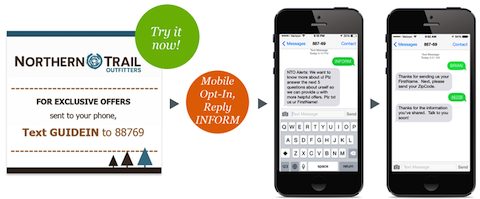
- On the MobileConnect Overview screen, click Create Message.
- Select the Info Capture template.
- Enter a name for the message.
- Select the short or long code to use.
- Select or create the keyword.
- Move to the next page, and then select the attribute to capture.
- Enter the request text.
- Select more attributes, as necessary.
- Enter the rest of the information.
- Move to the next page and review the message information.
- Set the dates that the message is active.
- Set the keyword response window, which determines when the message interacts with incoming messages.
- Schedule or send the message
See Also
Did this article solve your issue?
Let us know so we can improve!
