You are here:
Build Category Hierarchy Using the Category ETL
Using the Category ETL to build category hierarchy, along with the Category ID Path framework, results in a hierarchy with a many-per-item category cardinality.
When you use this approach, the ID Path is listed below the ID attribute.
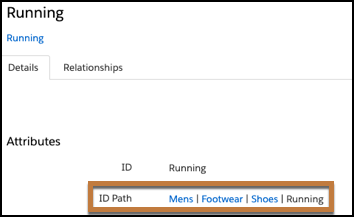
The categories that you build don’t display a hierarchical tree structure in the category list screen UI. Instead, each category appears as a unique line item on the category list view page.
Applying Categories to Products, Blogs, or Articles Using the Product or Catalog Object ETL
When applying categories to products, blogs, or articles using either the product or catalog object ETL, keep these considerations in mind.
- Make sure to include all categories in the feed.
- Including only the lowest level category doesn’t automatically build the category
structure. Each category in the hierarchy appears separately.

Category ETL and Tracking Statistics
When tracking statistics against categories, keep these considerations in mind.
- Statistics are tracked against tags included on the inbound event.
- A view on a lower-level category doesn’t automatically count as a view against all
parent categories in a category path.
For example, a user’s event has this category path: . When the user’s event includes only the lowest running category, a view event gets tracked only against that category. The event isn’t tracked at each tier of the category path. For this reason, the view event doesn’t automatically qualify customers for a segment that includes people who viewed the Men’s category. To ensure that a view event is tracked against each tier of the hierarchy, the event must include all tags of the category path as individual tags, and not as pipe-delimited tags.
Using the Category ETL with Segments and Machine Learning
Keep these considerations in mind when using categories in segments and in Einstein recipes.
- To build a segment of users that have engaged with a particular category, include all pertinent category values when creating a segment rule.
- Selecting a higher-level category doesn’t automatically include customers in segments when they’ve engaged with only lower-level categories.
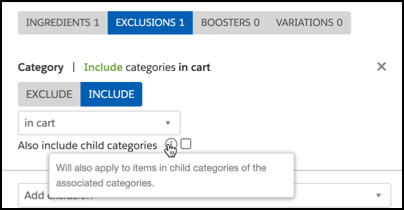
- When using categories in Einstein recipe inclusions or exclusions, selecting a
higher-level category doesn’t exclude items that contain lower-level categories from
being returned by default. To include lower-level categories, select the option to
include child categories.