
You are here:
Paths Report
See how visitors navigate your site using the Paths report, so you can better target your communications and content strategy.
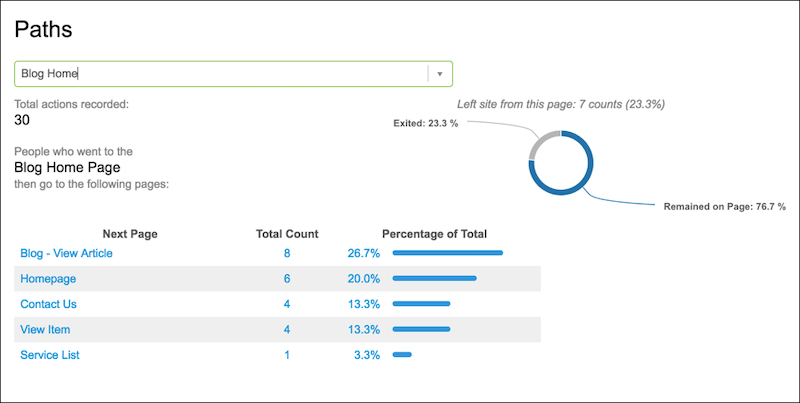
For each page type, you can see which pages a visitor went to next and whether that was the end of their interaction. For example, suppose visitors frequently abandon your demo request form. Based on the Paths report, you can see that they go to one of four other pages. You can message them about the demo on those four pages to increase demo sign ups. Also, if no one enters your site on the homepage, don’t offer a Getting Started video on that page.
To see where a visitor went after completing an action, select or enter the action. You can see the bounce percentage and the percentage of visitors who remained on the page after completing the action. The list of pages shows where visitors who remained on the page went next. To see details about a selected page, click the page in the list. Continue to select pages to see the path visitors take as they move through your site.
