
You are here:
Goal Comparison Report
Use the Goal Comparison Report to view a comparison of goal completions based on a filter.
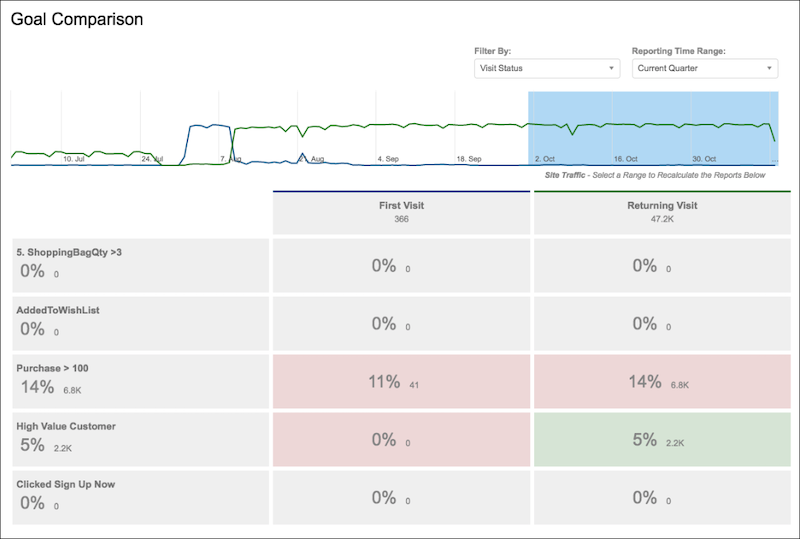
This report can show visit status of new versus returning visitors or an engagement of high, medium, or low. You can change the reporting time range to be the previous or the current week, month, or quarter. When viewing the Goal Comparison report, keep the following in mind:
- Goal comparisons aren’t tracked retroactively.
- New goals are tracked only after you add them, and they don't include visitors who joined the goal segment before it was defined as a goal.
- You can select filters from any that you configure, and from the preconfigured filters available on your site.
Did this article solve your issue?
Let us know so we can improve!
