The tables on the Optimizer page show configuration issues and performance improvement
measures for your business unit. You can also access other tools to help you assess how
efficiently your business unit is running and make improvements.
Required Editions
Available in: All Account
Engagement Editions
Messages
View nonurgent alerts and feature recommendations in the
Messages section by clicking Go to Messages in the notification
banner.
High-Level Assessment
When you access Optimizer, you get a high-level
assessment of your business unit health.
Looking Good—Nothing that Optimizer is measuring indicates critical issues or
efficiency measures to address.
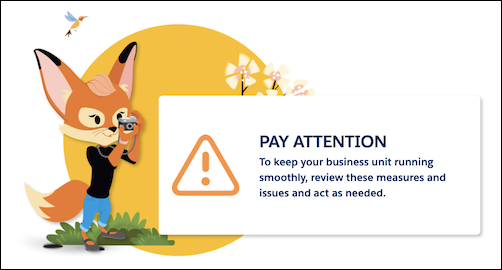
Pay Attention—You can take some actions to improve the overall performance in your
business unit.
Action Needed—Optimizer detects critical issues or measures in your business unit,
and you must act to resolve them.
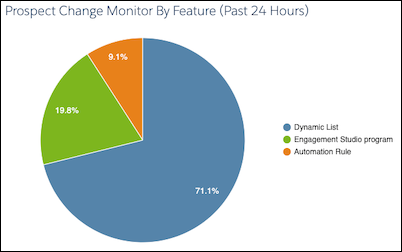
Prospect Change Monitor by Feature
The pie chart breaks down which automations and features resulted in the most changes to prospect
records in the past 24 hours.
Click the pie
chart to drill in and access the Prospect Change Monitor table.
Configuration Issues
The Configuration Issues table lists critical setup
problems that are blocking full access to Account Engagement features. For example, if you don’t
have a verified email sending domain, the table lists the steps to resolve the issue.
Performance Improvement Measures
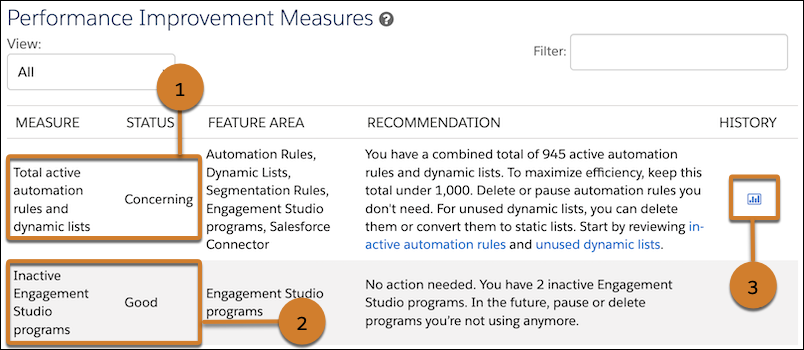
The Performance Improvement Measures
table lists recommendations to improve efficiency in your business unit. For example, if you
have a high number of automation rules and dynamic lists, Optimizer provides suggestions for
maintenance and links to review the rules and lists in your business unit (1). Optimizer also
tells you which measures are in good standing, so you know what’s working well (2). When there’s
enough data, a clickable history icon shows you how the measure has changed over time (3).
Maintenance Resources
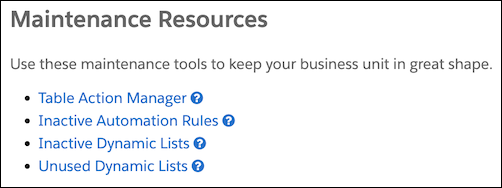
Use the resources and tools to help you manage
processing in your business unit. Use the Table Action Manager to free up bandwidth by pausing
and resuming actions that are currently processing.
Did this article solve your issue?
Let us know so we can improve!
Loading
Salesforce Help | Article
Cookie Consent Manager
Cookie Consent Manager
General Information
Required Cookies
Functional Cookies
Advertising Cookies
General Information
We use three kinds of cookies on our websites: required, functional, and advertising. You can choose whether functional and advertising cookies apply. Click on the different cookie categories to find out more about each category and to change the default settings.
Privacy Statement
Required Cookies
Always Active
Required cookies are necessary for basic website functionality. Some examples include: session cookies needed to transmit the website, authentication cookies, and security cookies.
Functional Cookies
Functional cookies enhance functions, performance, and services on the website. Some examples include: cookies used to analyze site traffic, cookies used for market research, and cookies used to display advertising that is not directed to a particular individual.
Advertising Cookies
Advertising cookies track activity across websites in order to understand a viewer’s interests, and direct them specific marketing. Some examples include: cookies used for remarketing, or interest-based advertising.