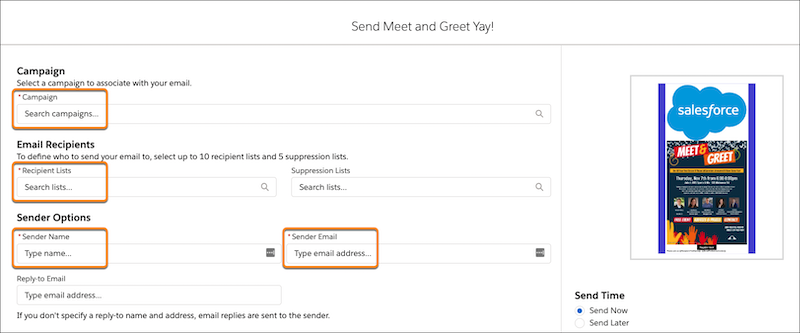
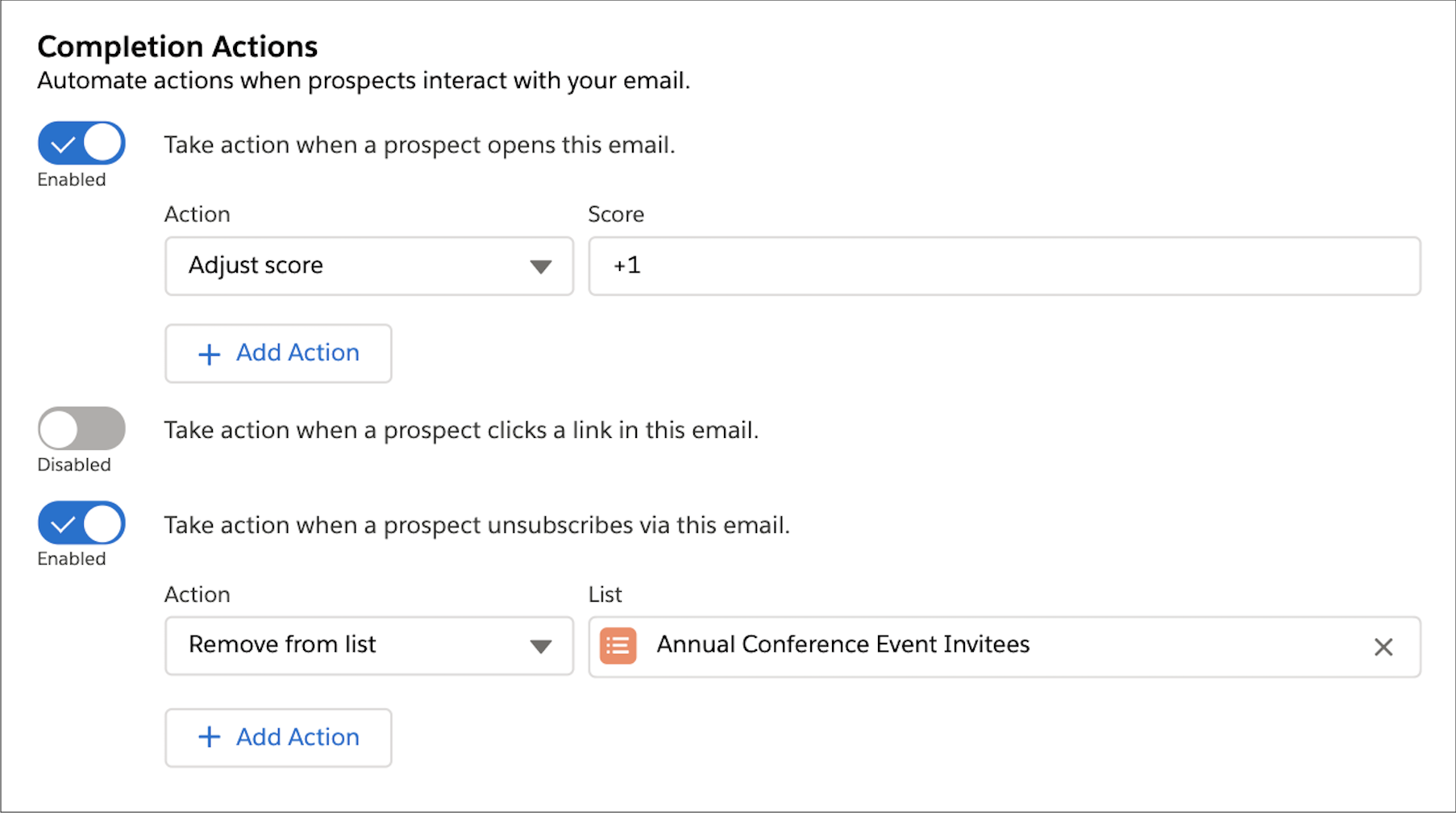
After you design your email content, define a campaign, an audience, tracker domain,
sender options, and completion actions.
Required Editions
Available in: any
Account Engagement Edition
with Salesforce Professional, Enterprise, Performance, and
Unlimited Editions
User Permissions Needed
To send an email:
Manage Email Content
AND
Account Engagement Administrator or Marketing
role
OR
A custom user role in Account Engagement that includes Send to List on Emails,
View on Segmentation Lists, and View on Campaigns
You can send an email content record as many times as needed. Send it immediately or schedule
it for later. Account Engagement
Premium and Advanced
users can also choose to send with Einstein Send Time Optimization.
Test your email thoroughly and verify that all text, images, and links appear and work as
expected.
In the email content record’s action menu, click Send.
Enter the required values, such as campaign, recipient list, and sender information.
To configure completion actions, enable a trigger type and then, select the
action.
Select Send Now or Send Later.
If you select
Send Later, enter a date and time for sending.
We use three kinds of cookies on our websites: required, functional, and advertising. You can choose whether functional and advertising cookies apply. Click on the different cookie categories to find out more about each category and to change the default settings.
Privacy Statement
Required Cookies
Always Active
Required cookies are necessary for basic website functionality. Some examples include: session cookies needed to transmit the website, authentication cookies, and security cookies.
Functional Cookies
Functional cookies enhance functions, performance, and services on the website. Some examples include: cookies used to analyze site traffic, cookies used for market research, and cookies used to display advertising that is not directed to a particular individual.
Advertising Cookies
Advertising cookies track activity across websites in order to understand a viewer’s interests, and direct them specific marketing. Some examples include: cookies used for remarketing, or interest-based advertising.