Use Einstein Engagement Frequency
You can filter prospects by using the Einstein Engagement Frequency (EEF) status in segmentation rules, automation rules, and Engagement Studio. The field is saved as an Account Engagement default field.
Required Editions
| Available in: Account Engagement Advanced and Premium Editions with Salesforce Enterprise, Performance, or Unlimited Edition |
| User Permissions Needed | |
|---|---|
| To add an Einstein Engagement Frequency filter: | Account Engagement Administrator or Marketing role |
Pardot is now known as Marketing Cloud Account Engagement. We wish we could snap our fingers to update the name everywhere, but you can expect to see the previous name in a few places until we replace it, including in the app itself.
The Einstein Engagement Frequency field is stored as an Account Engagement default field, and is automatically added to the relevant locations when an admin enables the feature. You can sort or filter Prospect list views and create segmentation rules and automation rules.

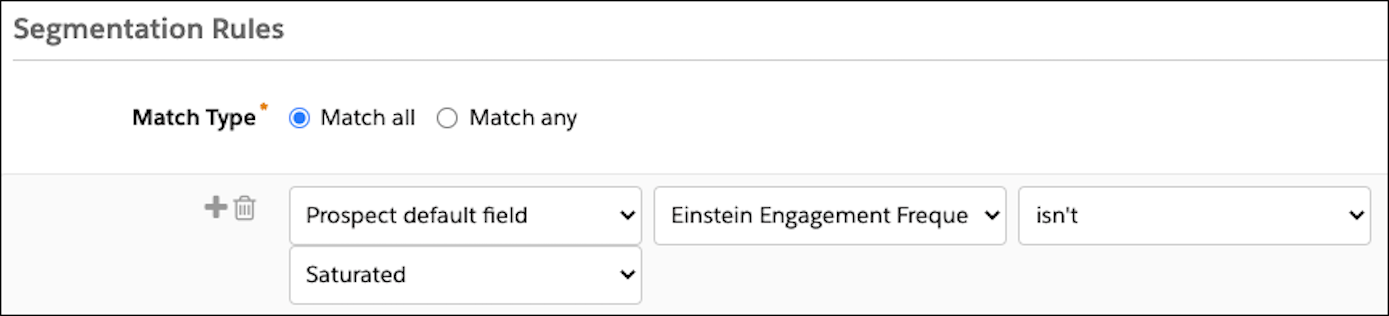
To use the filter in Engagement Studio, create a rule step and follow steps 3 through 5.
- Create or open a segmentation rule or automation rule.
- Add a rule.
- In the first dropdown, select Prospect default field.
- In the next dropdown, select Einstein Engagement Frequency.
-
Select an operator, and then choose a status value.
Options are undersaturated, on target, or oversaturated.
- Save the rule.