
You are here:
Navigating the Classic Builder
The classic email builder in Account Engagement is divided into three tabs: Building, Testing, and Sending. When you open an email or email template, you’re on the Building tab where you can compose and edit your email content. The Building tab works the same whether you’re editing a one-off email or a reusable email template.
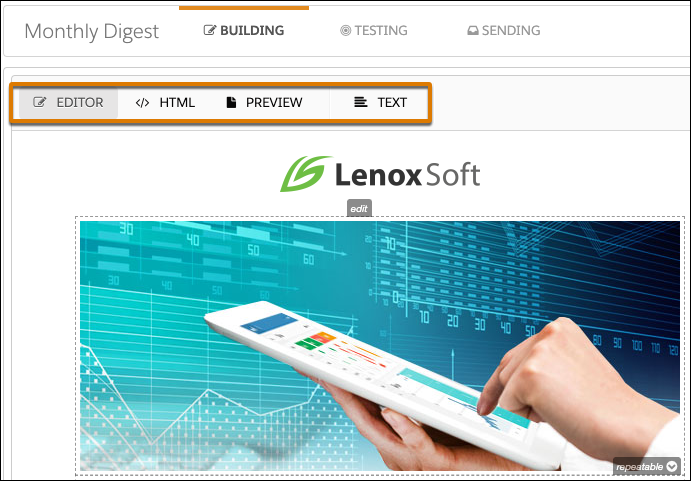
On the Building tab, you can toggle between views.
- Use the Editor to create and edit your email.
- Use the HTML view to access the source code for your email. This option is where you can add embedded content and custom styling.
- Use the Preview to get a general idea of how the email looks in prospect inboxes. For more precise inbox previews, use Advanced Email Analytics.
- Use Text to review the plain-text version of your email. If needed, you can make edits and formatting changes to the plain-text version. Including a plain-text version of HTML emails is important for accessibility.
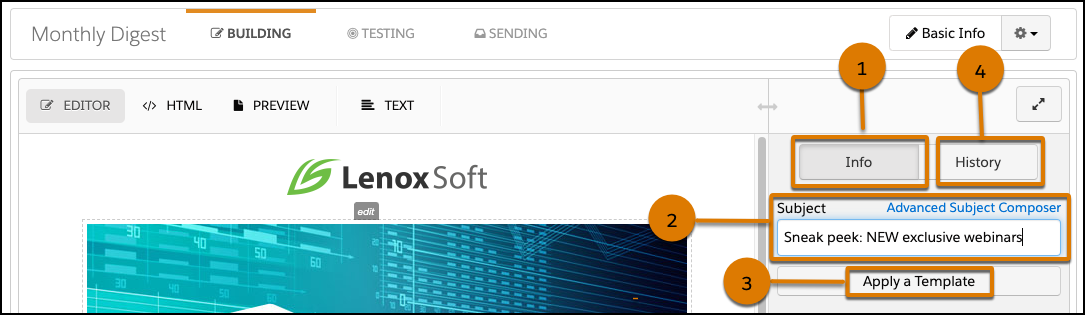
The sidebar on the Building tab offers more tools to customize your email.
- Info (1)
- The sidebar defaults to the Info tab where you can edit the subject line for the email and apply a template.
- Subject (2)
- The Subject field sets the subject line for your email. Use the Advanced Subject Composer to personalize your subject line with merge fields, dynamic content, and emoji.
- Apply a Template (3)
- To save time, create email templates for emails you send regularly and apply them when you build a new email. If you’re building an email template, the button changes to Apply a Layout. Layouts provide a page structure and basic elements for different categories of email. For example, apply a Resubscribe layout and then customize your template with your branding and links to your assets.
- History (4)
- The History tab is version control for your email. Each time you save changes, the system saves a snapshot of your email from that point in time. You can also add a snapshot manually without saving on the history tab. To restore your email to a previous version, click a snapshot.
Did this article solve your issue?
Let us know so we can improve!
