Loading
Salesforce now sends email only from verified domains. Read More
Market to Your Customers with Account Engagement
Table of Contents
Select Filters

          No results
          No results
          Here are some search tips

          Check the spelling of your keywords.
          Use more general search terms.
          Select fewer filters to broaden your search.

          Search all of Salesforce Help
          Use the Metrics Fields Component

          Use the Metrics Fields Component

          Add Engagement History metrics as fields on connected campaigns and asset records. You can also build a custom report based on the Campaign object. These tools can help you determine which marketing assets are most effective.

          Required Editions

          Available in: Salesforce Professional, Enterprise, Performance, and Unlimited Editions with All Account Engagement Editions

          User Permissions Needed
          To view Engagement History metrics: Account Engagement User, CRM User, Sales Cloud User, or Service Cloud User

          What’s Included?

          • Engagement metrics from all asset types, via Salesforce connected campaign records
          • Automated email metrics from after December 14, 2018
          Note
          Note This component doesn’t show activity associated with archived prospects, filtered visitors, operational emails, or auto-responder emails.
          Metrics fields shown on a Marketing Form record.

          More About Metrics

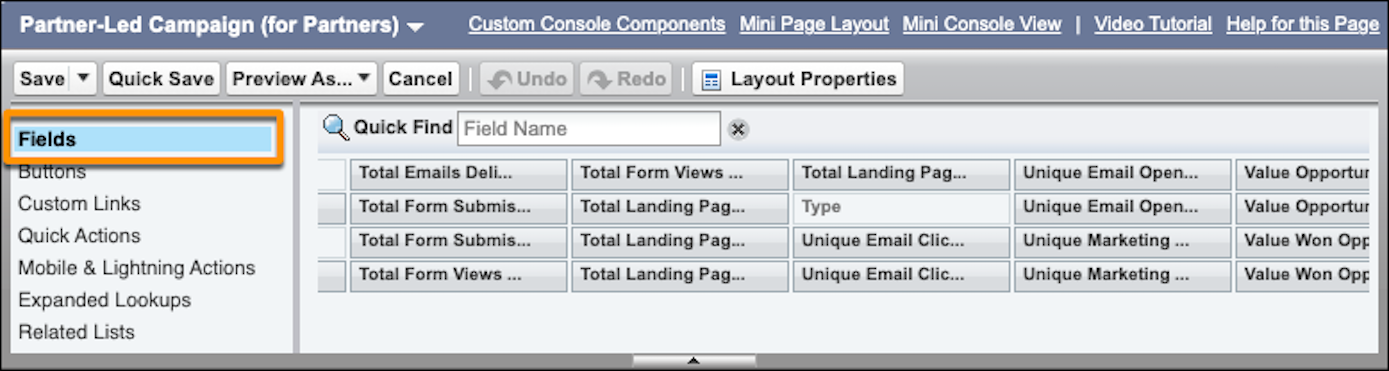
          To show any of these fields on campaign records, add them on the page layout. Choose the fields that make the most sense for your users, and group them under a section with a label, such as Engagement Metrics. By default, marketing asset records include the available metrics from this chart.

          Salesforce Object Associated Account Engagement Asset Available Metrics
          List Email List emails and automated email (operational emails excluded)
          • Total Delivered
          • Delivery Rate
          • Total Soft Bounced
          • Total Hard Bounced
          • Total Opens
          • Unique Opens
          • Open Rate Click Through Rate
          • Unique Click-Through Rate
          • Click to Open Ratio
          • Unique Opt-Outs
          • Opt-Out Rate
          • Total Spam Complaints
          • Spam Complaint Rate
          • Total Tracked Link Clicks
          • Unique Tracked Link Clicks
          Landing Page Landing pages
          • Total View
          • Unique Views
          • Total Form Submissions
          • Unique Form Submissions
          • Form Submission Rate
          • Total Form Errors
          • Unique Form Errors
          • Form Error Rate
          • Total Tracked Link Clicks
          • Unique Tracked Link Clicks
          Marketing Link Files and custom redirects
          • Total Tracked Link Clicks
          • Unique Tracked Link Clicks
          Marketing Form Forms and form handlers
          • Total View
          • Unique Views
          • Total Form Submissions
          • Unique Form Submissions
          • Form Submission Rate
          • Total Form Errors
          • Unique Form Errors
          • Form Error Rate
          • Total Tracked Link Clicks
          • Unique Tracked Link Clicks
          Campaigns N/A

          Two sets of these fields are available—to reflect the campaign and the campaign hierarchy.

          • Total Emails Delivered (via List Email object)
          • Unique Email Opens (via List Email object
          • Unique Email Tracked Link Clicks (via List Email object)
          • Total Form Views (via Marketing Form object)
          • Total Form Submissions (via Marketing Form object)
          • Unique Marketing Link Clicks (via Marketing Link object)
          • Total Landing Page Views (via Landing Page object)
          • Total Landing Page Form Submissions (via Landing Page object)
           
          Loading
          Salesforce Help | Article